

Disponibile in: disegno
Scelta rapida: fai clic con il pulsante destro del mouse su un'area vuota del disegno e seleziona Proprietà disegno
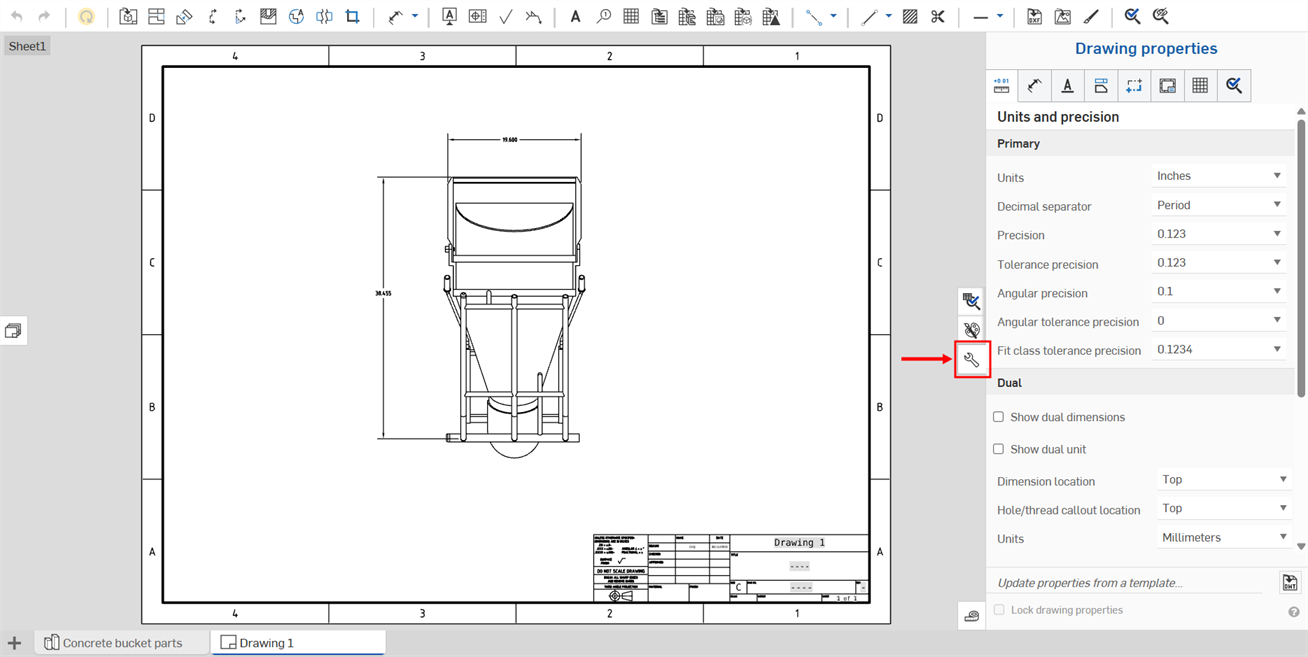
L'icona per accedere al Pannello proprietà disegno si trova sul lato destro dell'area dei disegni. Fai clic sull'icona per aprire il pannello, e fai di nuovo clic per chiuderlo:
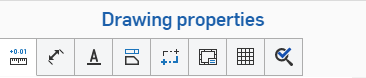
Il pannello Proprietà presenta più schede, ciascuna illustrata in argomenti separati seguito.
Usa queste impostazioni per definire i valori predefiniti per il disegno. Le singole entità del disegno possono essere modificate separatamente, ma queste impostazioni si applicano per impostazione predefinita a tutte le entità presenti nel disegno.
Una volta configurate le proprietà del disegno in base alle tue esigenze, puoi salvare il disegno e le relative impostazioni come modello. Per informazioni sulla creazione di un modello, consulta Modelli di disegni personalizzati.
Per modificare i metadati del disegno, consulta Proprietà (Metadati).
Usa Copia formato per applicare il formato di una dimensione o annotazione a dimensioni o annotazioni aggiuntive.
 Aggiornamento e blocco delle proprietà dei disegni
In Onshape, puoi cambiare le proprietà di un disegno importando un modello del disegno già creato utilizzando la funzione nella parte inferiore del pannello Proprietà disegno (mostrata sotto in rosso). Puoi anche utilizzare la casella di controllo Blocca proprietà disegno per impedire modifiche accidentali.
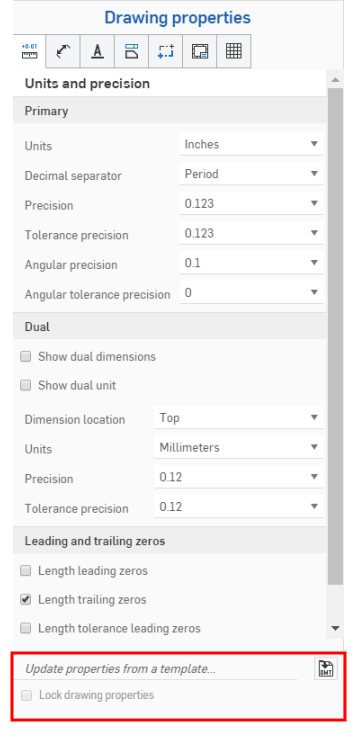
Per aggiornare le proprietà da un modello del disegno Onshape esistente, apri il pannello Proprietà disegno.
Fai clic sull'icona Seleziona un DWT  a destra di Aggiorna proprietà da un modello... per aprire la finestra di dialogo Seleziona un DWT:
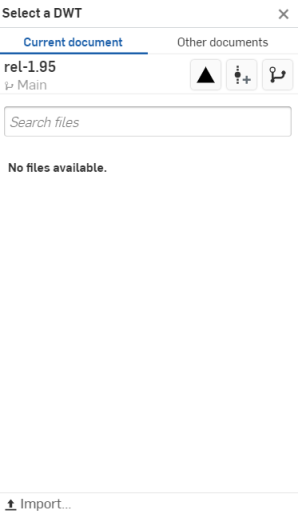
Per selezionare un DWT dal documento corrente
- Fai clic su
 nella parte superiore della finestra di dialogo.
 - Digita nella barra Cerca file per trovare un file o selezionane uno dall'elenco sottostante.
- Per importare un DWT dal desktop, fai clic su
 Importa nella parte inferiore della finestra di dialogo, seleziona il file da importare e fai clic su Apri.
Usa le tre icone nella parte superiore della finestra di dialogo, in Altri documenti, come spiegato di seguito:
 Visualizza gli articoli rilasciati - Fai clic sull'icona Visualizza gli articoli rilasciati per elencare tutti gli articoli rilasciati tra cui scegliere.
 Crea versione - Fai clic sull'icona Crea versione per aprire la finestra di dialogo Crea versione:
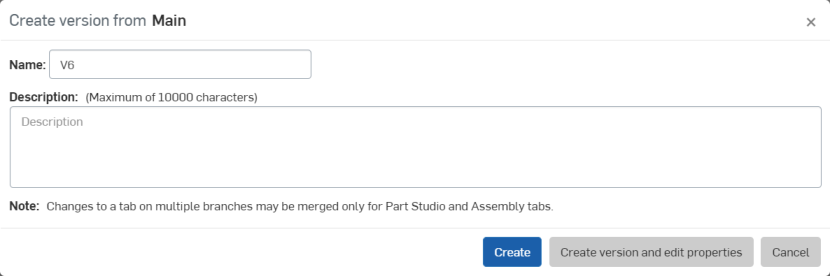
Modifica il nome e/o la descrizione della versione e fai clic su Crea per creare la versione oppure su Crea versione e modifica le proprietà per aprire la finestra di dialogo Proprietà:
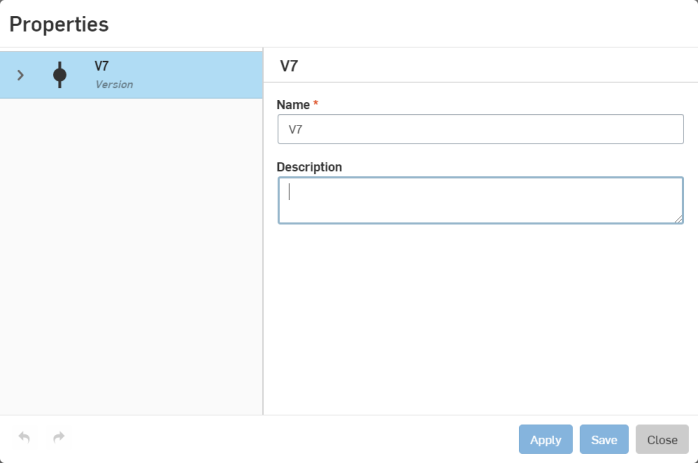
Modifica le proprietà della versione, fai clic su Applica per applicare le modifiche oppure su Salva per applicare le modifiche e chiudere la finestra di dialogo Proprietà.
Fai clic su Chiudi per chiudere la finestra di dialogo Proprietà senza applicare alcuna modifica.
 Grafico delle versioni - Fate clic sull'icona del grafico delle versioni per selezionare una versione diversa del documento dal grafico delle versioni.
Per selezionare un DWT da altri documenti
- Fai clic su
 nella parte superiore della finestra di dialogo.
 - Utilizza la barra di ricerca o fai clic su una delle opzioni sottostanti per selezionare un DWT da un altro documento in Onshape.
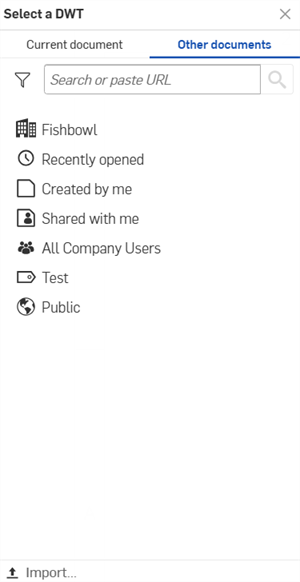
 Di mia proprietà: seleziona un DWT in un documento di tua proprietà.
 /
/  /
/  Enterprise/Aula/Company: seleziona un DWT in un documento della tua Enterprise/Aula/Company.
 Inaugurato di recente - Seleziona un DWT dai tuoi documenti aperti di recente.
 Creato da me - Seleziona un DWT - per tutti i documenti creati da te.
 Condiviso con me - Seleziona un DWT dai documenti condivisi con te.
- Per importare un DWT dal desktop, fai clic su Importa... nella parte inferiore della finestra di dialogo, seleziona il file da importare e fai clic su Apri.
Dopo aver importato un modello di disegno, le proprietà verranno aggiornate automaticamente.