

이용 가능 플랫폼: 도면
단축키: 도면의 빈 영역을 마우스 오른쪽 버튼으로 클릭하고 도면 속성을 선택합니다.
도면 속성 패널에 접근하는 아이콘은 도면 영역의 오른쪽에 있습니다. 아이콘을 클릭하면 패널이 열리고, 다시 클릭하면 패널이 닫힙니다.
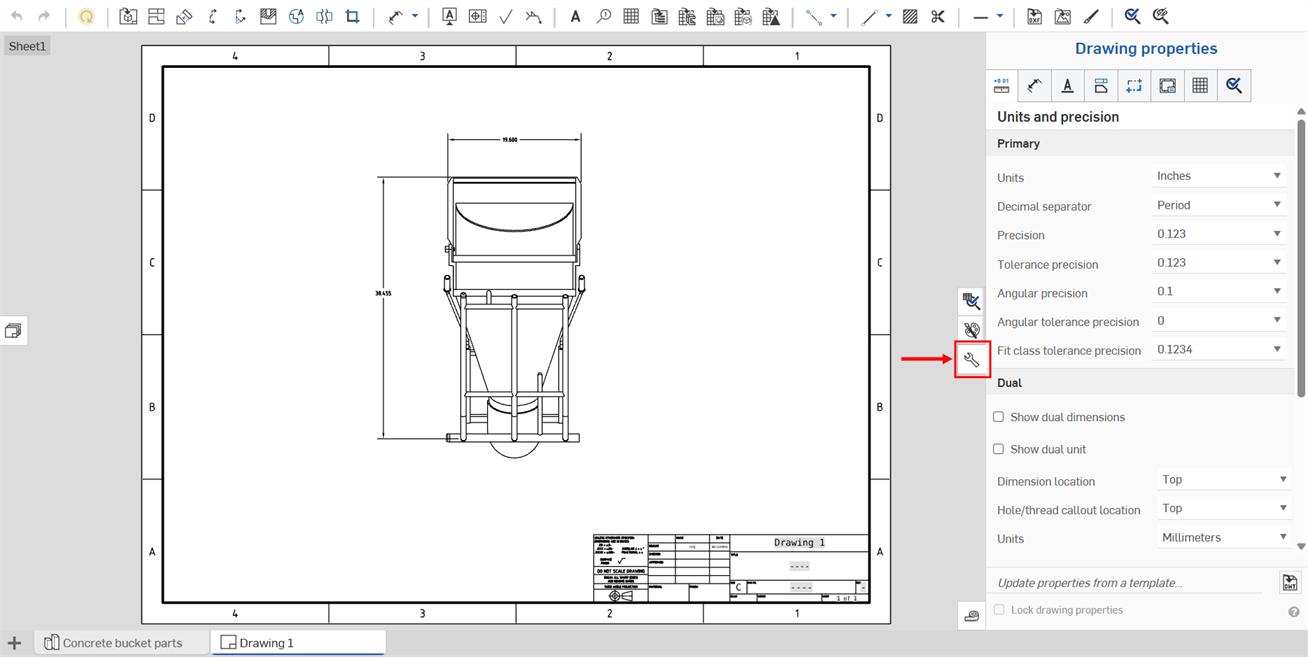
속성 패널에는 여러 탭이 있으며, 각 탭은 아래의 별도 항목에서 설명합니다.
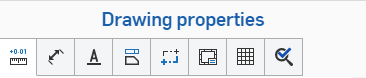
이 설정을 사용하여 도면의 기본값을 정의합니다. 개별 도면 요소는 별도로 변경할 수 있지만, 이러한 설정은 도면의 모든 요소에 기본값으로 적용됩니다.
도면 속성을 원하는 대로 설정했으면 도면과 해당 설정을 템플릿으로 저장할 수 있습니다. 템플릿 생성에 대한 자세한 내용은 사용자 지정 도면 템플릿을 참조하십시오.
도면 메타데이터를 편집하려면, 속성(메타데이터)을 참조하십시오.
페인터 서식 지정을 사용하여 한 치수 또는 주석의 형식을 추가 치수 또는 주석에 적용합니다.
 도면 속성 업데이트 및 잠금
Onshape에서는 도면 속성 패널(아래에 빨간색으로 표시)의 하단에 있는 피처를 사용해 이미 생성한 도면 템플릿을 가져와서 도면의 속성을 변경할 수 있습니다. 또는 도면 속성 잠금 확인란을 사용해 실수로 편집하지 못하게 설정할 수 있습니다.
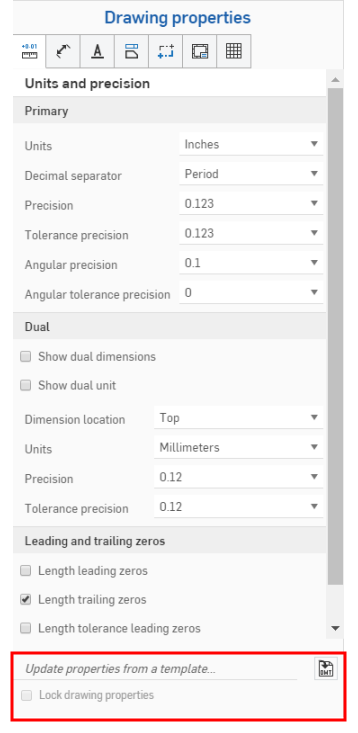
기존의 Onshape 도면 템플릿에서 속성을 업데이트하려면 도면 속성 패널을 엽니다.
템플릿에서 속성 업데이트... 오른쪽에 있는 DWT 선택 아이콘  을 클릭해서 DWT 선택 대화상자를 엽니다.
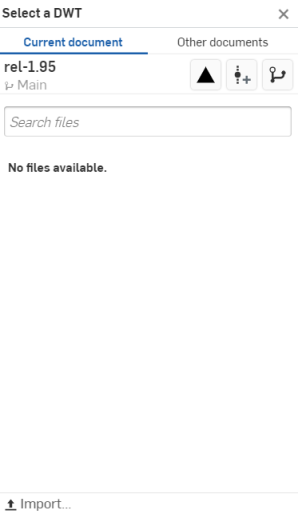
현재 통합문서에서 DWT를 선택하려면
- 대화상자 맨 위에 있는
 을 클릭합니다.
 - 파일 검색 표시줄에 입력해서 파일을 찾거나 아래 목록에서 하나를 선택합니다.
- 데스크톱에서 DWT를 가져오려면 대화상자 하단에 있는
 가져오기를 클릭하고 가져오려는 파일을 선택한 다음, 열기를 클릭합니다.
아래와 같이 다른 통합문서 아래에서 대화상자의 맨 위에 있는 3개의 아이콘을 사용합니다.
 릴리스된 항목 보기 - 선택할 수 있는 릴리스된 모든 항목을 열거하려면 릴리스된 항목 보기 아이콘을 클릭합니다.
 버전 생성 - 버전 생성 대화상자를 열려면 버전 생성 아이콘을 클릭합니다.
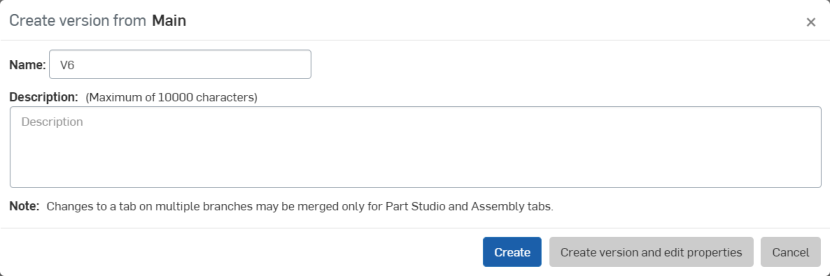
버전의 이름 및/또는 설명을 조정하고 생성을 클릭하여 버전을 만들거나, 버전 생성 및 속성 편집을 클릭하여 속성 대화상자를 엽니다.
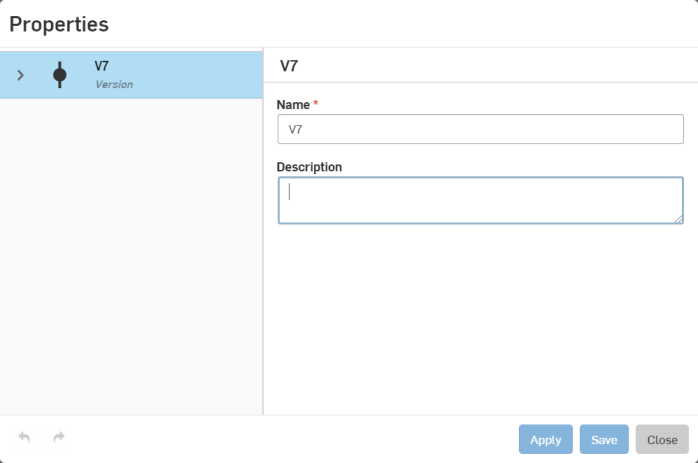
버전의 속성을 조정하고 적용을 클릭하여 변경 내용을 적용하거나, 저장을 클릭하여 변경 내용을 적용한 후 속성 대화상자를 닫습니다.
변경 내용을 적용하지 않고 속성 대화상자를 닫으려면 닫기를 클릭합니다.
 버전 그래프 - 버전 그래프 아이콘을 클릭해서 버전 그래프에서 통합문서의 여러 버전을 선택할 수 있습니다.
다른 통합문서에서 DWT를 선택하려면
- 대화상자 맨 위에 있는
 을 클릭합니다.
 - 검색 표시줄을 사용하거나 아래 옵션 중 하나를 클릭하여 Onshape의 다른 통합문서에서 DWT를 선택합니다.
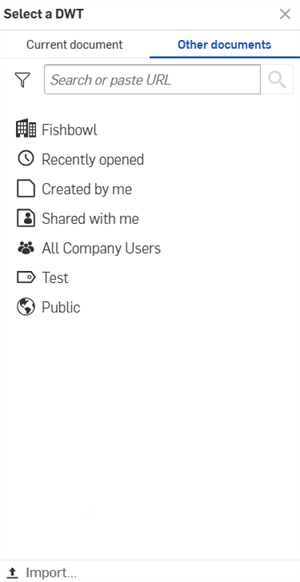
 내 소유 항목 - 사용자가 소유한 통합문서에서 DWT를 선택합니다.
 /
/ /
/ 엔터프라이즈/클래스룸/Company - 엔터프라이즈/클래스룸/Company의 통합문서에서 DWT를 선택합니다.
 최근에 연 통합문서 - 최근에 연 통합문서에서 DWT를 선택합니다.
 내가 만든 문서 - 사용자가 작성한 통합문서에서 DWT를 선택합니다.
 공유된 문서 - 사용자와 공유된 통합문서에서 DWT를 선택합니다.
- 데스크톱에서 DWT를 가져오려면 대화상자 하단에 있는 가져오기...를 클릭하고 가져오려는 파일을 선택한 다음, 열기를 클릭합니다.
도면 템플릿을 가져온 후, 속성이 자동으로 업데이트됩니다.