 圖形喜好設定

在 Part Studio、組合件中提供此功能
在圖形區域中調整模型的視覺化參數。修改一般視埠、塗彩本體、影線邊線、和網格本體參數,以及使用中/非使用中草圖線寬與色彩,建構線間隙和虛線長度。
在建構曲面時,這些選項是特別有用的。
 存取圖形喜好設定
-
選擇攝影機與渲染選項,然後選擇圖形喜好設定:
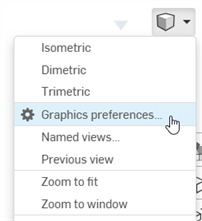
-
下列的對話方塊開啟:
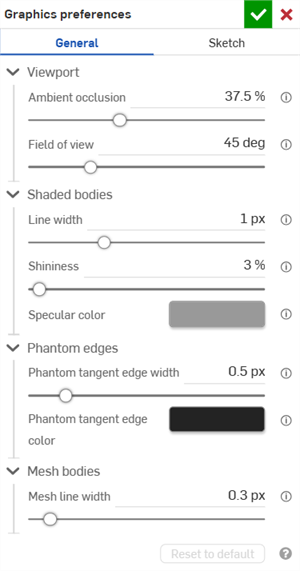
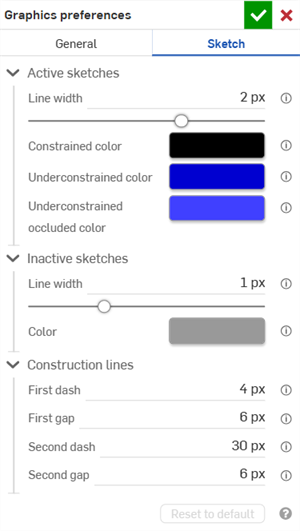
General graphics preferences (left) and Sketch graphics preferences (right)
-
請依照以下各節所述調整設定。按一下 重設為預設 按鈕來將「一般」與「草圖」對話方塊選項還原到其預設值。
一般喜好設定
視埠
-
環境遮蔽 - 控制從 0% - 100% (預設:37.5%) 的環境光遮蔽強度。較高的值會在邊線、角落、縫隙以及零件相觸或相交的其他位置產生柔和的深色調。這有助於模擬在這些位置上的真實間接光源的覆蓋。較低的值會在這些位置上建立較少的陰影。
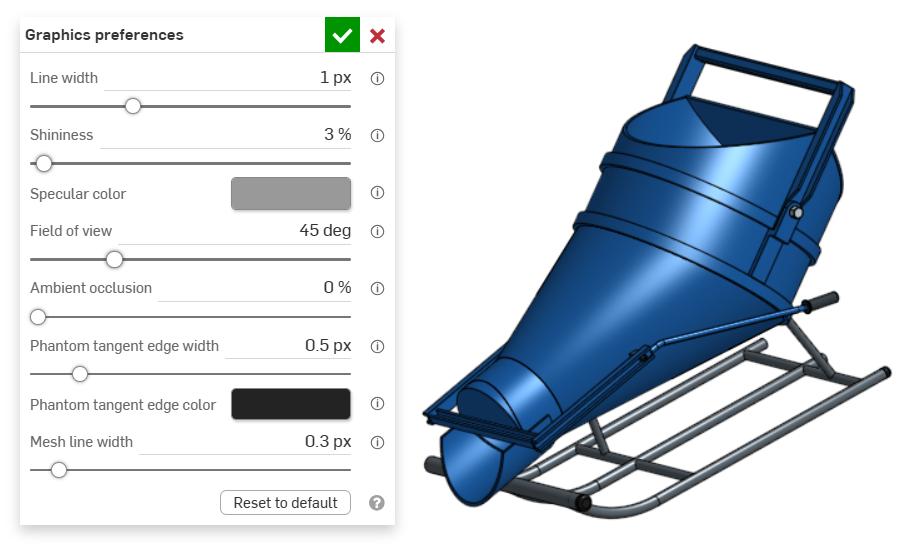
An example of an entity in the graphics area with Ambient occlusion at 0%
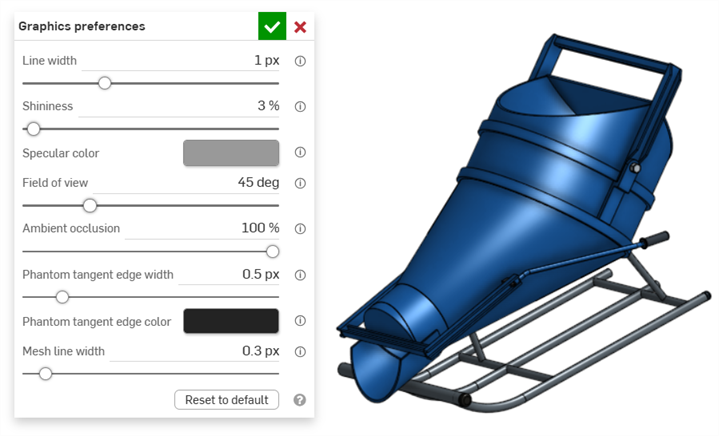
An example of an entity in the graphics area with Ambient occlusion at 100%
-
視野 (僅當啟用了遠近透視時可用) - 控制透視攝影機的視野。使用水平滑桿或輸入從 20 - 120 度的數值。
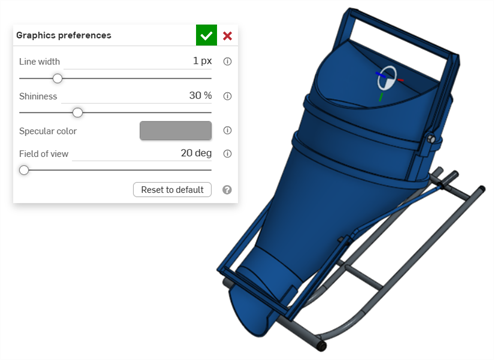
An example of an entity in the graphics area with Field of view set at 20 degrees
塗彩本體
-
線寬 - 控制曲面與邊線的線條寬度。使用水平的滑桿或輸入從 0.1 - 3 像素的數值。
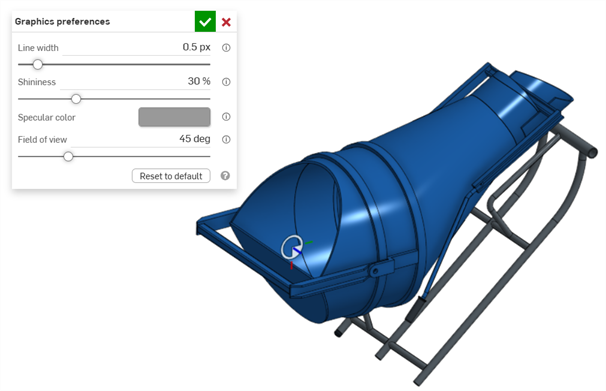
An example of an entity in the graphics area with Line width set at 0.5 px
-
光澤度 - 控制塗彩表面的預設光澤度。使用水平滑桿或輸入從 1 - 100 % 的數值。
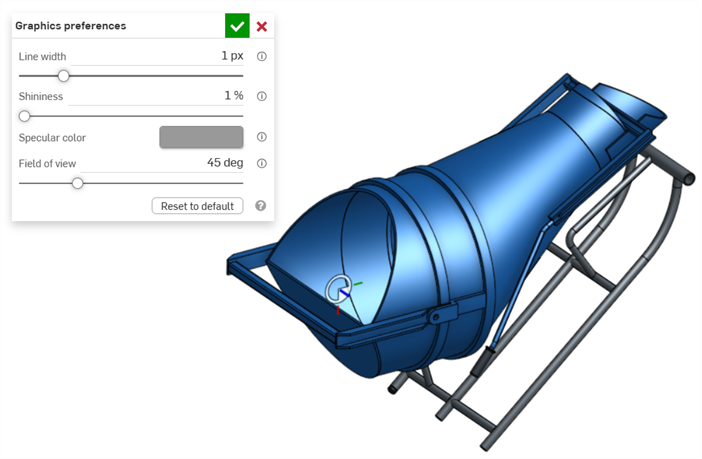
An example of an entity in the graphics area with Shininess set to 1%
-
高光反射色彩 - 控制塗彩表面的預設高光反射色彩。按一下色彩樣本來開啟色彩選擇器對話方塊並選擇一個色彩。
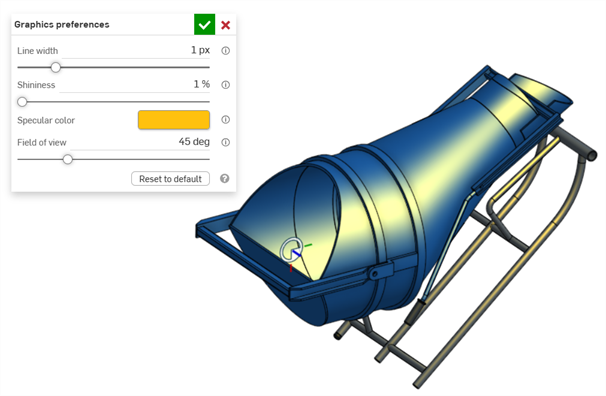
An example of Specular color being edited in the graphics area
-
Section interference color - Controls the default section interference color of overlapped parts or surfaces. Click the color swatch to open the Color picker dialog and select a color.
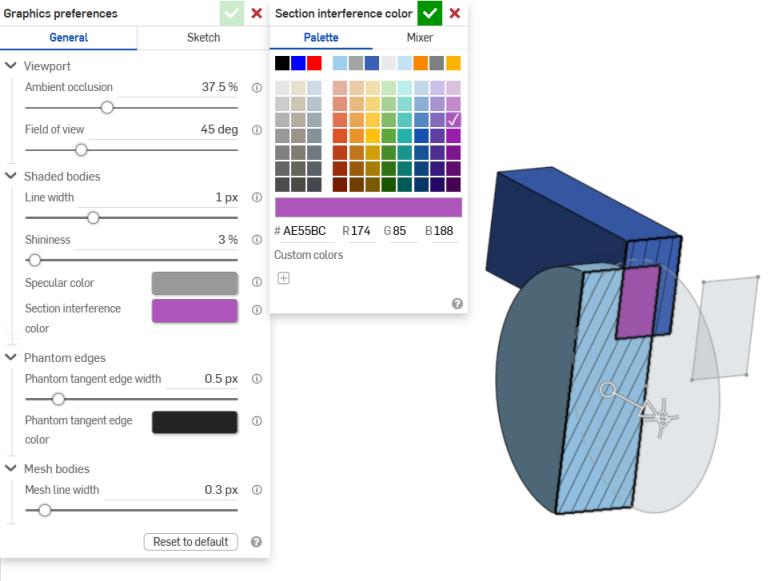
An example of Section interference color being edited in the graphics area
Phantom edges
-
影線相切邊線寬度 - 如果相切線是設定為影線,這個選項會控制這些邊線的線寬,範圍是從 0.1 - 3 px (預設:0.5 px)。
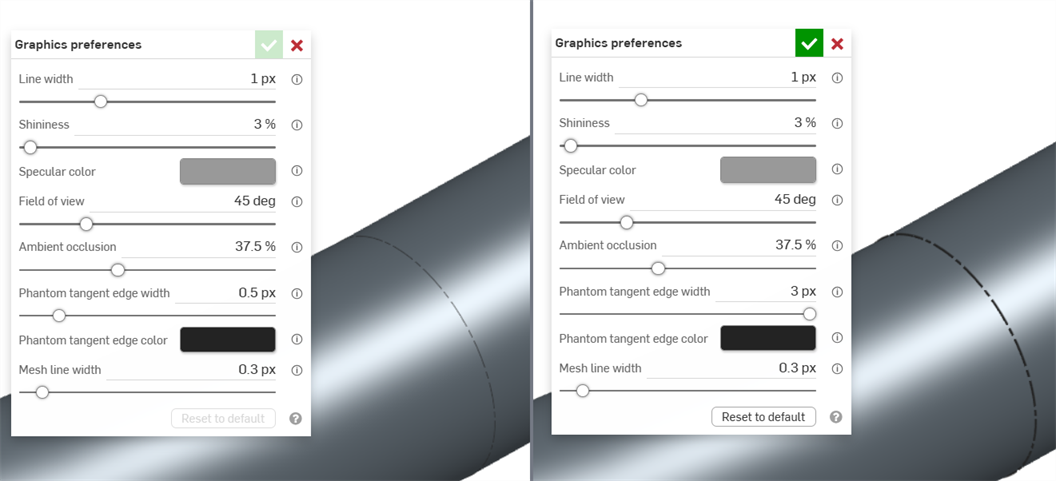
An example of an entity in the graphics area with Phantom tangent edge width set to 0.5 px (left) and 3px (right)
-
影線相切邊線色彩 - 如果 相切線是設定為影線,這個選項會控制這些邊線的預設色彩。按一下色彩樣本來開啟色彩選擇器對話方塊,然後選擇一個色彩。
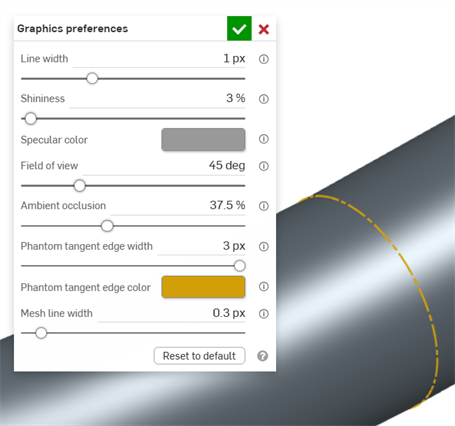
網格本體
-
網格線寬度 - 控制網格曲面與邊線的線寬,範圍是從 0.1 - 3 px (預設:0.3 px)。
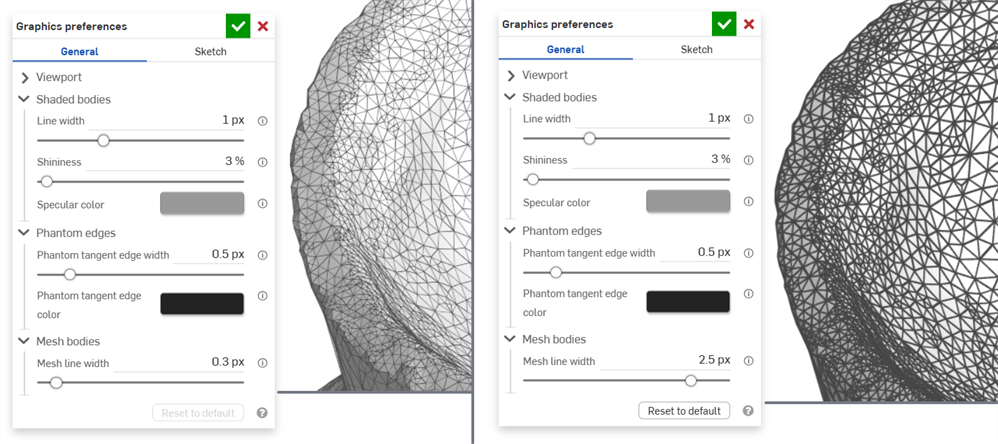
An example of an entity in the graphics area with Mesh line width set to 0.3 px (left) and 2.5 px (right)
草圖喜好設定
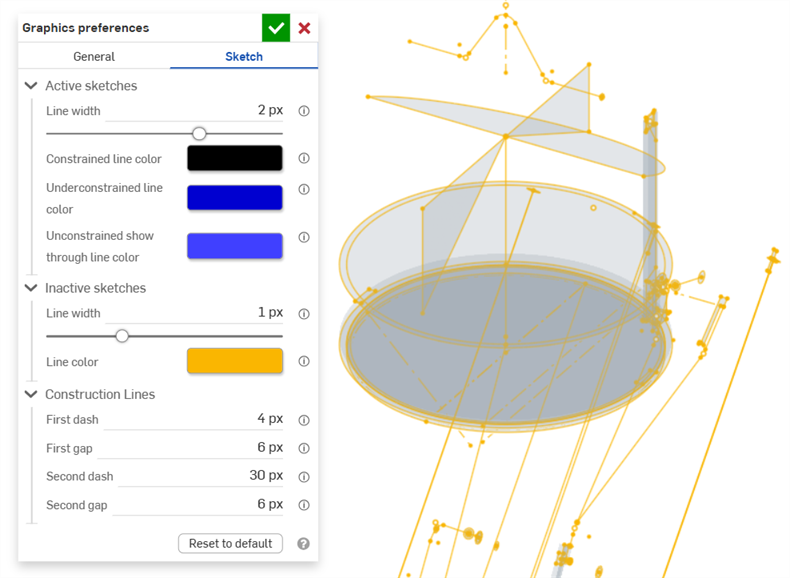
使用中草圖
-
線寬 - 控制使用中草圖的線條寬度。使用水平滑桿或輸入從 0.1 - 3 像素的數值。
-
受限線條色彩 - 控制受限線條或點的預設色彩。按一下色彩樣本來開啟色彩選擇器對話方塊,然後選擇一個色彩。
-
不受限色彩 - 控制不受限線條或點的預設色彩。按一下色彩樣本來開啟色彩選擇器對話方塊,然後選擇一個色彩。
-
不受限遮蔽色彩 - 控制不受限遮蔽線與點的預設色彩。這是在圖形區域中被零件遮蔽的線和點。按一下色彩樣本來開啟色彩選擇器對話方塊,然後選擇一個色彩。
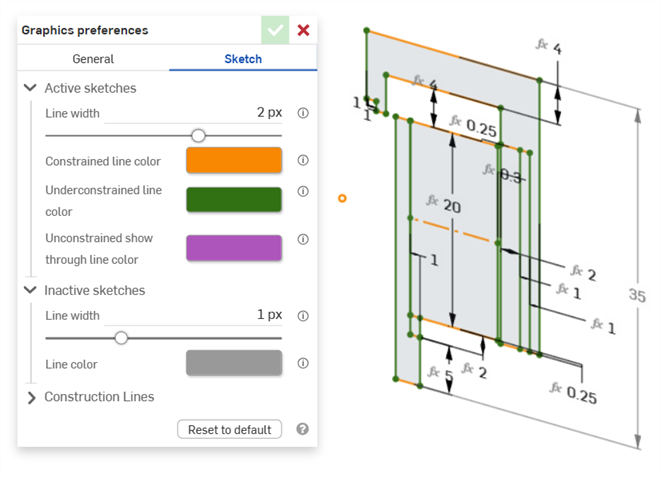
顯示在使用中草圖的受限與不受限線條色彩的範例
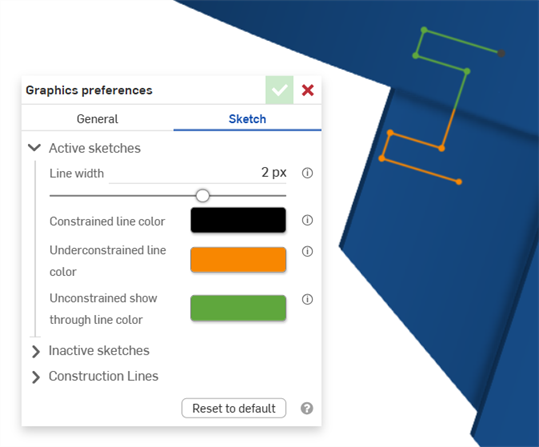
顯示在使用中草圖的不受限線條色彩的範例。綠色顯示在圖形區域中被零件遮蔽的草圖線段。
非使用中草圖
-
線寬 - 控制非使用中草圖的線條寬度。使用水平滑桿或輸入從 0.1 - 3 像素的數值。
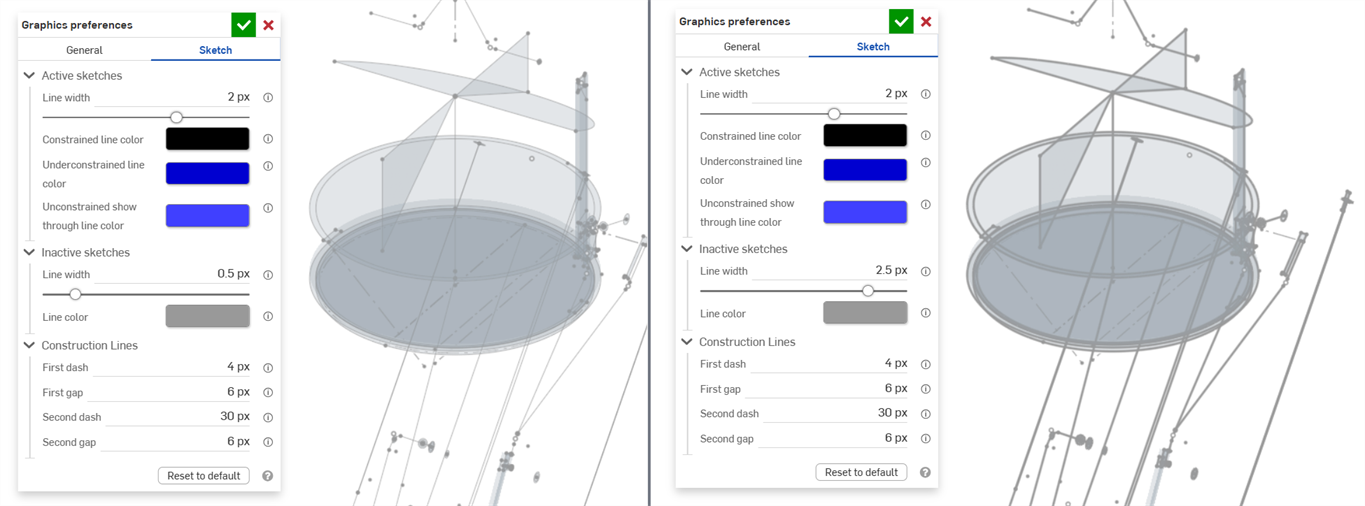
-
線條色彩 - 控制非使用中草圖的線條與點的預設色彩。按一下色彩樣本來開啟線條色彩對話方塊以從色彩選擇器中選擇一個色彩。
建構線
-
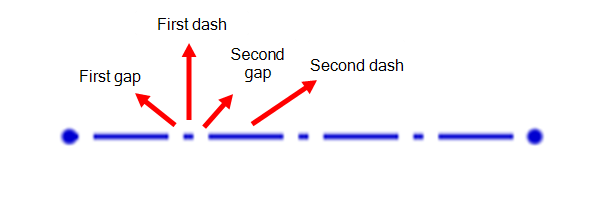
第一個破折號 - 控制在建構線點狀圖案中第一個破折號的長度。請輸入一個從 1-50 像素的值 (預設是 4 px.)。
-
第一個間隙 - 制在建構線點狀圖案中第一個間隙的長度。請輸入一個從 0-50 像素的值 (預設是 6 px.)。
-
第二個破折號 - 控制在建構線點狀圖案中第二個破折號的長度。請輸入一個從 1-50 像素的值 (預設是 30 px.)。
-
第二個間隙 - 控制在建構線點狀圖案中第二個間隙的像素長度。請輸入一個從 0-50 像素的值 (預設是 6 px.)。