Enterprise 設定 - 整合

僅為這個計畫提供
僅為 Enterprise 管理員提供;授予或移除對雲端儲存整合和整合使用者的存取權限,並設定像是 Slack 的協同合作整合。
您可以在這個頁面中設定整個 Company/Enterprise 的整合。關於設定您使用者帳戶整合的資訊,請參考我的帳戶 - 整合。
To navigate to your Integrations settings in Onshape, click on your Account user icon ( ) in the top right corner of your Onshape window. This opens a dropdown menu. Click Enterprise settings.
按一下頁面左側清單中的 [整合]:
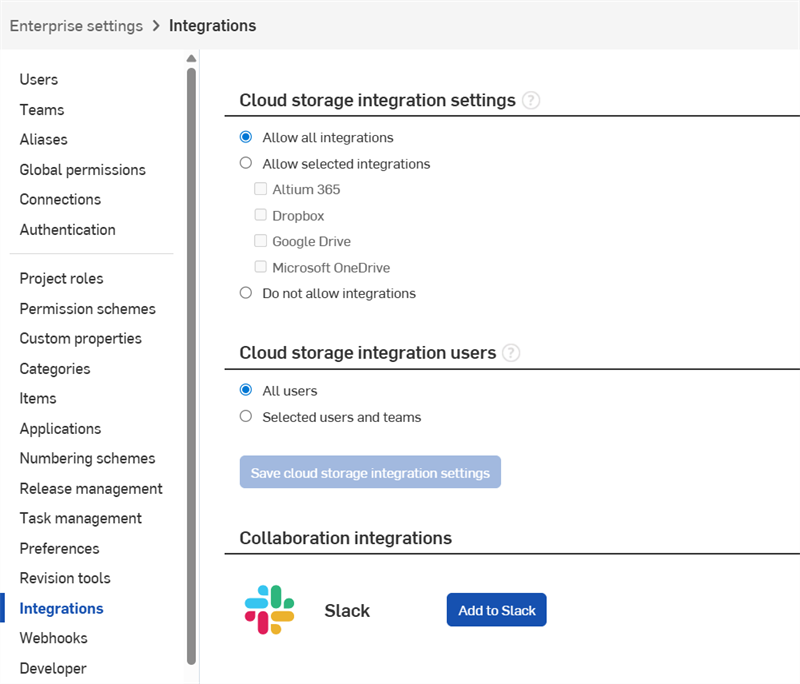
 雲端儲存整合設定
選擇相對應的選項按鈕:
- Allow all integrations - Allows storage integrations with Altium 365, Dropbox, Google Drive, and Microsoft OneDrive.
- 允許所選的整合 - 從可用的服務的清單中選擇您要的整合。
- 不允許整合 - 不與任何可用的服務整合。
雲端儲存整合使用者
選擇相對應的選項按鈕:
- 所有使用者 - 允許所有使用者與上方指定的服務整合。
- 選取的使用者與團隊 - 僅允許特定的使用者和/或團隊來與上方指定的服務整合。
協同合作整合
Slack 整合
Onshape 與 Slack 之間的整合可讓使用者共享兩個應用程式間的評論、工作與發行,並可直間在 Slack 中檢視最新的 20 個文件和 10 個工作清單。
設定 Slack 整合 (管理員)
-
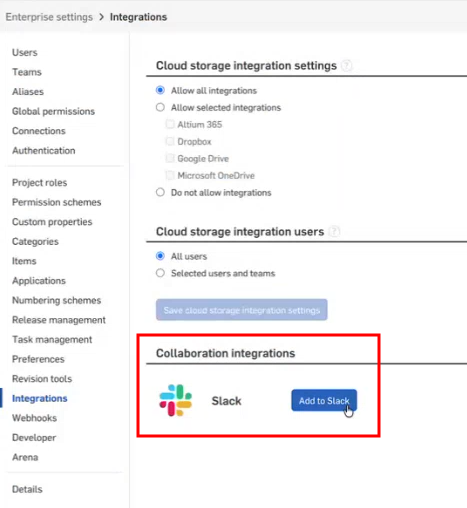
導覽至 Enterprise 設定 > 整合 頁面,然後按一下 加入至 Slack 按鈕:
-
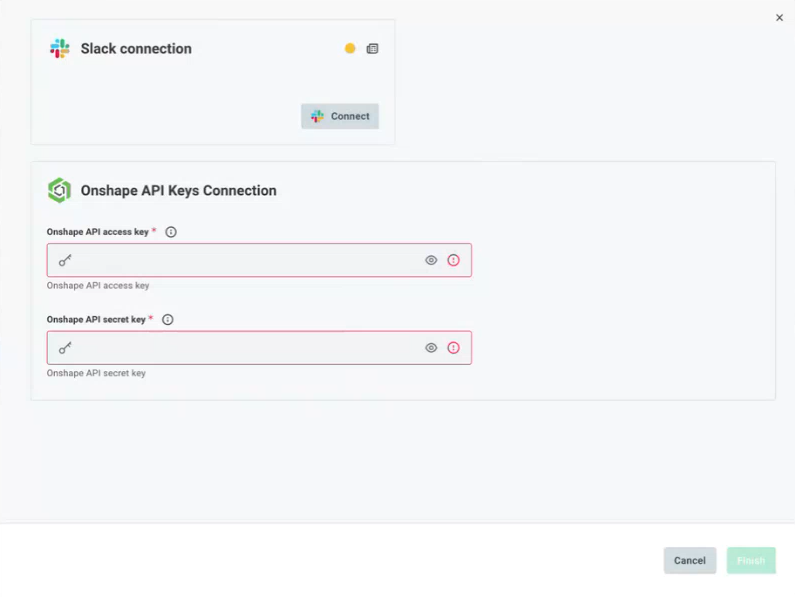
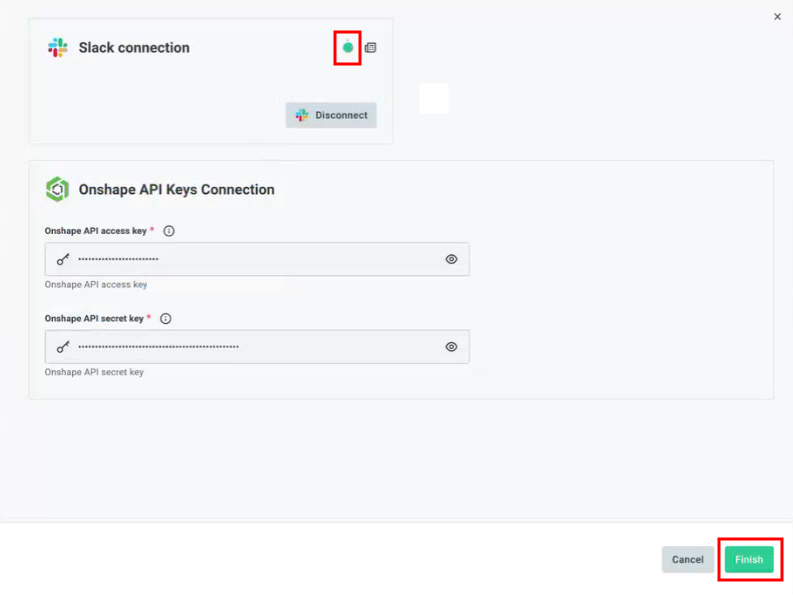
輸入 Onshape API 存取金鑰與 Onshape API 秘密金鑰。然後按一下頁面上方 Slack 連線標題下的連接:
-
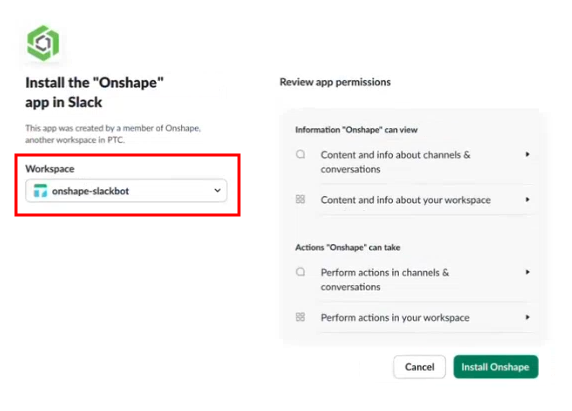
接下來請在 Slack 中安裝 Onshape app。如果您有多個 Slack 實例,按一下工作區下拉清單並選擇您要與 Onshape 連線的 Slack 工作區。
-
檢閱應用程式權限。完成時按一下 Install Onshape 按鈕。
-
如果授權成功,螢幕上會短暫顯示下列的影像:

-
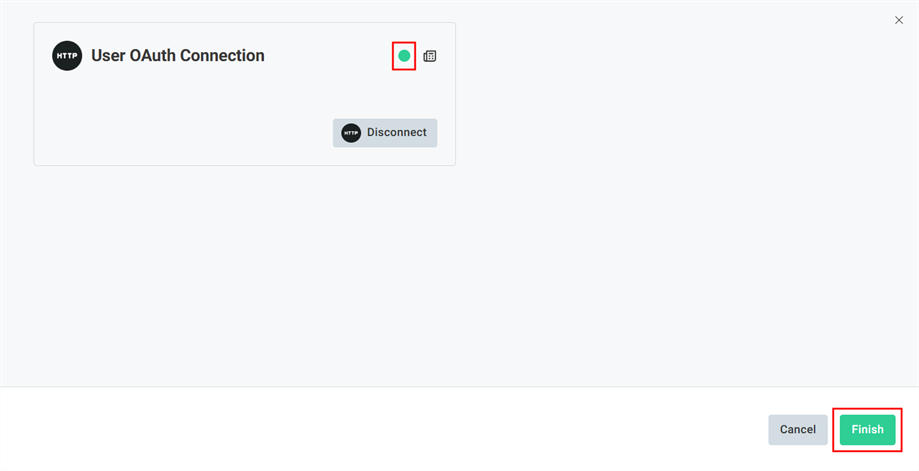
影像會關閉,然後 Slack 連線螢幕中會顯示一綠色圖示,表示成功連線。按一下完成按鈕來完成連線:
-
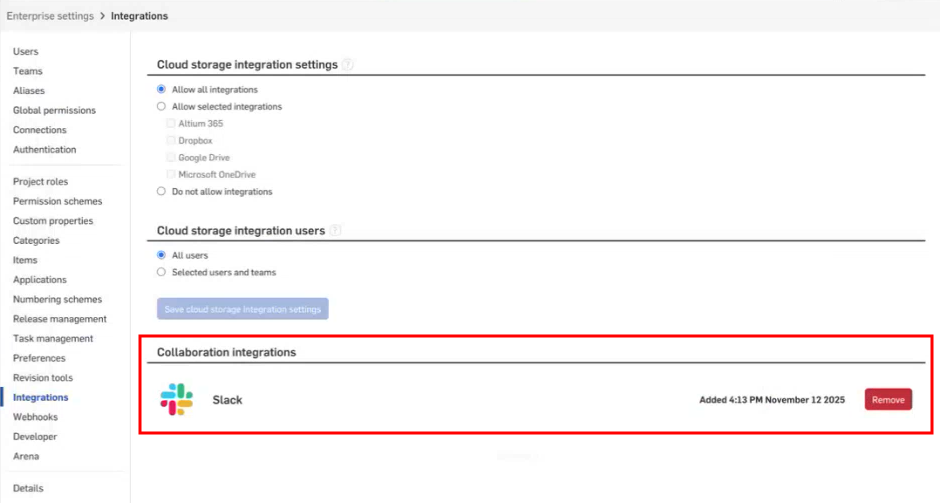
在 Enterprise 設定 > 整合頁面中,Slack 的整合會顯示建立連線的時間,並會有要移除連線時可用的按鈕。
使用 Slack 整合 (所有使用者)
使用者 OAuth 連接
當您第一次與 Slack 連線時,每個使用者必須明確地將帳戶與 Onshape 連接:
-
在 Slack Onshape 工作區中輸入
/onshape connect: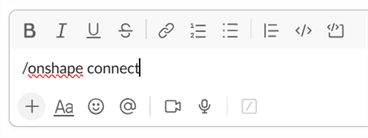
-
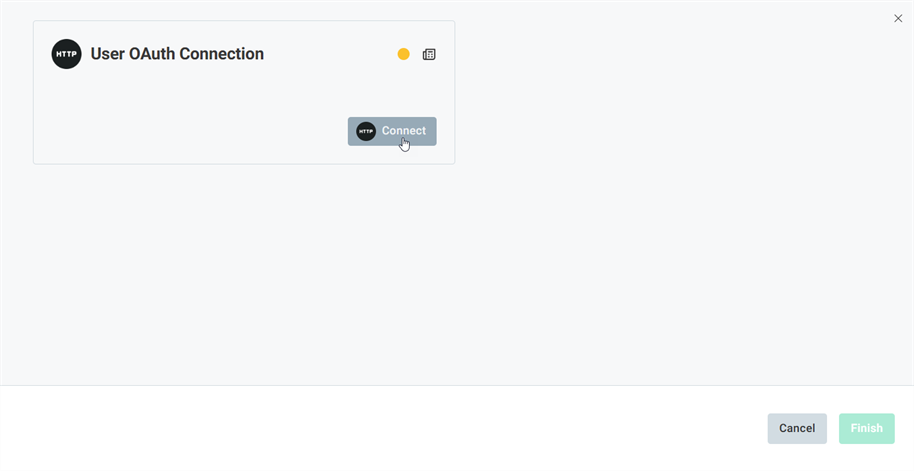
使用者 OAuth 連接螢幕開啟。按一下連接按鈕:
-
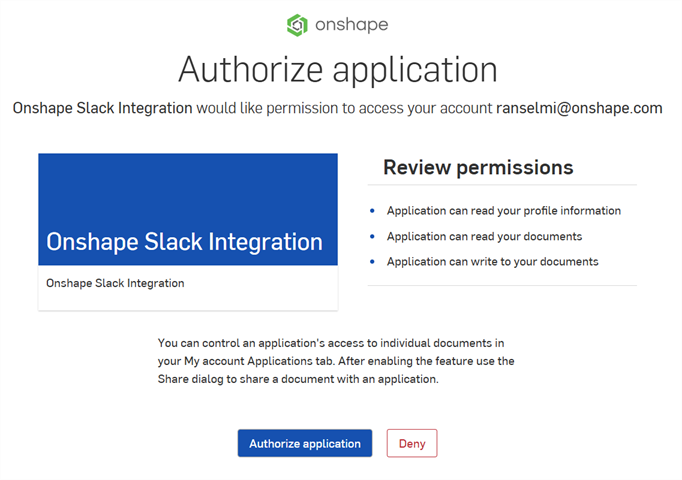
「Authorize application」螢幕開啟。按一下 按鈕:
-
使用者 OAuth 連接螢幕開啟。按一下完成按鈕:
-
您現在已連線到 Slack 工作區中的 Onshape。若要取消連線,請輸入
/onshape disconnect。
Slack 使用者指令
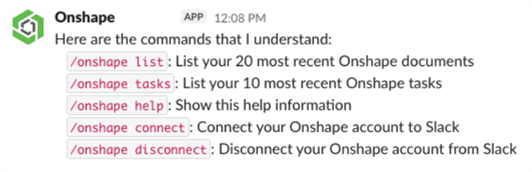
在連線之後,您可以在 Slack 中使用下列的指令:
-
/onshape list- 列出您最新的 20 個 Onshape 文件。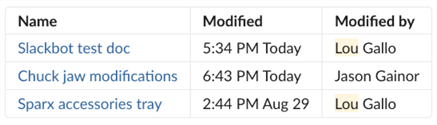
-
/onshape tasks- 列出您最新的 10 個 Onshape 工作 (行動項目)。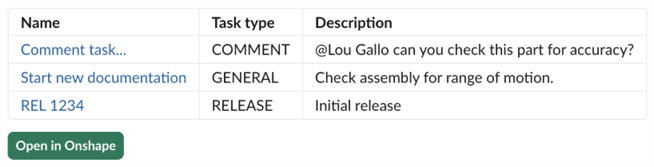
-
/onshape help- 顯示這個說明資訊。 -
/onshape connect- 將您的 Onshape 帳戶與 Slack 連線。 -
/onshape disconnect- 從 Slack 中取消與您 Onshape 帳戶的連線。
Slack 通知
當 Onshape 使用者更新以下內容時,會在 Slack 中發出通知:
-
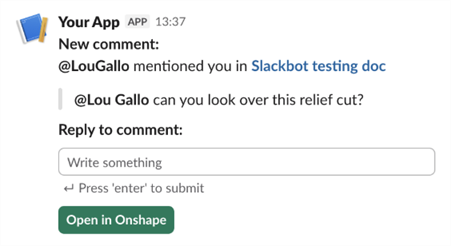
評論 - 如果在評論中提及使用者,或評論是指派給使用者的,則該使用者會在 Slack 中收到通知:
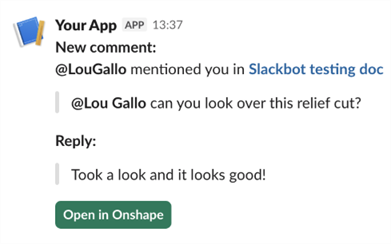
當使用者的評論經另一使用者回覆時,使用者也會收到通知:
-
發行 - 在將觀察人員或核准者加入至發行中時,以及當發行狀態更新時,這些使用者會在 Slack 中收到通知:
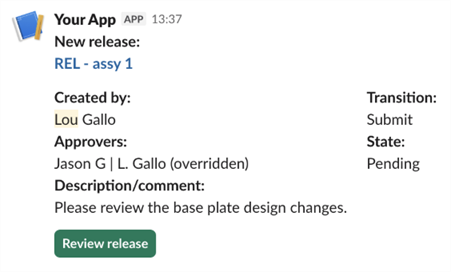
在管理員設定 Slack 整合之後,如果在評論中提及使用者或評論是指派給使用者的,或是使用者以觀察人員或核准者的身分加入至發行中,即使該使用者尚未設定其 OAuth 連接,仍會在 Slack 中通知使用者 (或甚至使用者解除與 OAuth 連接時)。
若要從 Slack 中直接回覆這些評論,使用者必須使用 /onshape connect 命令來將其 Onshape 帳戶與 Slack 連接。