 工程图 - 倒角尺寸

可用于:工程图
在倒角边上放置一个注释或尺寸。
 步骤
步骤
- 单击
 。
。 - 单击倒角边和相邻边。
- 将光标从边上移开以预览尺寸。
- 单击以放置注释或尺寸。
Tips and notes
-
To alter the style of the chamfer dimension (note or dimension), select the preferred style in the Properties panel, Dimensions tab, Chamfer section. For more information, see Drawing Properties.
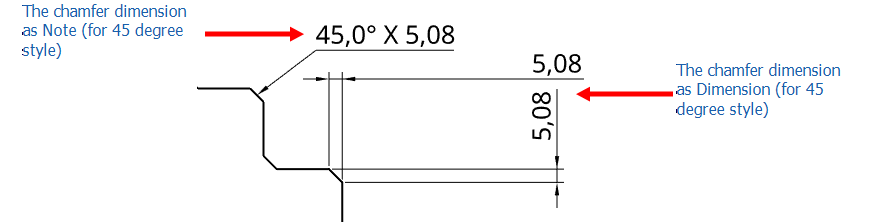
-
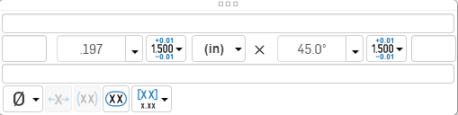
要为倒角尺寸添加前缀,请双击尺寸以打开对话框:
-
按照“设置样式和修改尺寸”中所述的方法调整倒角尺寸的格式。
-
To replicate the chamfer dimension to another view in the drawing, see Views: Replicate annotations.