异步仿真

仅适用于
可用于:装配体
通常情况下,仿真会在用户的活动建模会话中动态(实时)运行,对装配体或其零件的每项更改都会做出响应。这种行为非常适合快速、迭代的设计指导。然而,分析重要的设计里程碑或进行长时间运行的分析,则需要采用不同的方法。
使用异步仿真时,用户可以独立于活动建模会话运行仿真。仿真结果会永久存储在仿真面板的“结果和历史记录”表中。仿真结果会显示队列中所有作业的状态、进行中的作业以及已完成的作业。
功能包括:
-
在活动建模会话之外计算仿真
-
存储文档整个生命周期的仿真结果
-
通过设置以下装配体特性,从任意文档版本提交仿真研究:
-
变量(可选;如果有)
-
配置(可选;如果有)
-
Named position (required, unless the Assembly is at the version's Default position)
-
仿真(必填)
-
-
在“结果和历史记录”表中清晰地组织仿真
-
轻松监控进度或从队列中取消作业,或从已完成的作业中检索结果
-
每个用户最多可启动 50 个连续仿真以进行比较分析
-
消除实时仿真中的时间限制,这对于长时间运行的分析非常有用。只有当分析运行时间超过 24 小时时,仿真才会超时。
-
相对于实时仿真增加内存分配,这对于计算密集型分析非常有用。实时仿真使用 32 或 24 GB 的 GPU 科学计算实例(视可用性而定),而异步仿真则使用 128 或 64 GB 的 CPU 科学计算实例(视可用性而定)。
 步骤
步骤
此工作流假定您在“装配体”页签中拥有一个完整的 CAD 模型,实例已配合且装配体已充分约束,并且仿真已正确定义:
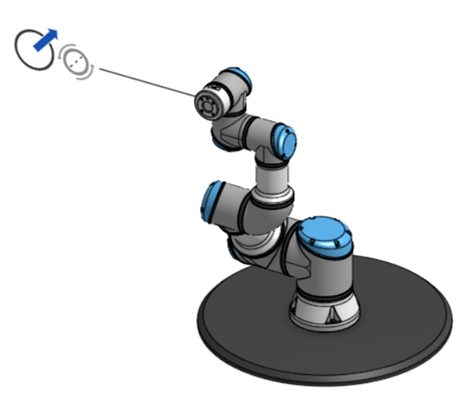
-
Optionally, create at least one Named position for the Assembly. The asynchronous simulation can be run at the version's Default position, which is the position of the Assembly at the moment the version was created.
-
或者,创建装配体所需的任何变量。
-
或者,创建装配体所需的任何配置。
-
创建文档版本。
-
从版本和历史记录面板 (
 ) 中,选择运行仿真的版本: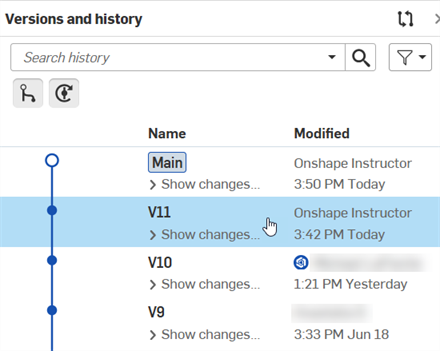
-
在命名位置面板(
 )中,右键单击命名位置并选择“应用命名位置”: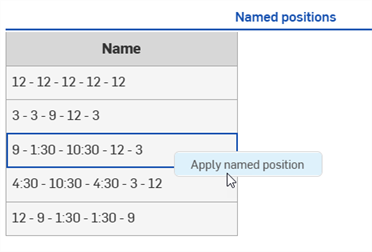
Skip this step to run the simulation at the version's Default position. Any change that creates a new history change entry makes the Default position unavailable. See the Default position note for additional information.
-
或者,在实例列表上方的左侧面板中为装配体选择任意变量或配置:
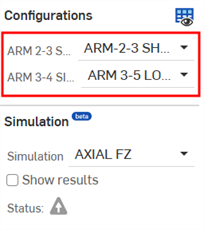
从左侧面板中选择配置
-
在同一个面板中,选择要运行的仿真:
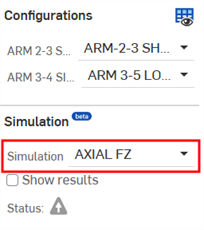
-
打开仿真面板,单击“结果和历史记录”页签,然后单击“运行活动仿真”按钮:
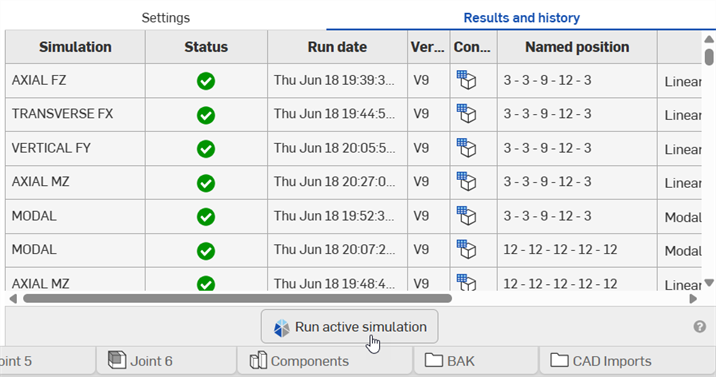
单击此按钮将启动异步仿真。该按钮仅在文档版本中显示,并且如果用户已达到 50 个连续仿真的限制,或者当前装配体状态与先前提交的异步仿真匹配,则该按钮将被停用。
The user does not have to monitor the Results and history panel. Onshape sends a notification indicating the simulation's progress only to the user who started the simulation, with a link to view the simulation results:
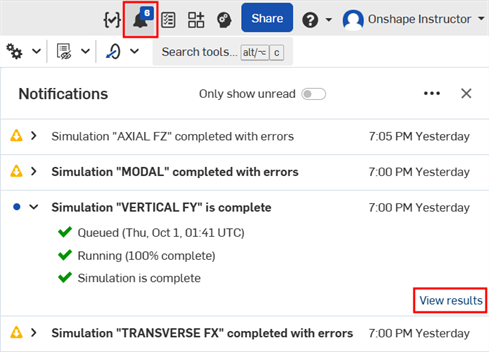
-
仿真完成后会显示仿真结果:

A simulation using the version's Default position
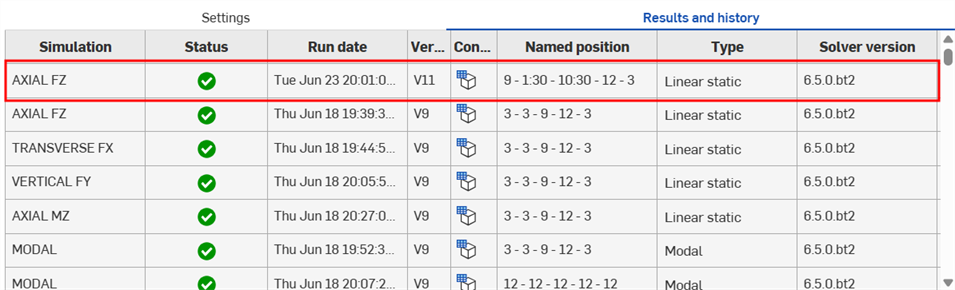
Simulations using Named positions
Deleting a simulation run
Permanently delete a completed or failed asynchronous simulation run, along with its results, from the document. You must have Delete permission for the document to delete a run.
-
Open the Results and history tab.
-
Open the menu for the simulation run you want to remove, and select Delete simulation results.

-
Click Delete in the confirmation dialog:
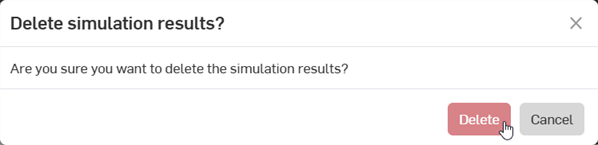
-
The run and its results are removed from the Results and history tab for everyone with access to the Document.
Deleting a simulation run is permanent. It cannot be undone, it is not recorded in the document's version history, and the run cannot be restored. Runs can be deleted from any workspace in the document.
Canceled runs are removed from the list automatically, and do not require deletion.
结果和历史记录表
结果和历史记录表中的每一行代表一项仿真研究。各列如下:
-
仿真——仿真名称。可以是线性静力或模态仿真类型。
-
状态——当前仿真的状态。选项包括排队中(旋转图标)、进行中(蓝色进度条)、已完成(
 )或错误(
)或错误( )。
)。 -
运行日期——单击“运行活动仿真”按钮后,作业即开始启动。在进行预处理步骤期间,此列会显示“排队中”。在这些步骤完成后,此列会显示当前仿真作业开始运行的日期和时间。
-
版本——运行当前活动仿真的文档版本。
-
配置——将鼠标悬停在该列的配置表图标(
 )上时,会显示“未配置”或配置设置列表(如果存在),作为当前活动仿真运行的工具提示: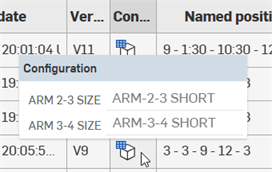
-
Named position - The applied Named position of the current active simulation run, or Default position if the simulation is run at the version's Default position.
-
求解器版本——当前仿真运行所使用的求解器版本。随着求解器的不断改进,新的仿真结果可能与之前的结果不一致。
环境菜单选项
-
显示设置——当活动仿真正在进行中或失败时显示。单击此选项可打开当前仿真的设置(活动仿真、命名位置和配置)。
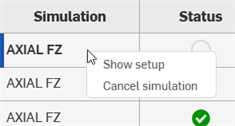
-
取消仿真——当活动仿真正在进行时显示。单击此选项可取消该仿真。
-
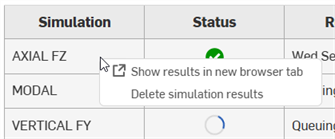
显示结果/在新浏览器页签中显示结果——与“显示设置”类似,这些选项在仿真完成时显示。单击此选项可打开当前仿真的设置(活动仿真、命名位置和配置),即使在文档版本中也是如此,并在当前页签或新的浏览器页签中显示仿真结果。
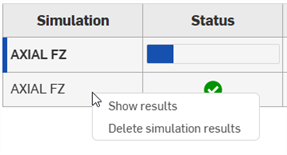
-
Delete simulation results - Permanently delete a completed or failed simulation run, along with its results, from the document. See Deleting a simulation.
-
重新运行仿真——在右键单击已失败的仿真(
)时显示。可重新运行该仿真。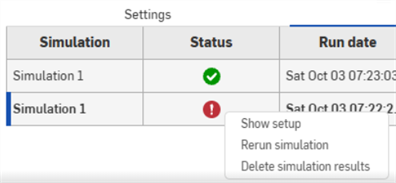
注释
-
仿真无法删除。它们会始终存储在“结果和历史记录”表中。
-
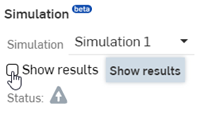
如果装配体状态与之前完成的异步仿真不完全匹配,则单击左侧仿真面板中的“显示结果”将运行动态(实时)仿真,即使所运行的仿真与未完成的异步仿真(无论是排队中还是进行中)匹配。这些动态结果不会被存储。
如果装配体状态与之前完成的异步仿真完全匹配,则单击“显示结果”会从永久存储中检索之前异步仿真的结果,并且不会运行新的仿真。
-
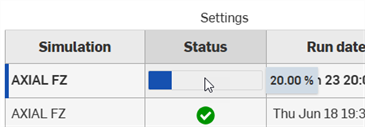
将鼠标悬停在“状态”列的进度条上,会显示活动仿真运行完成的百分比:
-
如果仿真研究仍在队列中等待,但需要立即获得结果,可考虑单击“显示结果”或“在新浏览器页签中显示结果”。
-
尽管很少见,但如果仿真因系统错误而非设置或求解错误而失败,请考虑取消并重新提交作业。
-
Default position - An asynchronous simulation can be run on a version's Default position only while the Assembly is still at that version's original state, and there have been no history changes. For example, open V5 and the Default position is available. Rotate a part 30 degrees and it is no longer available. Rotate the part back 30 degrees and it is still not available. Undo both rotations and it is available again, because the original history state is restored.