
Users dashboards list all users and teams in the enterprise, including members, administrators, and guests, and their summary information.
If changes are made to any dashboard (filters are edited or customizations made), these changes can be saved to a new dashboard. see Save a dashboard for more information.
To export data for a dashboard visual, see Export visual data to a CSV or Excel file.
See Working with Analytics dashboards and Working with Analytics dashboard visuals for additional information.
 Accessing Users dashboards
Click Analytics ( ) from the Document panel on the left. Then click the Users filter in the Analytics Navigation panel:
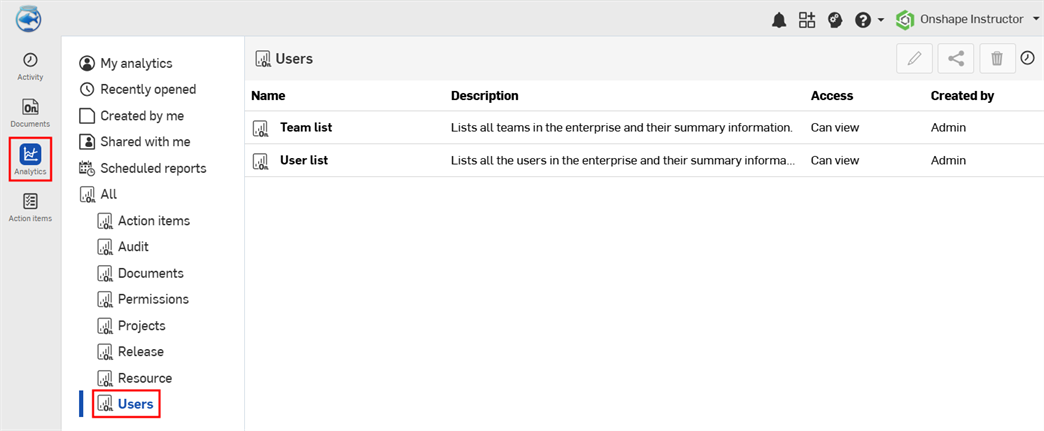
Default Users dashboards
-
Team list - A list of all teams in the enterprise and their summary information
-
User list - A list of all users in the enterprise and their summary information
Team list
This dashboard contains a single table visual that lists all teams in the enterprise and their summary information.
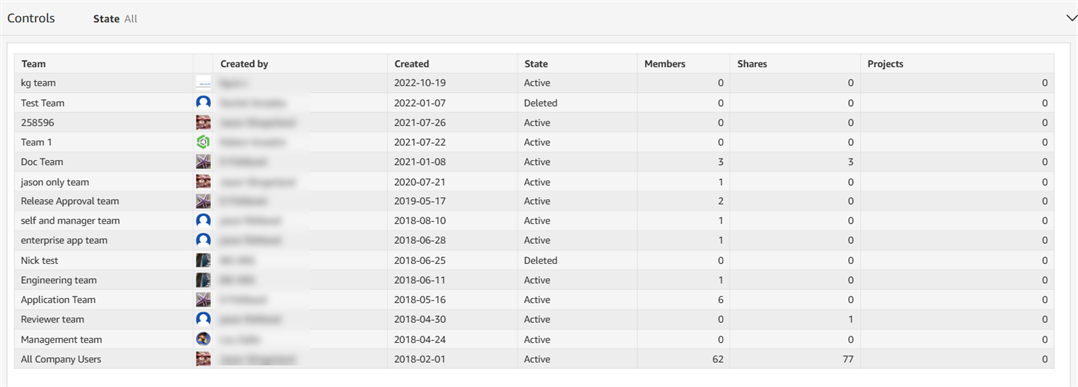
Filter
-
State - Team state; Active or Deleted
Visual columns
- Team - Team name
- Created by - Name of the user who created the team
- Created - Date the team was created
- State - Team status; Active or Deleted
- Members - Number of users assigned to the team
- Shares - Number of times documents have been shared to the team directly or through a Project
- Projects - Number of projects assigned to the team
User list
This dashboard contains a single table visual that lists all users in the enterprise and their summary information.
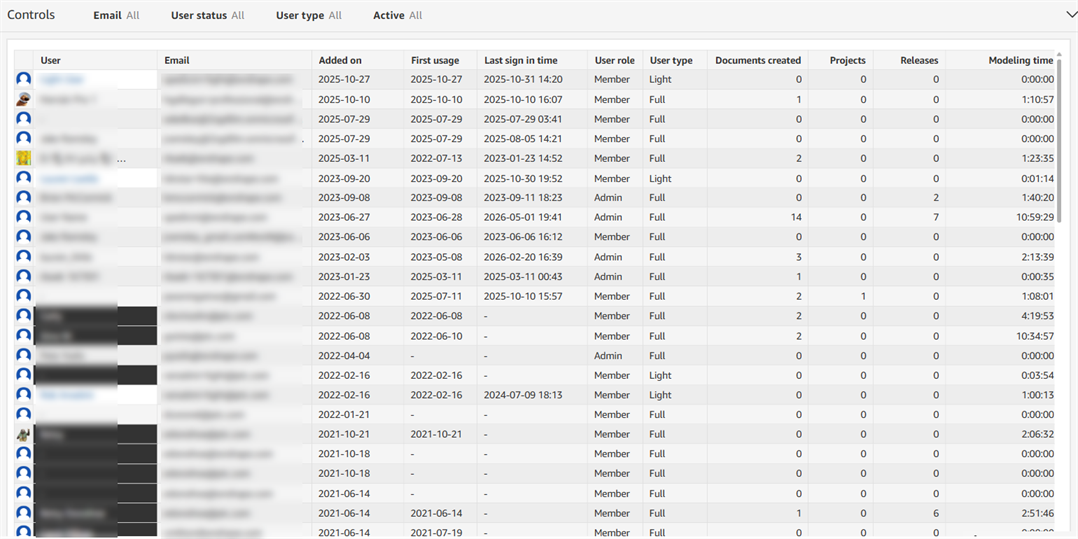
필터
-
Email - User email address
-
User status - Admin, Member, or Guest
-
User type - Full or Light
-
Active - Whether the user is active; Yes or No
Visual columns
- User - Name of the user for whom the information is displayed
- Email - User email address
- Added on - Date the user was added to the enterprise
- First usage - Date the user first accessed the enterprise
- Last sign in time - Most recent date and time the user accessed the enterprise
- User role - User status in the enterprise; Admin, Member, or Guest
- User type - Designated user type; Light or Full
- Documents created - Number of documents accessible to the user
- Projects - Number of projects accessible to the user
- Releases - Number of releases the user has created (in any state)
- Modeling time - Amount of time the user has spent modeling (in hours)