
Documents dashboards provide information about relationships between projects, users and documents, lists of documents available in the enterprise, and dashboards showing lists of permissions for a document or a user.
If changes are made to any dashboard (filters are edited or customizations made), these changes can be saved to a new dashboard. see Save a dashboard for more information.
To export data for a dashboard visual, see Export visual data to a CSV or Excel file.
See Working with Analytics dashboards and Working with Analytics dashboard visuals for additional information.
 Accessing Documents dashboards
Click Analytics ( ) from the Document panel on the left. Then click the Documents filter in the Analytics Navigation panel:
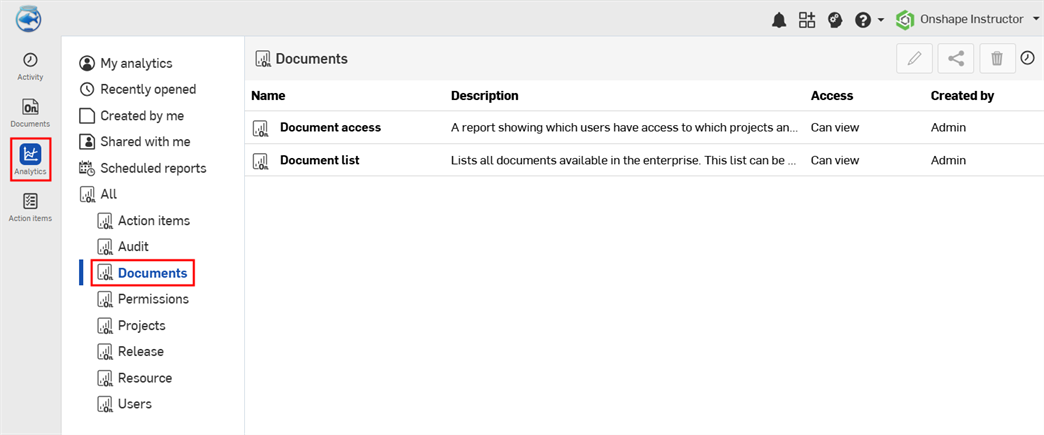
Default Document dashboards
- 통합문서 액세스 - 프로젝트, 사용자 및 통합문서 간의 관계를 나타낸 테이블. 통합문서는 해당 통합문서에 대한 액세스 권한을 가진 사용자와 연결됩니다.
- 통합문서 목록 - 엔터프라이즈 내에서 생성된 통합문서의 목록. 통합문서를 검색할 수 있습니다.
Document access
This dashboard contains a single table visual that displays which users have access to which projects and documents, in addition to their modeling time.
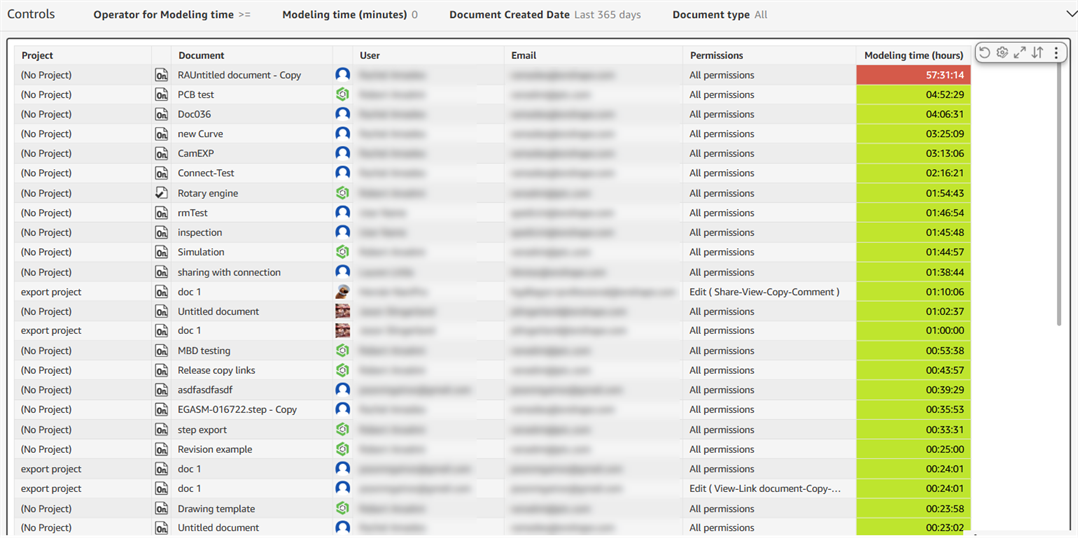
Filter controls
-
Operator for Modeling time - Operator that works in tandem with the next filter (Modeling time). Options are less than (<), less than or equal to (<=), not equal to (<>), equal to (=), greater than (>), and greater than or equal to (>=).
-
Modeling time (minutes) - Time, in minutes, in which to search
-
Document Created Date - Document's created date, date range, or period of time in which to search
-
Document type - Document or Publication
Visual columns
-
Project - Project name
-
Document - Document name
-
User - User name
-
Email - User email address
-
Permissions - User permissions
-
Modeling time (hours) - Amount of time, in hours, in which this user modeled the document
Document list
This dashboard contains a single table visual that displays a list of all documents and publications available in the enterprise.
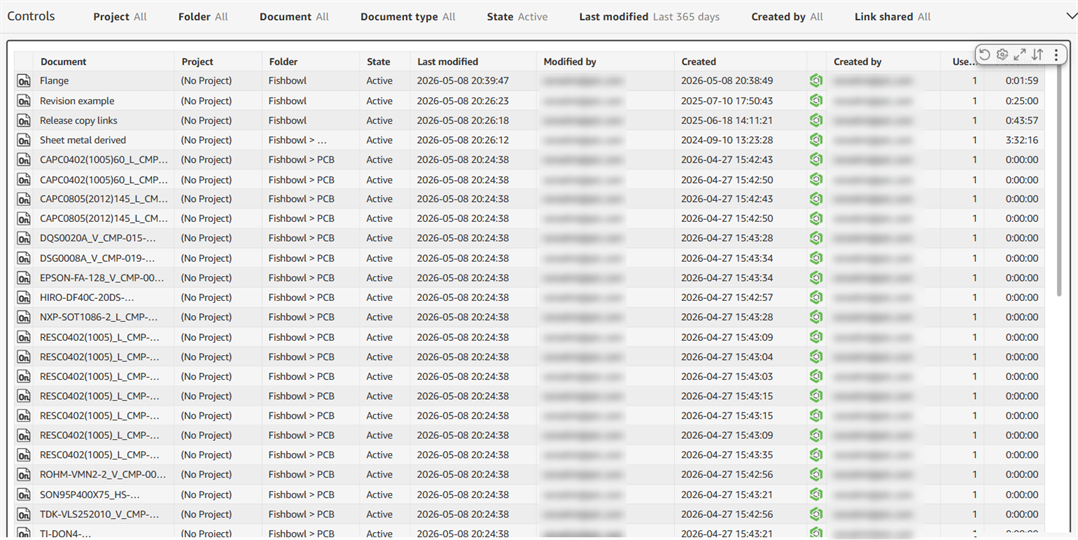
Filter controls
-
Project - Project name
-
Folder - Document folder path
-
Document - Document name
-
Document type - Document or Publication
-
State - State of the document; Active, Deleted, or Trashed
-
Last modified - Date, date range, or period of time the publication or document was last modified
-
Created by - Email address of users who created the publication or document
-
Link shared - Whether the publication or document link is shared; No or Yes
Visual columns
- Document - Document name
- Project - Project name
- Folder - Document folder path
- State - State of the document; Active, Deleted, or Trashed
- Last modified - Date and time the document was last modified
- Modified by - Email of the last user to modify the document
- Created - Date and time the document was created
- Created by - Email address of the person who created the document
- Users with access - Number of users that have access to the document
- Modeling time (hours) - Amount of time, in hours, in which this user modeled the document