MBD 狀態

在工程圖中提供此功能
「MBD 狀態」面板列出了插入零件的以模型為基礎的定義資料 (註記與尺寸),這些在工程圖中是不可見的。如果從工程視圖中刪除了可見的資料,這些資料也會顯示在此面板中且可再次顯示。
 開啟「MBD 狀態」面板
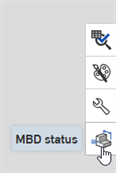
下方的圖例顯示「MBD 狀態」圖示 ( ),位在工程圖視窗的右側。按一下這個圖示來存取面板:
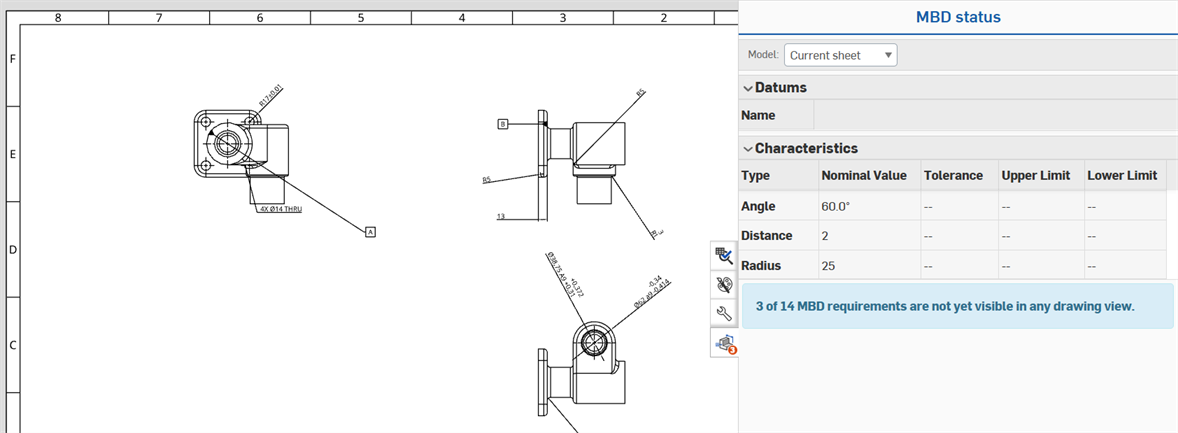
使用「MBD」狀態面板
可以為 Part Studio 中的多個零件建立工程圖,每個圖頁參考一個特定零件與其遺失的 MBD 資料。
When views are inserted in the drawing, there may be MBD data on other views that qualify as missing from the panel. In this case, a badge is placed on the MBD status panel icon to indicate the number of missing references (annotations or dimensions):

In the panel, a blue message below the tables alerts the user to the number of missing references for the inserted part:
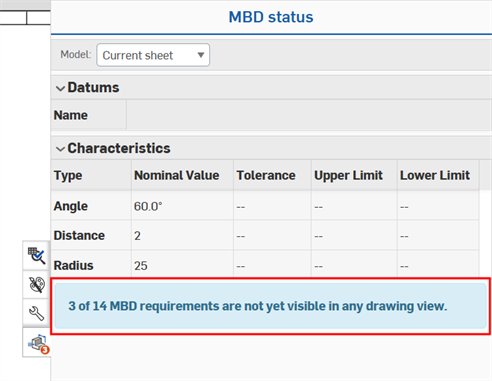
如果參考是不可見的,使用者可以切換回模型來確定參考的位置,並決定如何在工程圖中顯示它,像是建立剖面視圖、輔助視圖或區域深度剖視圖。
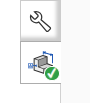
如果所有的 MBD 資料都出現在工程視圖中,「MBD 狀態」面板圖示會顯示一個核取記號:
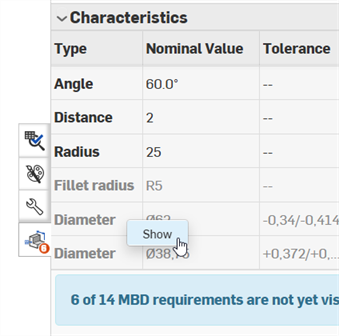
刪除的註記與尺寸
在工程視圖中刪除參考 (註記或尺寸) 會使得其在表格中對應的參考變為灰色。在列上按右鍵,然後選擇 [顯示] 來在工程視圖中恢復參考: