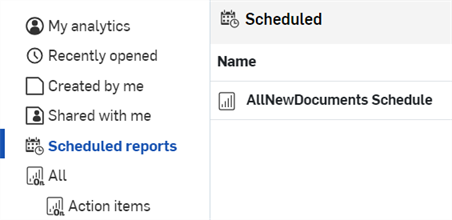
예약된 보고서

Enterprise and Analytics Administrators can schedule reports of saved Onshape dashboards to be emailed to a list of recipients.
 Schedule a report
Once a dashboard is saved, Administrators and those with Analytics administrator Global permissions can schedule a report of that dashboard to be emailed to recipients at regular intervals.
- Save a dashboard.
- Open the saved dashboard.
- Click the Schedule report icon (
 ) at the top right (first image below). The Schedule report delivery dialog opens (second image below):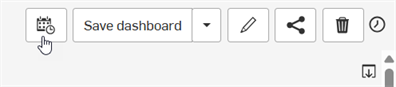
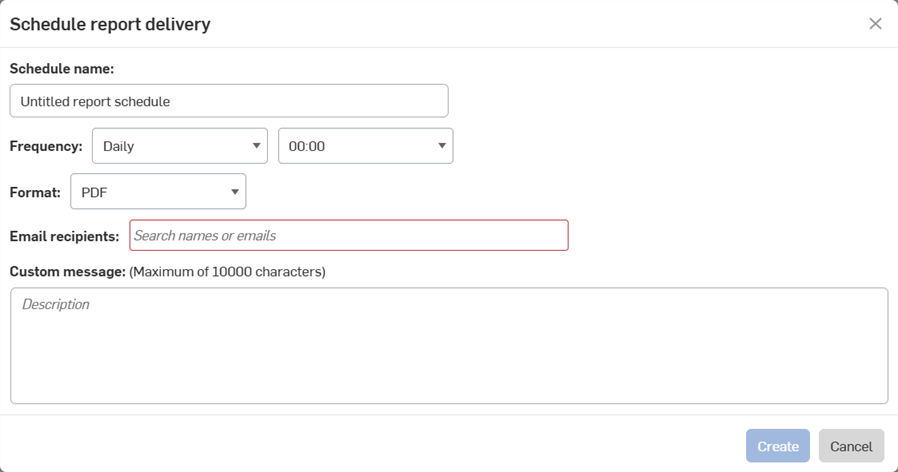
- Provide a Schedule name.
- Set the Frequency for how often you'd like the report to be generated.
- Select a Format for the report, currently only PDF.
- Enter the email addresses for everyone who should receive the report.
If you enter the email address for someone who does not have access to the dashboard, you will see the warning below. See Share a dashboard for help.
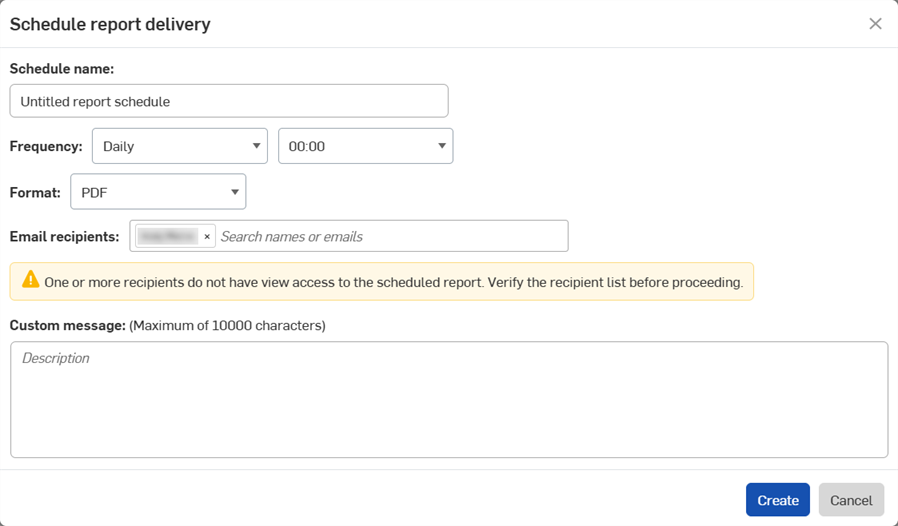
- Add a Custom message to be emailed along with the report, if required.
- 생성을 클릭합니다.
예약된 보고서 보기
To see all scheduled reports, click Scheduled reports in the Analytics Navigation panel.
- 엔터프라이즈 관리자는 엔터프라이즈에 대해 예약된 모든 보고서를 볼 수 있습니다.
- 분석 관리자는 자신의 예약된 보고서를 볼 수 있습니다.
- 다른 엔터프라이즈 사용자는 예약된 보고서를 만들거나 볼 수 없습니다.