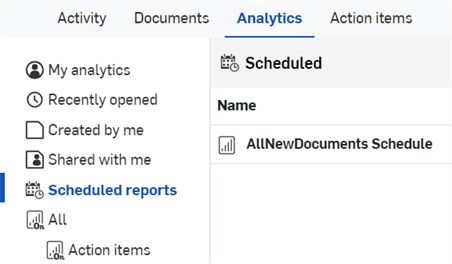
Rapports planifiés

Les administrateurs Enterprise et des analyses peuvent planifier l'envoi par e-mail à une liste de destinataires de rapports sur les tableaux de bord Onshape enregistrés.
 Planifier un rapport
Une fois qu'un tableau de bord est enregistré, les administrateurs et les personnes disposant des autorisations globales d'administrateur des analyses peuvent programmer l'envoi d'un rapport sur ce tableau de bord aux destinataires par e-mail à intervalles réguliers.
- Enregistrez un tableau de bord.
- Ouvrez le tableau de bord enregistré.
- Cliquez sur l'icône Planifier un rapport (
 ) en haut à droite (première image ci-dessous). La boîte de dialogue Planifier l'envoi du rapport s'ouvre (deuxième image ci-dessous) :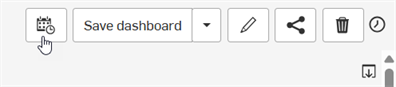
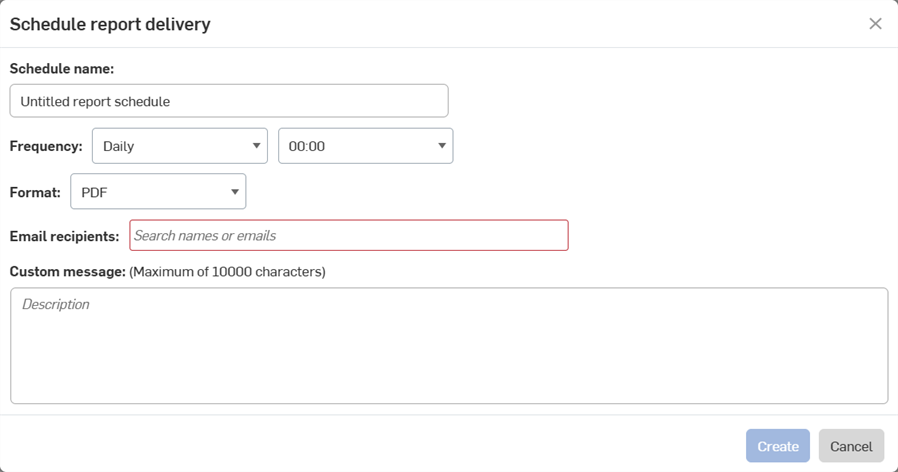
- Indiquez le nom de la planification.
- Définissez la fréquence à laquelle vous souhaitez que le rapport soit généré.
- Sélectionnez un format pour le rapport, actuellement uniquement en PDF.
- Saisissez les adresses e-mail de toutes les personnes qui doivent recevoir le rapport.
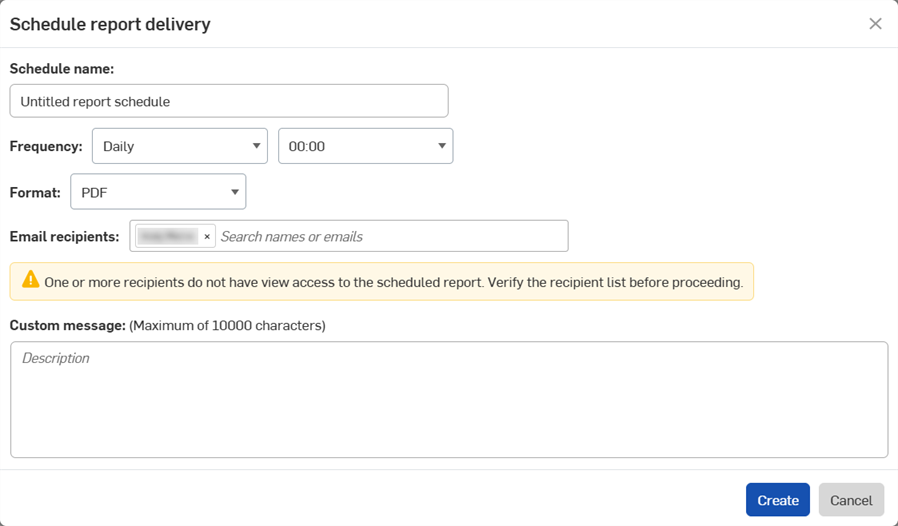
Si vous saisissez l'adresse e-mail d'une personne qui n'a pas accès au tableau de bord, le message d'avertissement ci-dessous s'affichera. Consultez la section Partager un tableau de bord pour obtenir de l'aide.
- Ajoutez un message personnalisé qui sera envoyé par e-mail avec le rapport, si nécessaire.
- Cliquez sur Créer.
Affichage des rapports planifiés
Pour voir tous les rapports planifiés, cliquez sur Rapports planifiés dans le panneau de navigation Analyses.
- Les administrateurs d'entreprise peuvent consulter tous les rapports planifiés pour l'entreprise.
- Les administrateurs d'Analytics peuvent consulter leurs propres rapports planifiés.
- Les autres utilisateurs de l'entreprise ne peuvent ni créer ni consulter les rapports planifiés.