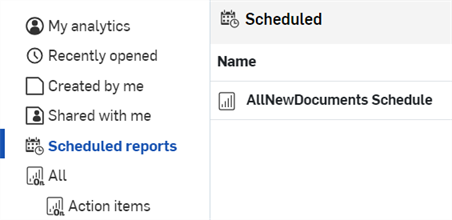
Geplante Berichte

Enterprise-Administratoren und Analyse-Administratoren können Berichte über gespeicherte Onshape-Dashboards so planen, dass sie per E-Mail an eine Empfängerliste gesendet werden.
 Bericht planen
Sobald ein Dashboard gespeichert ist, können Administratoren und Analyse-Administratoren mit globalen Berechtigungen einen Bericht über dieses Dashboard planen, der in regelmäßigen Abständen per E-Mail an die Empfänger gesendet wird.
- Speichern Sie ein Dashboard.
- Öffnen Sie das gespeicherte Dashboard.
- Klicken Sie oben rechts auf das Symbol Bericht planen (
 ) (erstes Bild unten). Das Dialogfeld Bericht-Bereitstellung planen wird geöffnet (zweites Bild unten):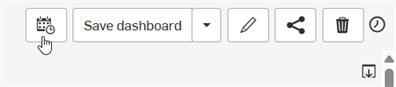
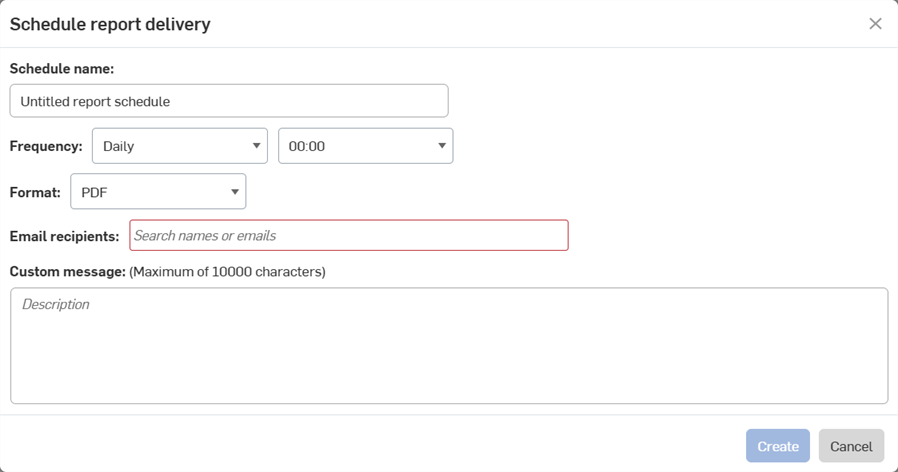
- Geben Sie einen Zeitplan-Namen ein.
- Legen Sie die Häufigkeit fest, wie oft der Bericht generiert werden soll.
- Wählen Sie ein Format für den Bericht aus (derzeit nur PDF verfügbar).
- Geben Sie die E-Mail-Adressen aller Empfänger des Berichts ein.
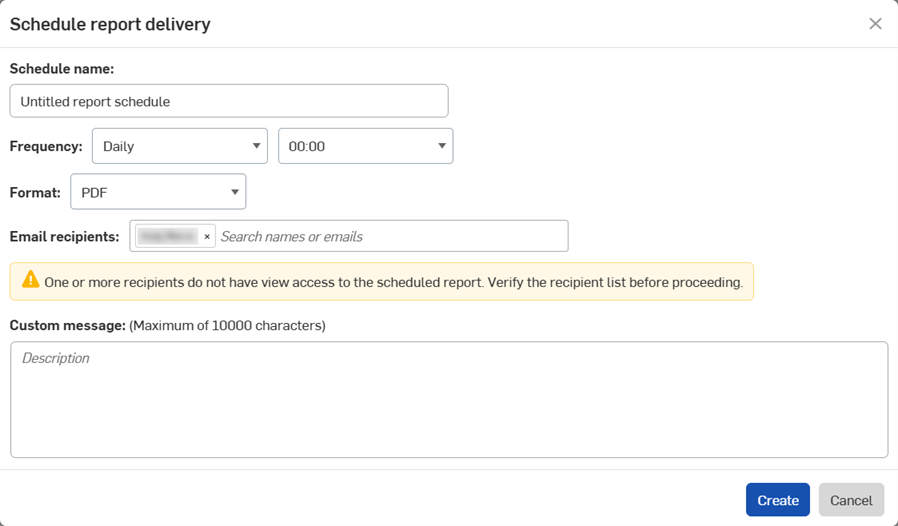
Wenn Sie die E-Mail-Adresse einer Person eingeben, die keinen Zugriff auf das Dashboard hat, wird die folgende Warnung angezeigt. Weitere Informationen finden Sie unter Dashboard teilen.
- Fügen Sie bei Bedarf eine benutzerdefinierte Nachricht hinzu, die zusammen mit dem Bericht per E-Mail gesendet werden soll.
- Klicken Sie auf Erstellen.
Geplante Berichte anzeigen
Um alle geplanten Berichte zu sehen, klicken Sie in der Navigationspalette für Analysen auf „Geplante Berichte“.
- Enterprise-Administratoren können alle geplanten Berichte für das Enterprise sehen.
- Administratoren, die für Analysen zuständig sind, können ihre eigenen geplanten Berichte sehen.
- Andere Enterprise-Benutzer können geplante Berichte weder erstellen noch anzeigen.