 Variable Table (Part Studio)


Available in: Part Studio, Assembly
A Variable table allows you to create, view, and edit variable information in the current Part Studio or Assembly. The Variable table is located on the right side of the graphics area with the Configuration panel, Appearance panel, and Custom tables.
Use the Variable table to create variables and change the value of a variable, even when the variable is used in a feature.
See Variable Table (Assembly) for information using a Variable table from an Assembly tab.
 Using a Variable table
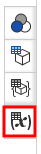
The Variable table icon is located on the right side of the graphics area:
- Click
 to the right-side of the graphics area (below the View cube):
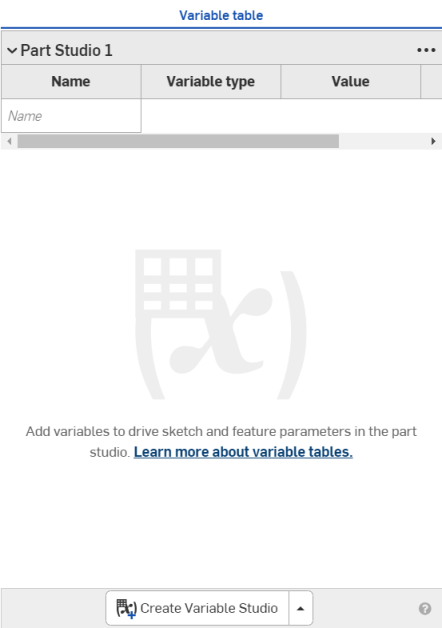
The Variable table panel opens with the Variable table ready for input:
-
(Optional) From the dropdown at the bottom of the panel, select Create Variable Studio to Create a new Variable Studio or Insert Variable Studio to insert an existing Variable Studio from this or another document:
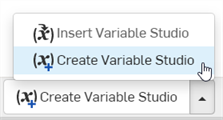
Variable Studios inserted from other documents create references to those documents, and are read-only in the inserted table.
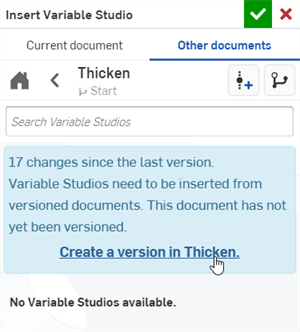
When inserting a Variable table or variable from another document, the other document must have a version that contains the variable. If no version exists, you are prompted to create one before proceeding:
-
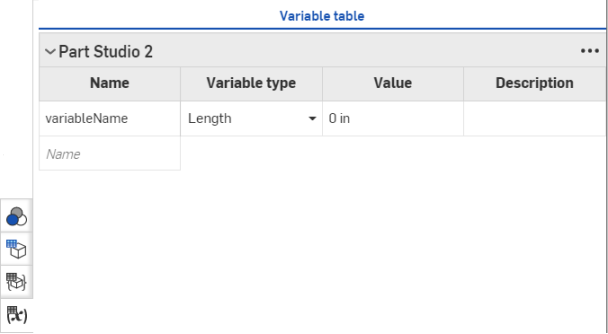
Type a name for the variable in the Name field and press Enter (or tab). The Variable name must be a FeatureScript identifier: starting with a letter or underscore followed by alphanumeric characters or underscores, and without spaces.
A variable type and value appear. (Click in the Name cell to change the name, if necessary):
-
Select a type, and enter a value. You can also (optionally) enter a description.
To import a variable from a CSV file, select the From import option and follow these instructions: Steps for creating a variable from a CSV file (From table)
-
Repeat as necessary to create all the variables you need.
You can also edit variables, changing variable type and value:
- Click the down arrow beside the Variable type for a given variable: select a new type and supply a new value. Each entry is saved:
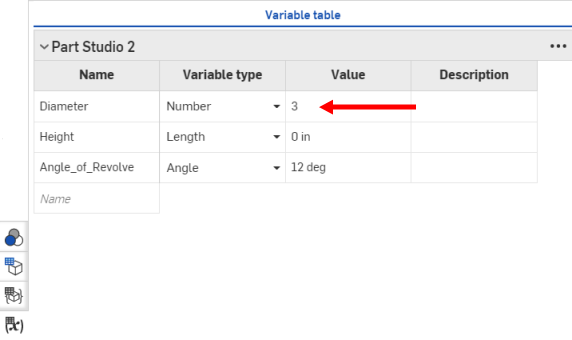
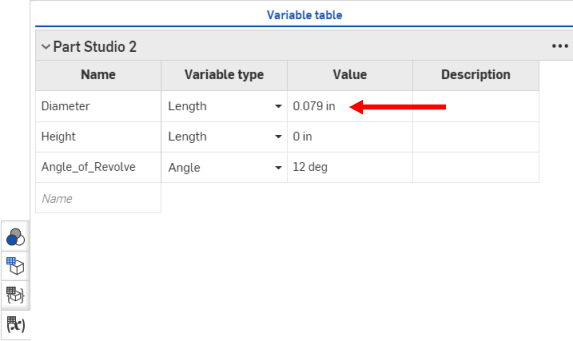
To add another variable, type a name in the field labeled "New variable name" and supply the required type and value.
Variable table options
Click the ellipsis to the top right of the table to access the following options (options vary depending on whether or not the Variable Studio or variables are created or inserted — referenced — from this or another document):

-
Copy table - Copies the table to the clipboard. Paste and edit the data in a spreadsheet program outside Onshape, copy the data from the spreadsheet to the clipboard, and paste the data from the clipboard back into the Variable table cells or rows.
Header rows are read only. The Copy table command copies them to the clipboard, but data cannot be pasted into them from the clipboard.
-
Switch to Variable Studio [x] - Opens the current table's related Variable Studio tab.
-
Open linked document - Opens the document that contains the originating Variable Studio.
-
Update linked document - Opens the Reference manager to change the Variable Studio reference to a different version within the same document or a different document.
-
Move up / down - Moves the table above the previous table in the panel or below the next table in the panel, respectively.
-
Edit reference - Opens the Update Variable Studio dialog where an alternate Variable Studio or Variable Studio configuration can be selected as the reference.
-
Remove reference - The Variable Studio reference is removed; the table is deleted and removed from the panel.
Variable table context menu
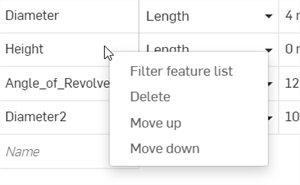
Right-click on a Variable table cell to access the variable's context menu:
-
Filter feature list - Locates a specific variable in the Feature list (and any features the variable affects). The Feature list displays the selected variable and all features affected by the variable.
-
Delete - Delete the variable and remove it from the table.
-
Move up/down - Move the variable row to a new location, up or down by one row.
Notes
-
When creating a variable using the Variable feature, the variable does not appear in the Variable table unless the variable is a FeatureScript identifier with a valid name: starting with a letter or underscore, followed by alphanumeric characters or underscores, and without spaces.
-
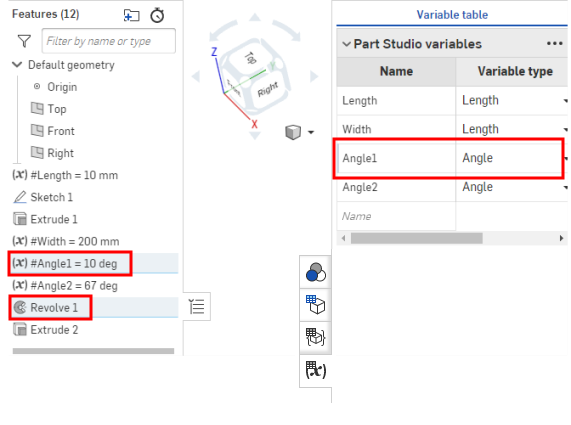
To locate features related to a specific variable in the Variable table, hover over the variable in the table and the Variable feature and all features using the variable are highlighted in the Features list:
-
Variables defined in the same Variable table must have unique names. Attempting to create a variable from the table with the same name as another cancels the operation and a message alert informs you that the variable is not overwritten.
-
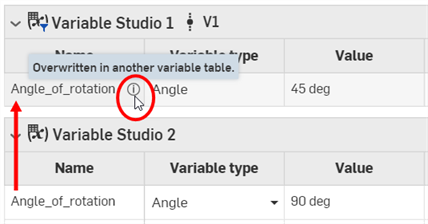
If a variable with the same name exists in two different tables in the panel, the variable in the last table takes precedence, and the variable in the above table is overridden. An override icon is placed next to the variable name in the above table:
-
Creating a variable in the Features list with the same name as a variable in the table overrides the variable in the table; the table variable displays the override icon.
- If you change a variable name in the Variable table, all Features that refer to the variable will be updated to reflect the change.
- When inserting a configured variable into your Variable table...