 Projected View


Available in: Drawing
Shortcut: p
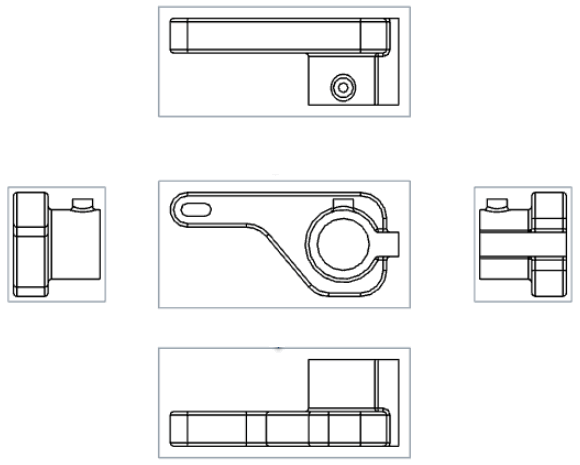
Create a new view by projecting (folding) out an existing view.
By default, the label and scale are off. To see the scale, double-click the view: the View properties dialog opens to the top left of the drawing. By default, the Projected view tool is active after a drawing is created and you place the first view. The Projected view tool remains active, even after use, until you click on the icon to turn it off.
 Steps
Steps
- Click to select an existing view.
- Drag the cursor in different directions from the original view to see possible projected views.
- Click to place the new view, or Shift+click to place the new view with cuts from the parent view.
You can also double-click on the view to open the View properties dialog.
Projected view creation table
This table illustrates the types of views from which the Projected view can be created:
| Projected view | |
| Can be created from: | Cannot be created from: |
|
Base views Projected views Section views Aligned section views Auxiliary views Views with broken-out sections Projected views retain settings from the view from which it is created. Projected views created from broken-out views will also be broken. Flat pattern views |
Detail views |