 Drawing - Chamfer Dimension

Available in: Drawing
Place a note or dimension on a chamfered edge.
 Steps
Steps
-
Click
 .
.
- Click the chamfered edge and an adjacent edge.
- Move the cursor away from the edges to preview the dimension.
- Click to place the note or dimensions.
Tips and notes
-
To alter the style of the chamfer dimension (note or dimension), select the preferred style in the Properties panel, Dimensions tab, Chamfer section. For more information, see Drawing Properties.
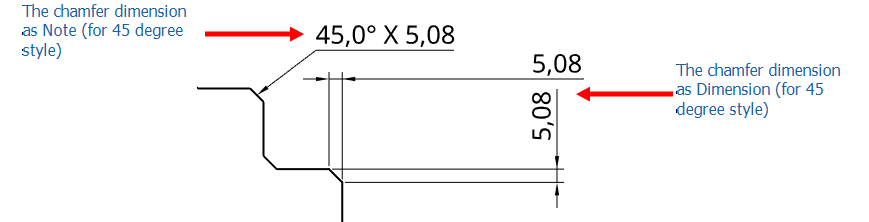
-
To include a prefix for the chamfer dimension, double-click the dimension to open the dialog:
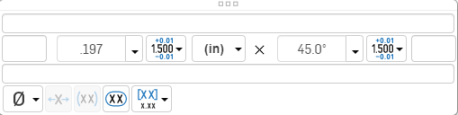
-
Adjust the chamfer dimension formatting as explained in Styling and modifying dimensions.
-
To replicate the chamfer dimension to another view in the drawing, see Views: Replicate annotations.