 投影視圖
投影視圖


在工程圖中提供此功能
快速鍵:p
透過投影 (摺疊) 現有視圖來建立新的視圖。
根據預設,標籤與比例是關閉的。要查看比例,請連按兩下視圖:視圖屬性對話方塊在工程圖左上方開啟。根據預設,在建立工程圖並放置第一個視圖之後,投影視圖工具是啟用的。即使在您使用了投影視圖工具之後,工具仍是啟用的,一直要到您按一下圖示才會關閉。
 步驟
步驟
- 按一下來選擇一個現有的視圖。
- 將游標從原始視圖拖曳至不同的方向來檢視可能的投影視圖。
- 按一下來放置新的視圖,或是 Shift+按一下來放置有來自父視圖剖切的新視圖。
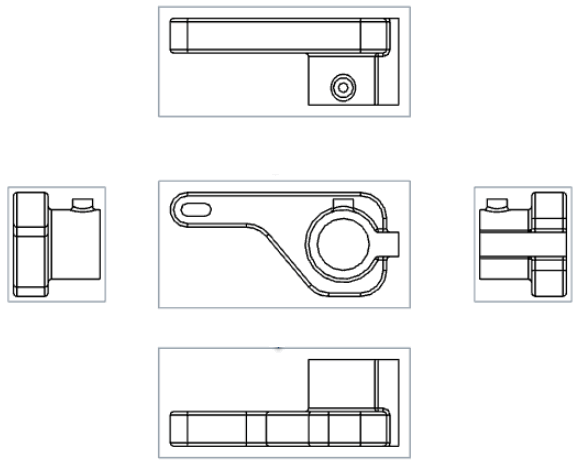
您也可以在視圖上連按兩下來開啟視圖屬性對話方塊。
投影視圖建立表格
這個表格說明可以從其中建立投影視圖的視圖類型:
| 投影視圖 | |
| 可以從這些項目建立: | 無法從這些項目建立: |
|
基本視圖 投影視圖 剖面視圖 轉正剖視圖 輔助視圖 有區域深度剖視圖的視圖 「投影視圖」會保留其來源視圖的設定。從區域深度剖視圖而來的投影視圖也會被切開。 展開圖樣視圖 |
細部放大圖 |