反射分析

可用于:草图、Part Studio、装配体
“反射分析”使用您偏好的反射材料和环境图像在图形区域中渲染模型。
 步骤
步骤
-
Click the Show analysis tools icon (
 ) in the bottom right corner of the interface. From the menu, select Reflection analysis. This opens the Reflection analysis dialog: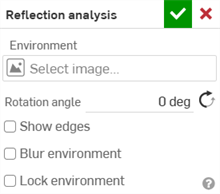
-
Under Environment, click the Select image field to open the dialog:
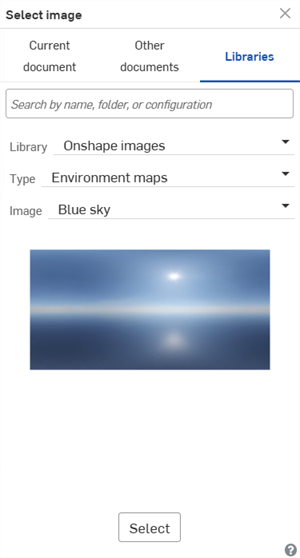
-
Upload and/or select an image from the Current document, Other documents, or Libraries folder. The following images are found in the Onshape images Library (Type: Environment maps):
-
Blue sky
-
六角形天花板
-
正方形天花板
-
彩色
-
日光路
-
水平条纹
-
光隧道
-
地铁站
-
黄昏
-
人行天桥
-
墙条纹
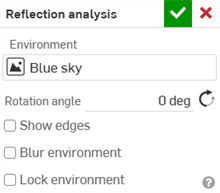
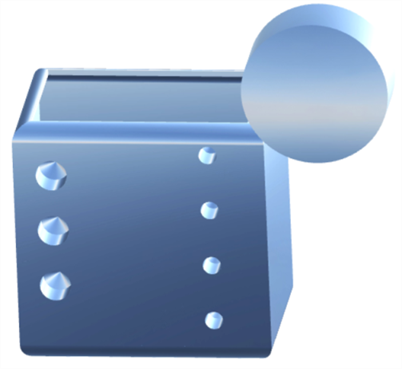
Parts with the "Blue sky" reflection applied
To create a new Reflection image library, see Image libraries.
-
-
手动输入“旋转角度”。或者,单击相反方向图标(
 )以反转角度。
 -
或者,选中“显示边”以显示零件面之间的边。
-
或者,选中“模糊环境”以模糊图形区域中模型上的环境图像。
-
或者,选中“锁定环境”以锁定模型相对于世界坐标系/相机的反射。
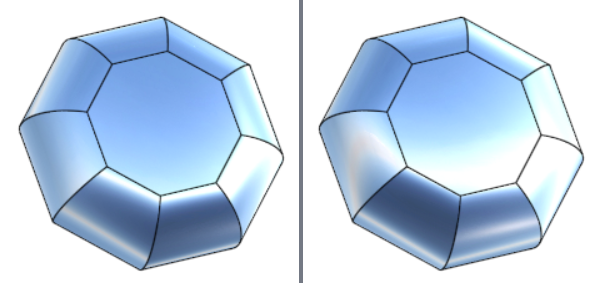
已禁用(左图)和已启用(右图)锁定环境