 투상도
투상도


이용 가능 플랫폼: 도면
단축키: p
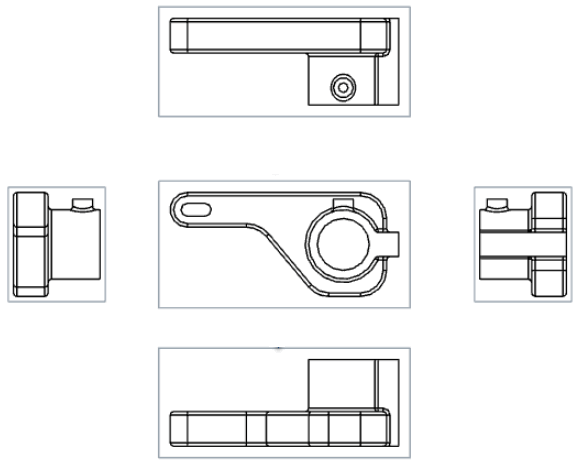
기존 뷰를 투영하여(접어서) 새 뷰를 만듭니다.
기본적으로 라벨과 축척은 꺼져 있습니다. 축척을 보려면 보기를 두 번 클릭합니다. 도면의 상단 왼쪽에 뷰 속성 대화상자가 열립니다. 기본적으로 투상도 도구는 도면이 생성되고 첫 번째 뷰를 배치한 후에 활성화됩니다. 또한 투상도 도구는 사용 후에도 아이콘을 클릭해서 끄기 전까지는 활성 상태가 유지됩니다.
 단계
단계
- 기존 보기를 클릭하여 선택합니다.
- 가능한 투상도를 보려면 원래 보기에서 다른 방향으로 커서를 드래그합니다.
- 클릭해서 새로운 뷰를 배치하거나, Shift+클릭해서 상위 뷰의 절단과 함께 새로운 뷰를 배치합니다.
뷰를 두 번 클릭해서도 뷰 속성 대화상자를 열 수 있습니다.
투상도 생성 테이블
이 표는 투상도를 생성할 수 있는 뷰 유형을 보여줍니다.
| 투상도 | |
| 다음에서 생성 가능: | 다음에서 생성할 수 없음: |
|
기본 보기 투사된 보기 단면도 정렬된 단면도 보조 투상도 단면도 구분을 포함한 뷰 투영된 뷰는 해당 뷰가 작성된 뷰의 설정을 유지합니다. 분할된 뷰에서 만든 투영된 뷰도 깨집니다. 평면 패턴 뷰 |
상세 보기 |