反射分析

利用可能: スケッチ、Part Studio、アセンブリ
選択した反射マテリアルと環境画像を使用して、グラフィック領域にモデルをレンダリングします。
 手順
手順
-
Click the Show analysis tools icon (
 ) in the bottom right corner of the interface. From the menu, select Reflection analysis. This opens the Reflection analysis dialog: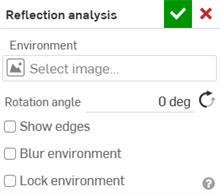
-
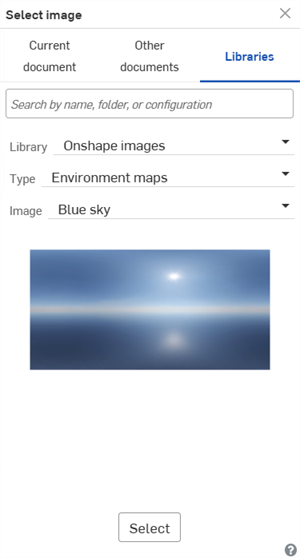
Under Environment, click the Select image field to open the dialog:
-
Upload and/or select an image from the Current document, Other documents, or Libraries folder. The following images are found in the Onshape images Library (Type: Environment maps):
-
Blue sky
-
六角形の天井
-
四角形の天井
-
有彩色
-
昼間の道路
-
水平ストライプ
-
光のトンネル
-
地下鉄の駅
-
日没
-
歩道橋
-
壁のストライプ
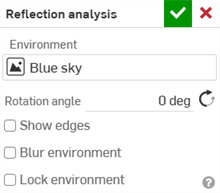
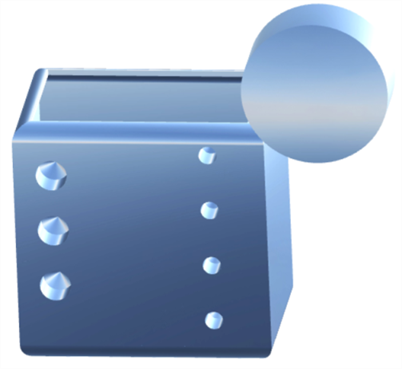
Parts with the "Blue sky" reflection applied
To create a new Reflection image library, see Image libraries.
-
-
回転角度を手動で入力します。オプションで、[反対方向] アイコン (
 ) をクリックして回転角度を変更します。
 -
オプションで、[エッジを表示] をオンにして、パーツ面の間のエッジを表示します。
-
オプションで、[環境をぼかす] をオンにして、グラフィック領域のモデルの環境画像をぼかします。
-
オプションで、[環境をロック] をオンにして、ワールド/カメラに対するモデルの反射をロックします。
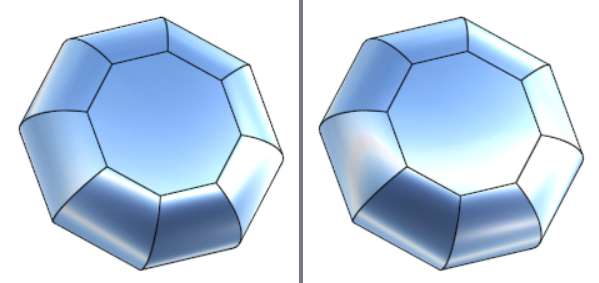
環境のロックが無効 (左) と有効 (右)