 投影ビュー
投影ビュー


利用可能: 図面
ショートカット: p
既存のビューを投影 (折りたたみ) して、新しいビューを作成します。
既定では、ラベルと尺度はオフになっています。尺度を表示するには、ビューをダブルクリックします。図面の左上に [ビュープロパティ] ダイアログが開きます。既定では、図面を作成して最初のビューを配置すると、[投影ビュー] ツールがアクティブになります。[投影ビュー] ツールは、使用後でも、アイコンをクリックしてオフにするまで、アクティブな状態が維持されます。
 手順
手順
- 既存のビューをクリックして選択します。
- 元のビューから異なる方向にカーソルをドラッグして、可能な投影ビューを表示します。
- クリックして新しいビューを配置するか、Shift キーを押しながらクリックして親ビューからのカットを含む新しいビューを配置します。
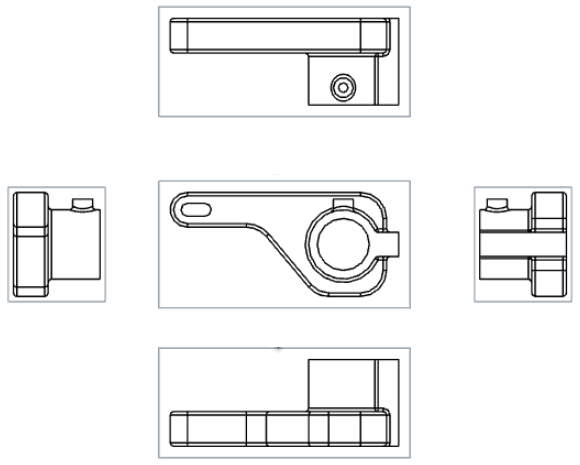
ビューをダブルクリックして、ビュープロパティダイアログを開くこともできます。
投影ビューの作成テーブル
このテーブルは、投影ビューを作成できるビューの種類を示しています。
| 投影ビュー | |
| 次から作成可能: | 次の場所からは作成できません: |
|
ベースビュー 投影ビュー 断面ビュー 揃えた断面ビュー 補助ビュー 部分断面を持つビュー 投影ビューには、作成元のビューの設定が保持されます。部分ビューから作成した投影ビューも部分的になります。 フラットパターンビュー |
詳細ビュー |