Analisi riflesso

Disponibile in: Schizzo, Part Studio, Assieme
L'Analisi riflesso effettua il rendering del modello nell'area grafica con un'immagine riflettente del materiale e dell'ambiente di tua preferenza.
 Passaggi
-
Click the Show analysis tools icon (
 ) in the bottom right corner of the interface. From the menu, select Reflection analysis. This opens the Reflection analysis dialog and applies the default environment image to the model in the graphics area: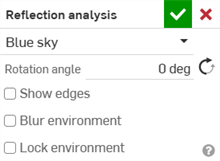
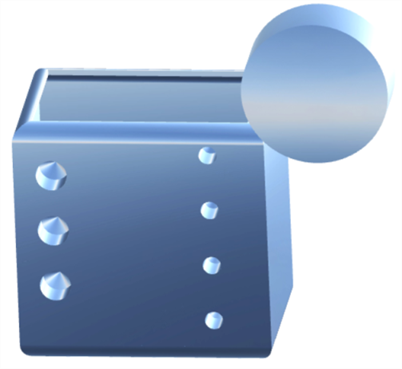
Reflection analysis dialog (first image); example of the Blue sky environment image applied to a model in the graphics area (second image)
-
Seleziona un tipo di ambiente nell'elenco a discesa. Le opzioni sono:
-
Cielo azzurro (impostazione predefinita)
-
Cromatico
-
Striscia orizzontale
-
Tunnel di luce
-
Strisce parete
-
Soffitto quadrato
-
Soffitto esagonale
-
Imbrunire
-
Strada di giorno
-
Stazione della metro
-
Ponte pedonale
-
-
Manually enter the Rotation angle. Optionally, click the Opposite direction icon (
 ) to flip the angle.
 -
Optionally, check Show edges to display the edges between part faces.
-
Optionally, check Blur environment to blur the environment image on the model in the graphics area.
-
Optionally, check Lock environment to lock the model's reflection relative to the world/camera.
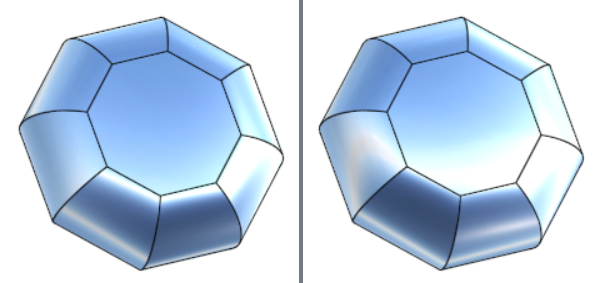
Lock environment disabled (left) and enabled (right)