Vista en perspectiva


Disponible en: Part Studio, Ensamblaje
La vista en perspectiva muestra la distancia relativa desde el punto de vista hasta el modelo, y crea un punto de fuga a medida que el punto de vista (o cámara imaginaria) se acerca al modelo. Las siguientes imágenes muestran una vista frontal de la misma pieza sin vista en perspectiva y con vista en perspectiva, respectivamente.
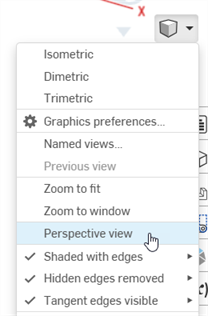
Seleccione Opciones de cámara y representación y, a continuación, Vista en perspectiva:
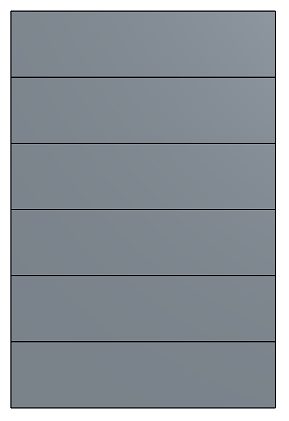
Vista en perspectiva desactivada
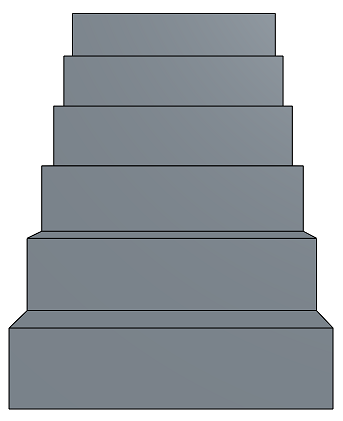
Vista en perspectiva activada
When working in a PCB Studio, toggle between Perspective view and Orthographic view on the Camera and render options menu.