Reflexionsanalyse

Verfügbar in: Skizzen, Part Studios, Baugruppen
Die Reflexionsanalyse rendert das Modell im Grafikbereich mit einem reflektierenden Material- und Umgebungsbild Ihrer Wahl.
 Schritte
-
Click the Show analysis tools icon (
 ) in the bottom right corner of the interface. From the menu, select Reflection analysis. This opens the Reflection analysis dialog: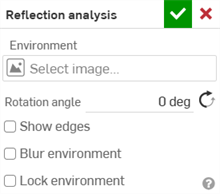
-
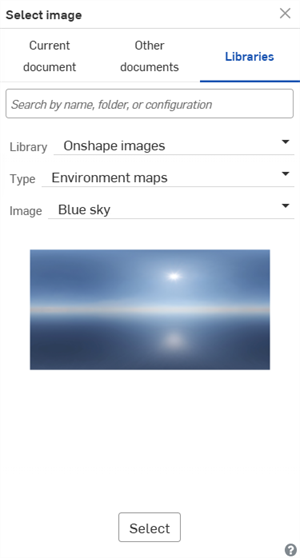
Under Environment, click the Select image field to open the dialog:
-
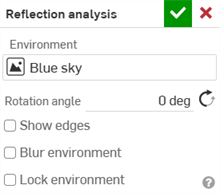
Upload and/or select an image from the Current document, Other documents, or Libraries folder. The following images are found in the Onshape images Library (Type: Environment maps):
-
Blue sky
-
Decke sechseckig
-
Decke quadratisch
-
Chromatisch
-
Straße im Tageslicht
-
Horizontaler Streifen
-
Lichttunnel
-
Metrostation
-
Einbruch der Dunkelheit
-
Fußgängerbrücke
-
Wandstreifen
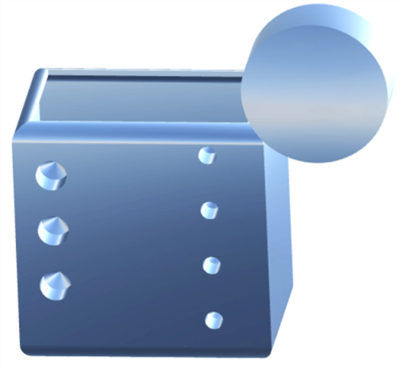
Parts with the "Blue sky" reflection applied
To create a new Reflection image library, see Image libraries.
-
-
Geben Sie den Rotationswinkel manuell ein. Klicken Sie optional auf das Symbol für Entgegengesetzte Richtung (
 ), um den Winkel zu ändern.
 -
Klicken Sie optional auf das Kontrollkästchen Kanten anzeigen, um die Kanten zwischen den Bauteilflächen darzustellen.
-
Klicken Sie optional auf das Kontrollkästchen Unscharfe Umgebung, um das Umgebungsbild auf dem Modell im Grafikbereich unscharf darzustellen.
-
Aktivieren Sie optional die Option Umgebung sperren, um die Spiegelung des Modells relativ zur GKS/Kamera zu sperren.
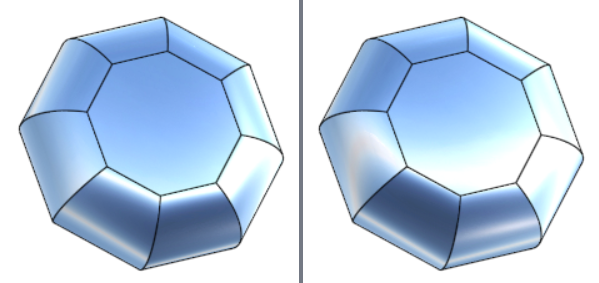
„Umgebung sperren“ deaktiviert (links) und aktiviert (rechts)