Tangent Edges Visible, Phantom, and Removed

Available in: Part Studio, Assembly
Tangent edges are edges formed between a curve and linear edge; for example, from fillets or smooth edges.
 Tangent edges options
To select the visual treatment of tangent lines, select Camera and render options, then select from the following three view modes:
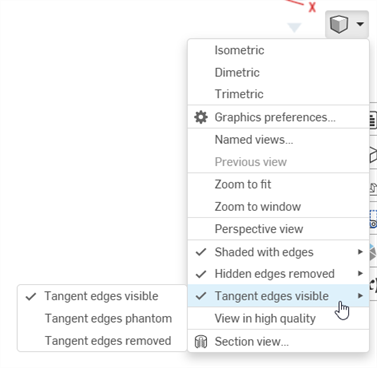
- Tangent edges visible - Tangent edges are shown as solid lines. This is the default.
- Tangent edges Phantom - Tangent edges are displayed as dashed lines; also known as Font in some systems.
- Tangent edges Removed - Tangent edges are visually removed from view.
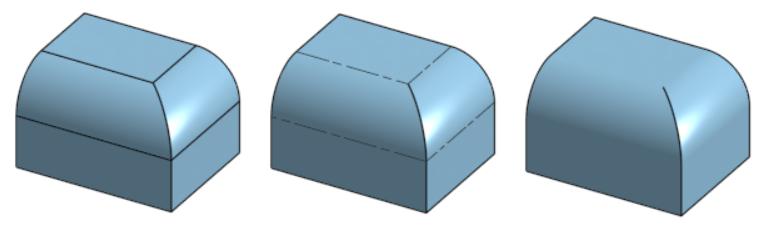
Three different tangent edge options, from left to right: Visible (default), Phantom, and Removed.
Tangent edges are currently only available for newly created models in a Part Studio or Assembly, and only on the browser platform.