Orient Normal to Sketch on Edit


Available in: Sketch, Part Studio
Orients the view in the graphics area to be normal to the sketch plane.
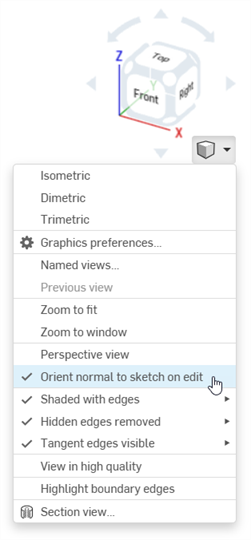
Select the Orient normal to sketch on edit option from the Camera and render options dropdown to orient the view normal to the sketch plane in the graphics area.
The check mark indicates the option is enabled. Click the option again to disable it and return to the previous view. This option remains set for all future user sessions.