Highlight Boundary Edges

Available in: Part Studio
Onshape displays holes and disconnects in a model, including laminar edges of surfaces, that may be in need of repair when you select Highlight boundary edges. This feature is especially helpful when importing parts that require repairing surfaces.
 Steps
Steps
-
Select Camera and render options, then Highlight boundary edges:
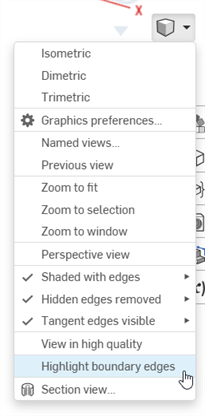
-
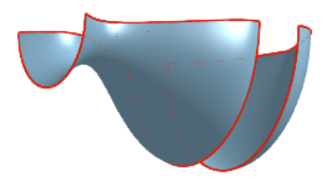
Edges that may require repair are highlighted in solid red lines when the edges are visible and dashed red lines when the edges are hidden:
For more information, see Repairing Imported Models.