Curve/Surface Analysis

Available in: Sketch, Part Studio, Assembly
Shortcut: shift+c
Curve/surface analysis visualizes and analyzes curvature using various methods on a sketch or part in a Part Studio. Access the Curve/surface analysis dialog box through shortcut keys (Shift+c), the context menu on a sketch, part, or surface, or through the Show analysis tools menu in the bottom right corner of the interface.
When in sketch mode, or while editing a sketch, you can use the shortcut Shift+c to automatically select all sketch curves and open the Curve/surface analysis dialog. Shift+c acts as a toggle: opening and closing the dialog while selections persist.
The Curve/surface analysis tool remains open even after exiting out of the sketch, however, the selection fields are not active. You can add more selections, or remove selections as long as the tool is open. Any changes to selections persist for the next time you invoke the tool. If you make a pre-selection before opening the tool, the tool opens with just that selection, clearing any other selections made previously.
 Steps
Steps
To examine curves and surfaces:
- Click the Show analysis tools (
 ) in the bottom right corner of the interface.
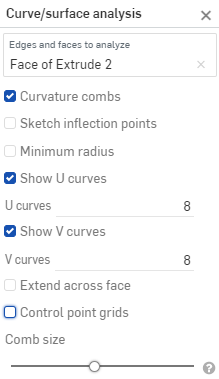
 - Select Curve/surface analysis to open the dialog. You can also access this dialog by right-clicking on a sketch or part in the graphics area and selecting it in the context menu:
-
Select edges and faces to analyze. Alternatively, you can select them prior to accessing the dialog.
- Select from the following options:
Curvature combs - Displays the combs of the selected edge(s) and/or face(s) along the U and V directions. Curvature combs are evaluated at evenly spaced isolines, not necessarily at the control points, and are used for evaluating the resultant shape of a curve/surface up to Flow (G3) continuity.
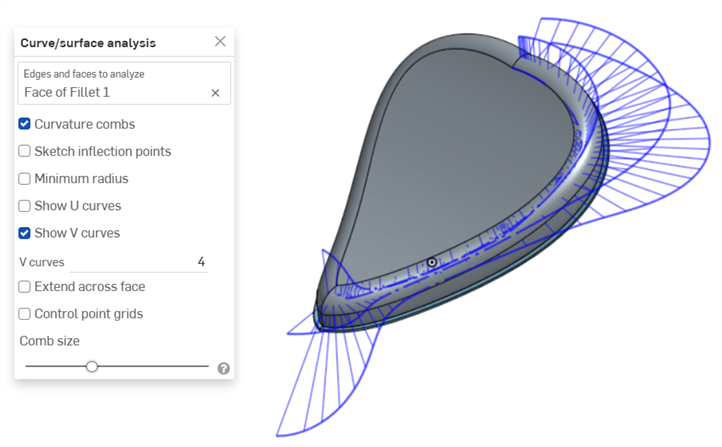
Curvature combs on the V direction on a face
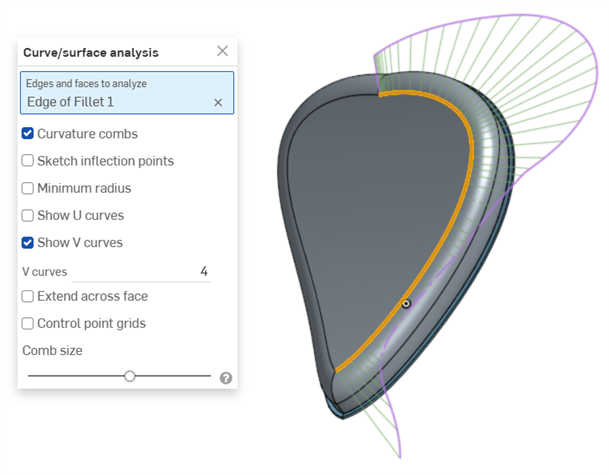
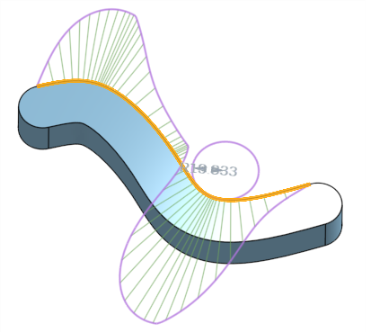
Curvature combs on an edge. Combs are shown in green, bounded in magenta.
Show U curves - Displays curvature combs along the U direction. U curves are displayed in red:
Show V curves - Displays curvature combs along the V direction. V curves are displayed in blue:
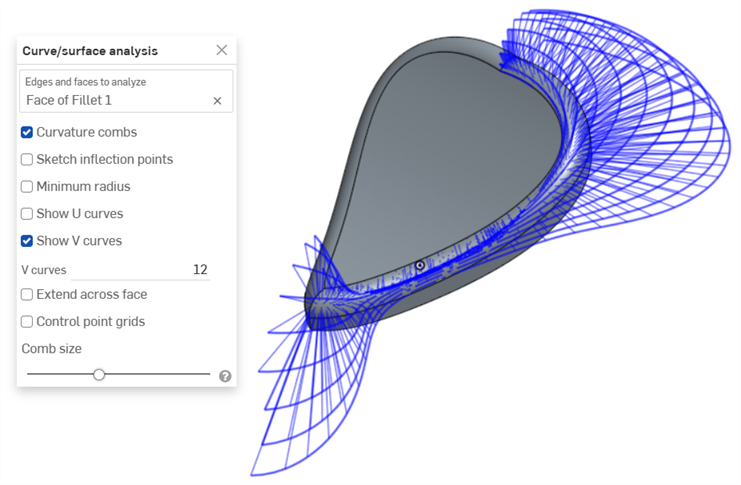
Increase or decrease the number of curves using the numeric U curves and V curves fields, from 2 to 64. The default is 8 for each.
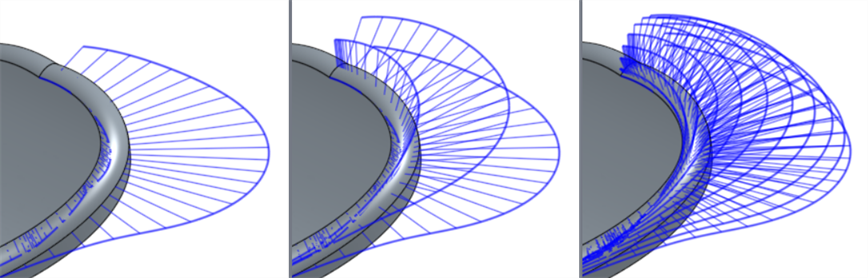
V curves set at 2 (left), 4 (middle), and 8 (right)
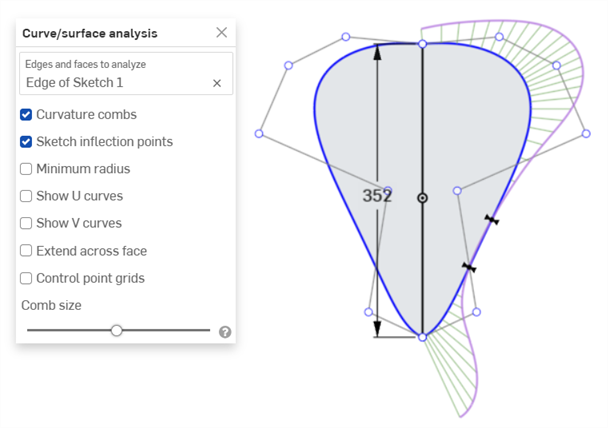
Sketch inflection points (sketch only) - Displays the inflection points along a sketch edge. They appear as black 'bow ties':
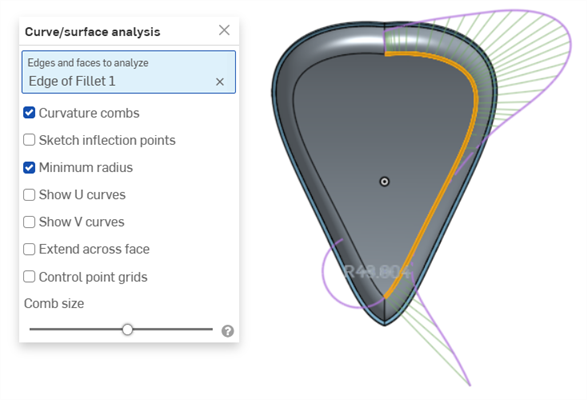
Minimum radius (edges only) - Shows the minimum radius along an edge, either a sketch or part edge:
Extend across face - Extends the curvature combs along adjacent faces:
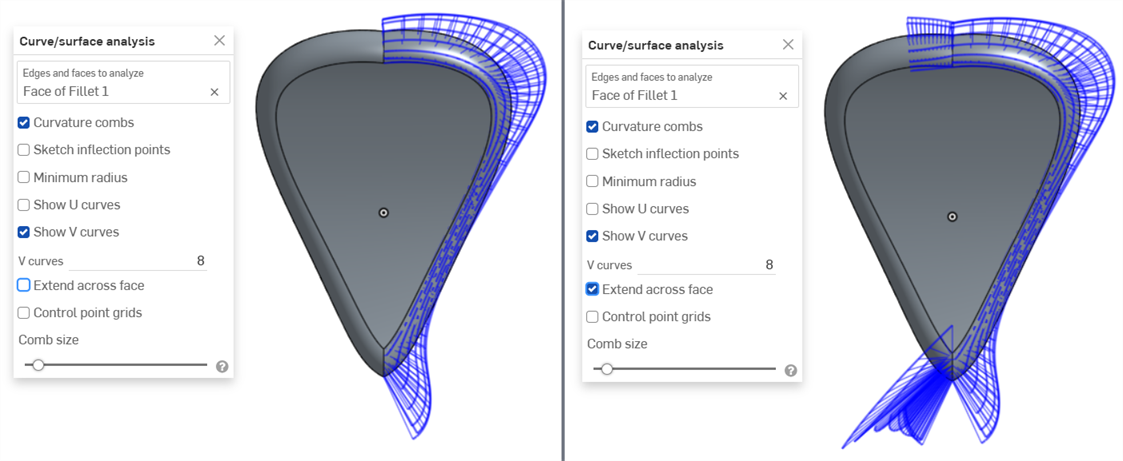
Curvature combs not extended across faces (left) and extended across faces (right)
Control point grids - Displays the control points grid for the selected edge, either a sketch or part edge. This is the location of the control points on the underlying bSpline curves that define the surface (or curve). The number and distribution of the control points provides important information about the underlying math defining the shape.
Dense clusters of control points indicate potential problem areas, and can be deleterious to the surface quality. In short, control point grid is used to understand the underlying mathematical definition of the surface/curve,
Control point grids are shown in magenta:
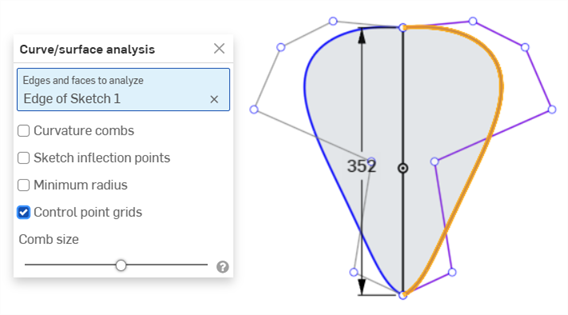
Control point grids displayed in magenta
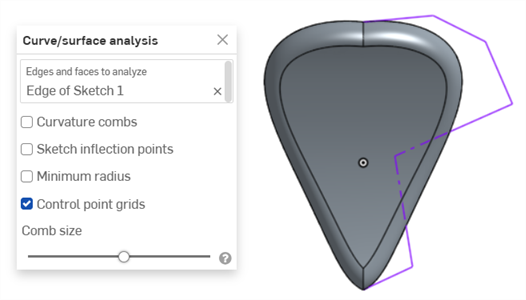
Control point grids displayed with the sketch closed and the part displayed
Knot points - Displays the knot points on the selected curve or surface. (Not available for non-spline entities such as cylindrical faces, intersection curves, offset curves, etc.)
Details - Displays details (such as degree, spans, and number of control points) upon hovering over the selected curve or surface. (Not available for non-spline entities such as cylindrical faces, intersection curves, offset curves, etc.)
Comb size - Use the slider at the bottom of the dialog to adjust the magnitude of the combs.
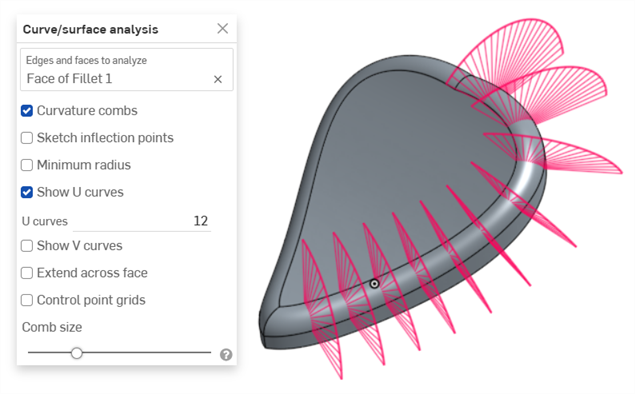
-
Click and drag a curve to adjust the curvature, if necessary. The combs update dynamically while you drag.
-
When finished, click
 to close the Curve/surface analysis dialog .
Showing curvature during feature creation
You can also show the curvature combs for a feature in-process, for example, during an extrude:
- With the feature dialog open, right-click in the graphics area and select Curve/surface analysis to open the Curve/surface analysis dialog:
- Select a curve for the feature:
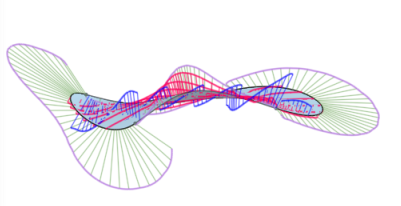
- You can show the curvature for the selected edge used to create the new feature (uncheck Show for previewed edges), or select
Show for previewed edges
to see the curvature combs for the edge of the new feature being created:
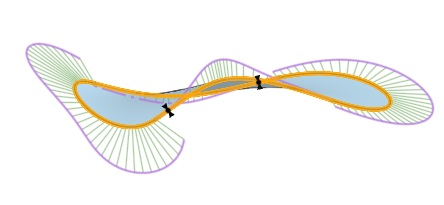
You can also show curvature combs, inflection points, and the minimum radius by selecting the boxes to the left of those options in the Show curvature dialog box.
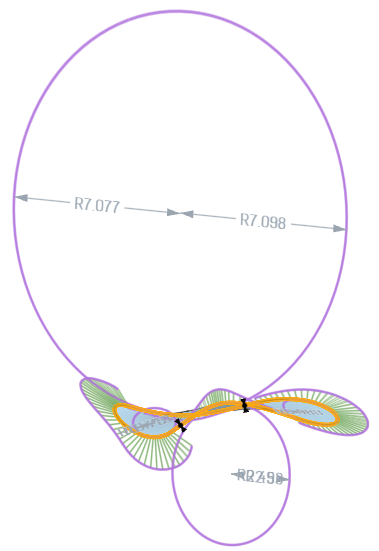
Example of a feature with Show for previewed edges, Show curvature combs, Show inflection points, and Show minimum radius selected in the Show curvature dialog box.
For additional information on curve and surface analysis, see Surface modeling.