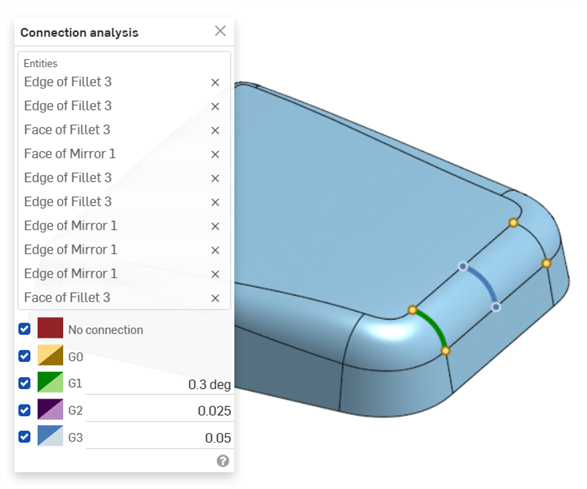
Connection Analysis

Available in: Sketch, Part Studio
Connection analysis assesses or reports the connection between curves and surfaces in a Sketch or Part Studio. Select two curves, faces, or any combination of the two, to analyze if the connection meets G0, G1, G2, and/or G3 continuity. Endpoints with multiple connections are not analyzed.
 Steps
Steps
-
In a Part Studio, click the Show analysis tools icon (
 ) in the bottom right corner of the interface.
 -
From the menu, select Connection analysis to open the Connection analysis dialog:
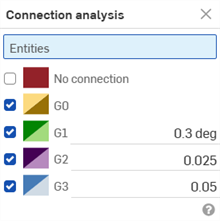
-
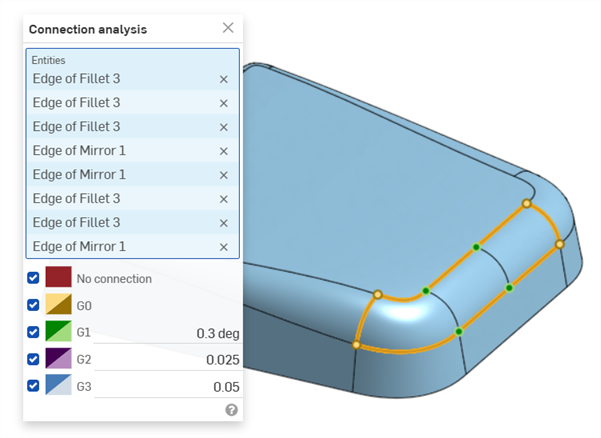
Select curves or surfaces to analyze. The dialog populates with results automatically upon selection, along with color coordinated indicators in the graphics area:
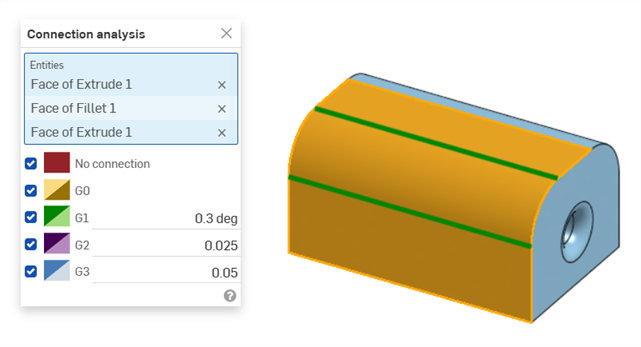
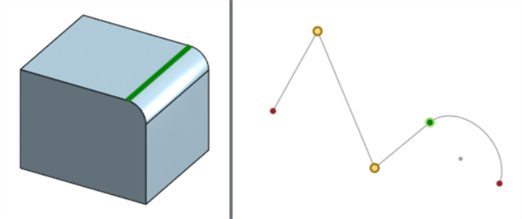
Surface analysis displays the continuity along the edge between the two selected faces (shown below left). Curve analysis displays the continuity at the connection point between the two selected curves (shown below right). Edges and points are color-coded, based on their continuity:
Examples
-
2 faces:
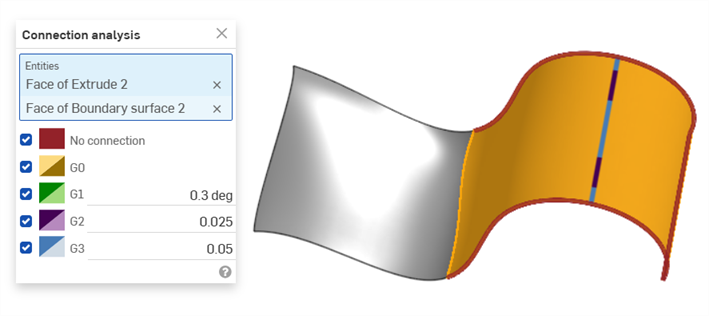
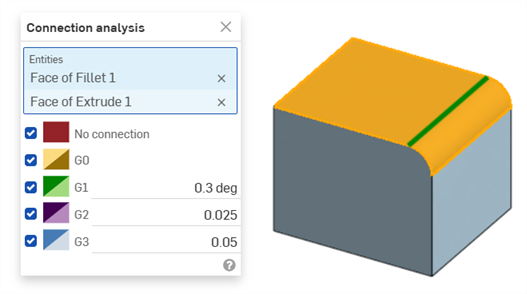
-
Sketch curves:
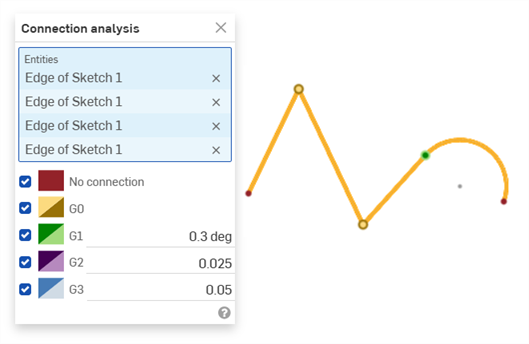
-
Multiple faces:
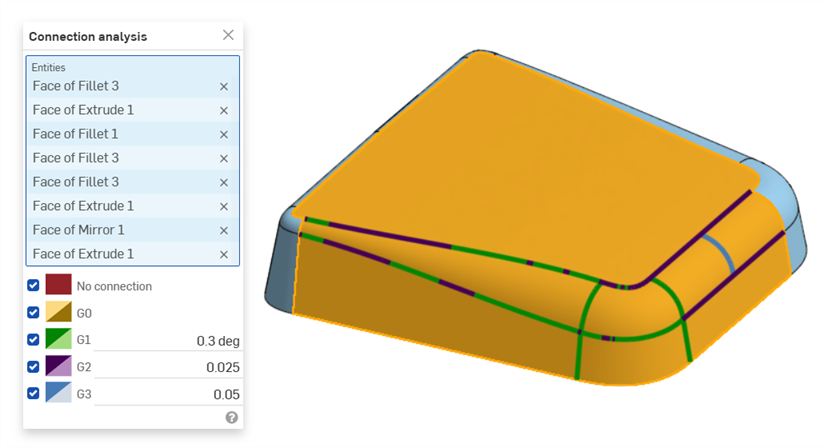
-
Multiple curves:
-
Curves and faces: