 Offset


Available in: Sketch
Offset the selected curve or loop at a specified distance and direction from the original.
Shortcut: o
 Steps
Steps
-
Click
 or press the o key.
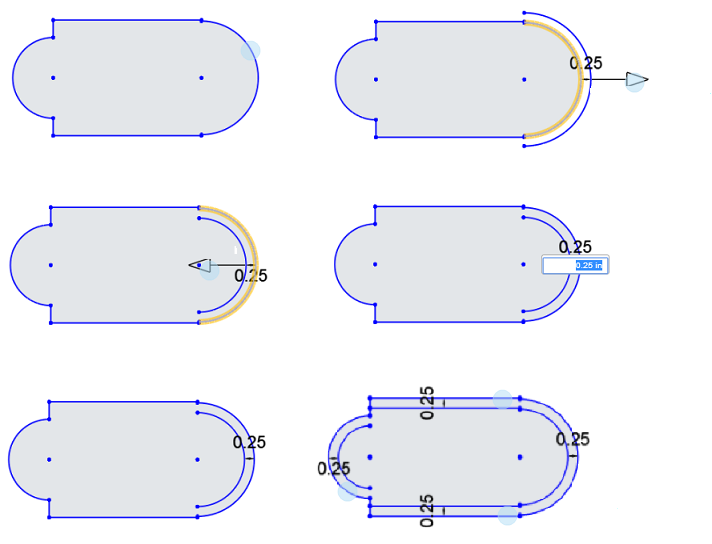
- Select one or more curves to offset.
- Indicate the direction (click the direction arrow) and enter distance value of the offset.
You are also able to use the arrow to drag the offset distance to a value or closer to the correct value and then type in the final value.
Note that to change the direction of the offset, you can also use a negative distance value.
- Press Enter.
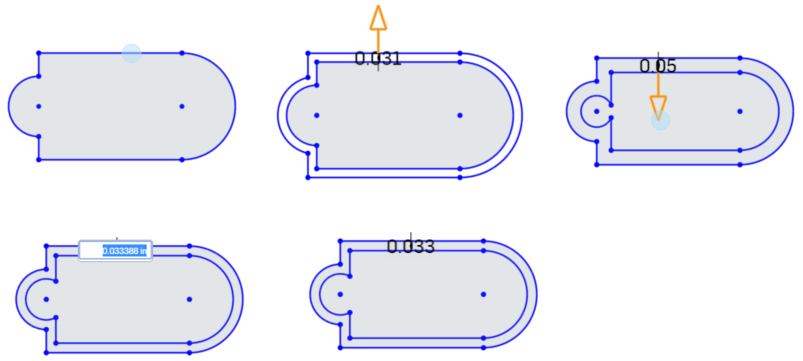
- If needed, click on additional curves to set offsets of equal distance.
Select a single entity
Chain select a loop
See the Learning center course Introduction to Sketching (Onshape account required) for more information.