

Available in: Sketch
Sketch an ellipse, parabola, or hyperbola by defining start, end, and control points, as well as a rho value.
 Steps
Steps
- Click
 .
.
- Click to indicate a start point.
- Click to indicate an end point.
- Optionally, immediately after the conic is created, input a numerical value (or type "=#" to input a variable) for the rho value and press enter. This dimensions the conic without having to use the dimension tool.
- Click to indicate a control point.
- If a rho value was not input during step 3a above, the rho dimension field automatically opens. Enter a rho value.
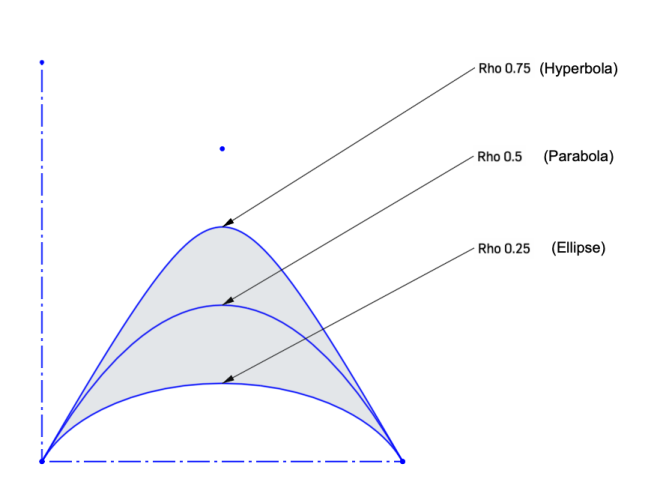
For example, various rho values yield different shapes:
To input a variable in any dimension field after the geometry is already sketched, the equal sign (=) is not required. Type "#" to input a variable.
- Greater than 0.5 yields a hyperbolic shape
- 0.5 yields a parabolic shape
- Less than 0.5 yields an elliptical shape
See the Learning center course Introduction to Sketching (Onshape account required) for more information.