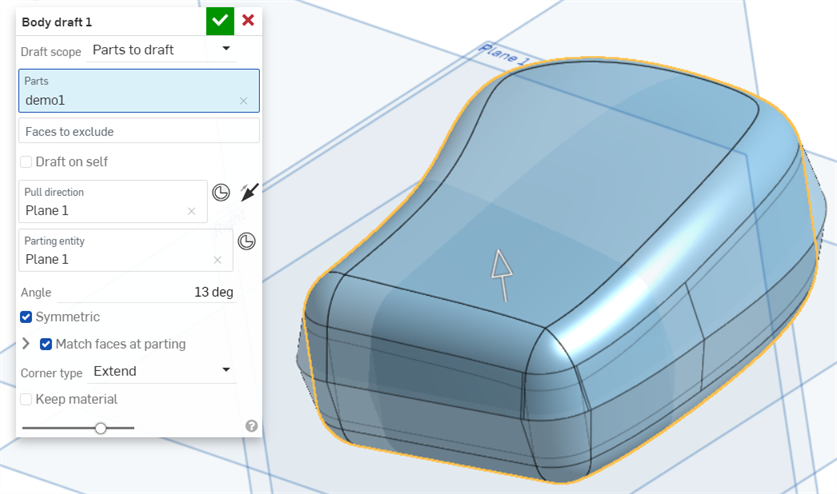
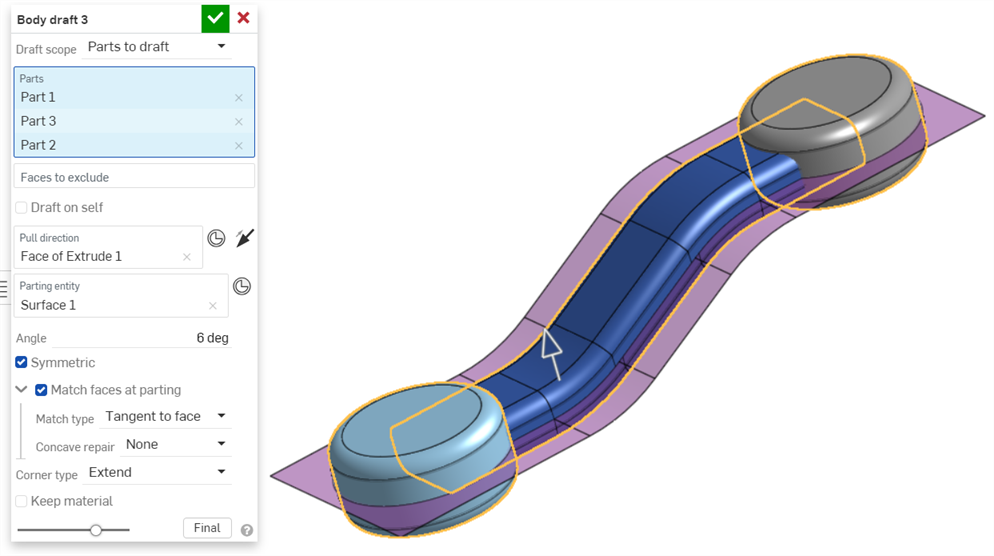
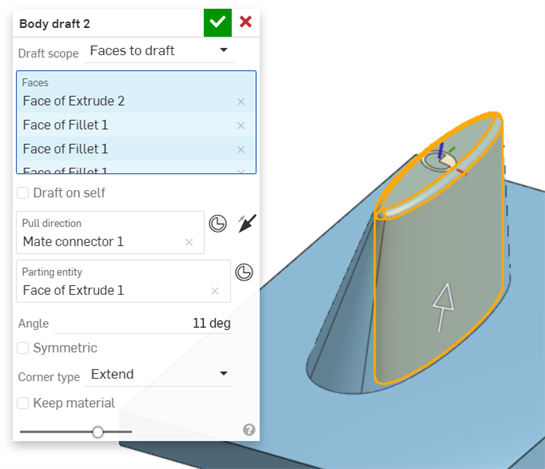
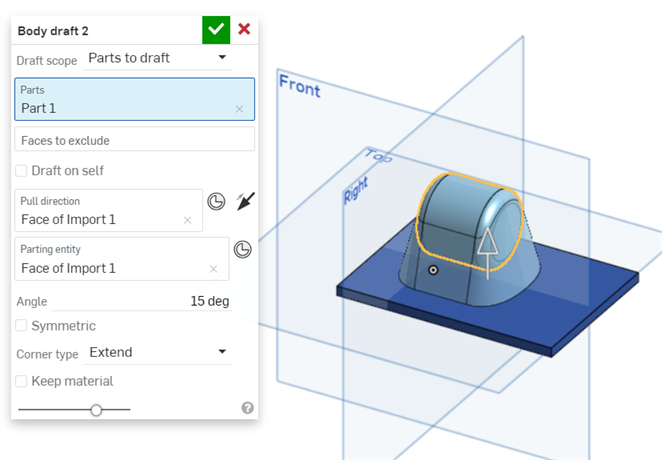
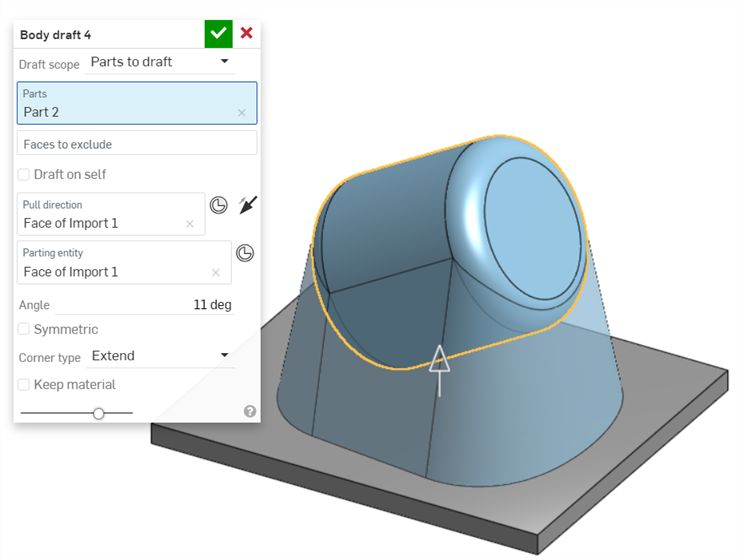
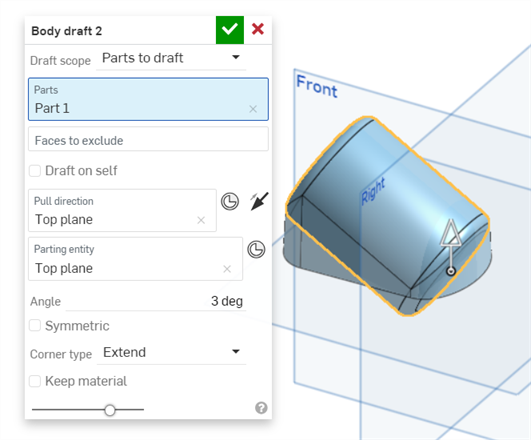
Body Draft


iOS and Android support for body draft is limited to editing and viewing body drafts inserted from the desktop (browser) platform.
Available in: Part Studio
Apply a draft angle to one or more selected parts using a parting surface and a pull direction.
The Body draft feature creates draft faces below a set of edges and attaches those results back to the model, always adding material, never removing it.
The part and face Body draft features are a more efficient way to create these drafts than by manually generating isoclines and splitting the face along it as an edge, and they can create draft angles with more complex geometry than the Draft feature can handle (for example, a torus). Unlike the Draft feature, Body draft takes an edge and moves along it, adding material to create a sloped face.
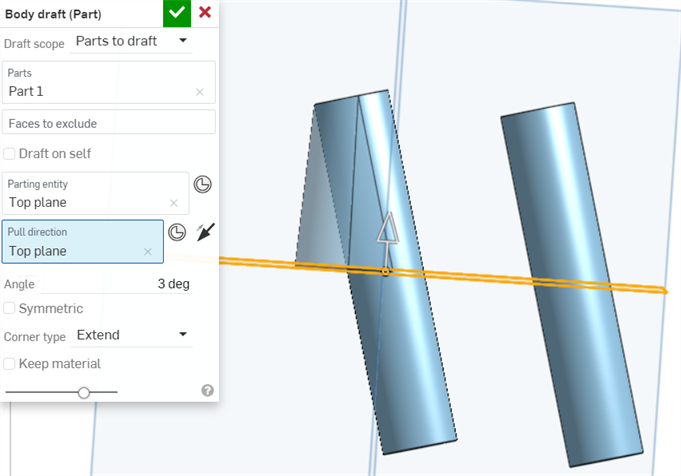
In the example above, the cylinder on the left has been extended down to the Top plane with the Body draft feature.
To use this feature, you'll select a part or face to create the draft angle for, then select a direction in which to create the draft, and/or an entity on which to split the model and create draft angles for each split with respect to each other.

 Video example
Video transcript
Apply a draft angle to one or more selected parts using a parting surface and a pull direction. Start a new Body draft feature. Define the Draft scope as Parts to draft, Faces to draft, or Edges to hold.
With Parts to draft, select the parts to draft and faces to exclude from the graphics area. With Faces to draft, select only the faces you wish to apply draft to from the graphics area. With Edges to hold, select the edges to hold from the graphics area.
Click the Pull direction field and select a face or plane. The Pull direction is used to set the draft direction. When applicable, the parting entity field automatically fills in with the same selection as the Pull direction. Parting entity defines the splitting entity between two halves of a mold. Clear the field to make a different selection when necessary.
To exclude faces from the draft, click in the Faces to exclude field and select Faces to exclude from the graphics area. Use Draft on self to apply draft to the selected geometry, eliminating the need for a parting entity. Enter an Angle value to define the draft measurement.
To repeat the feature on both sides of the parting line, check Symmetric. To ensure faces meet at the parting line, check Match faces at parting. This adds additional material beyond the set angle to accommodate both sides meeting at the parting line.
Select a Match type. Reference edge drafts up to the reference edge that is visible when match faces at parting are not enabled. It adds material from the edge so the draft meets at the Parting entity. Tangent to face brings the draft to where it is tangent to the part's face. Set Concave repair to either Radius or Mix to resolve self-intersections or tight regions. Radius blends the corners, and Mix applies a straight region into a radius. By default, it is set to none, which leaves the tight corners alone.
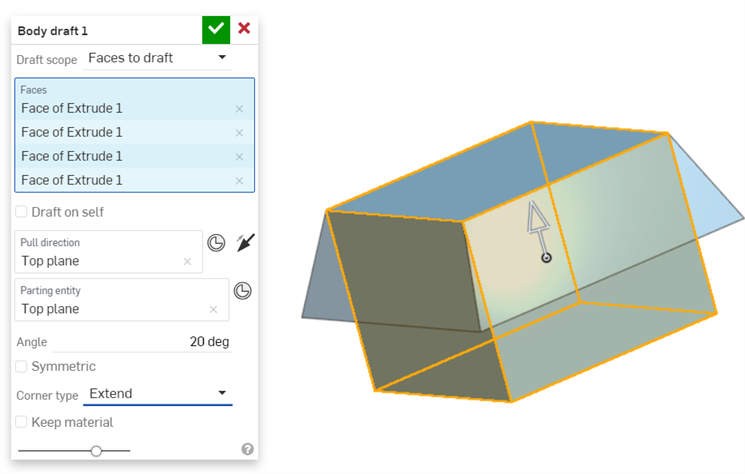
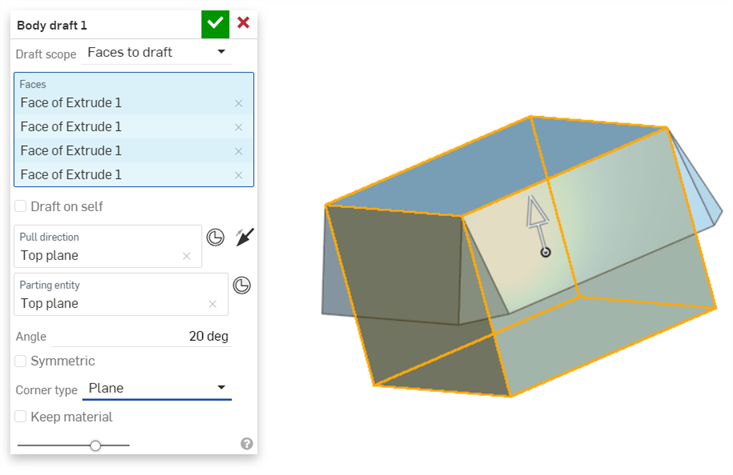
Set the Corner type to either Extend or Plane. Extend takes the faces out beyond their limit until they meet. Plane extends the selected faces out, maintaining their limit. Use Keep material to maintain geometry when the draft overlaps it.
Accept the feature.
Steps
- Click
 to open the Body draft dialog.
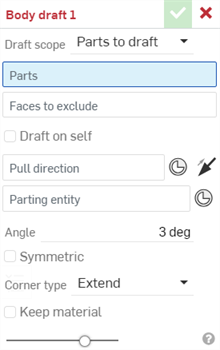
- Click the Draft scope dropdown and select an option:
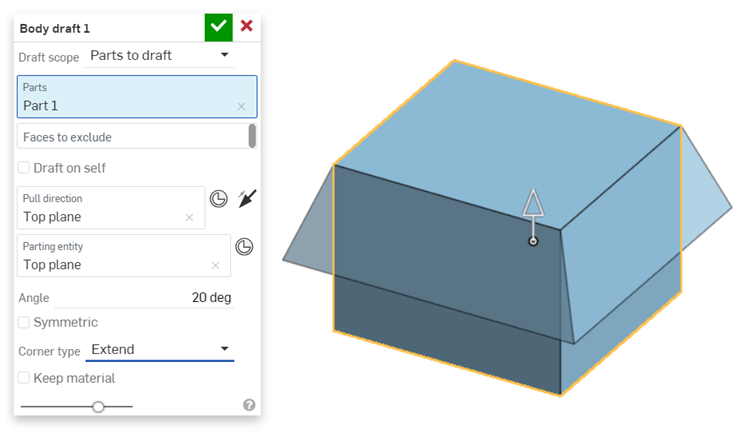
- Parts to draft - Implicitly define a draft angle for the part(s). This is a shortcut for holding all the edges of a part.
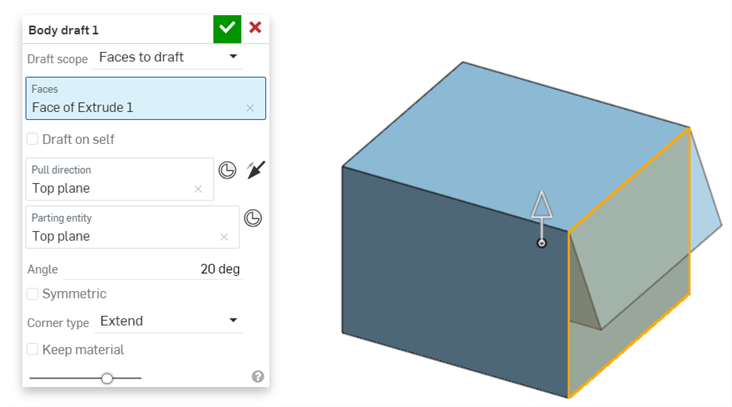
- Faces to draft - Implicitly define a draft angle for the selected face(s). This is a shortcut for holding all the edges of a face.
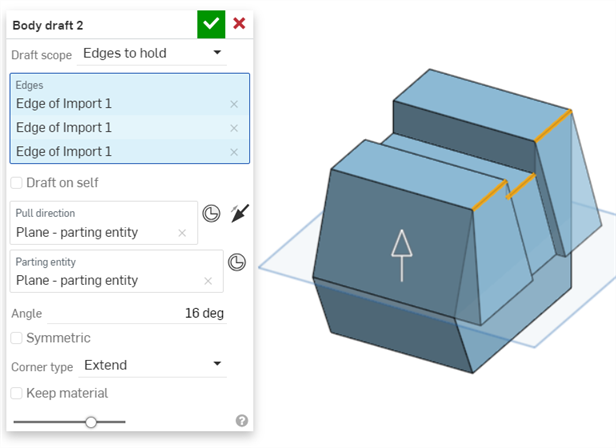
- Edges to hold - Explicitly define the draft down to the parting entity by holding these individual edges.
- Parts to draft - Implicitly define a draft angle for the part(s). This is a shortcut for holding all the edges of a part.
- With focus in the Parts field (or Faces/Edges field, depending on your previous selection), select the entity to draft.
- When drafting parts, you have the option to select Faces to exclude from the draft.
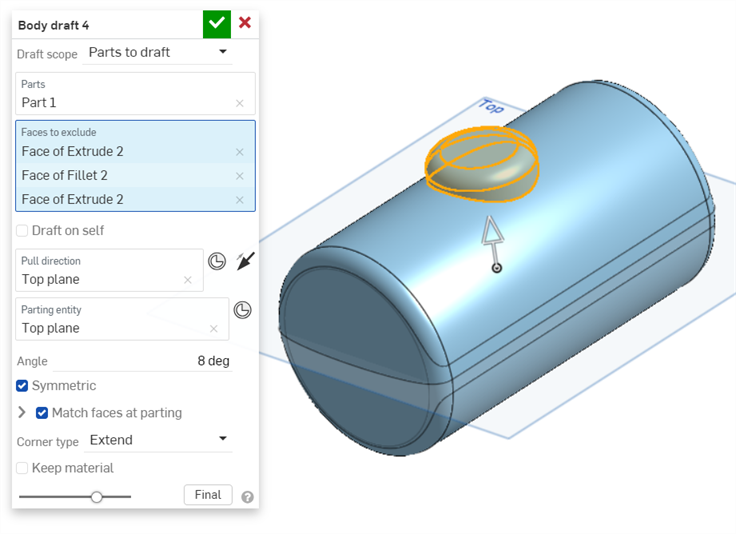
- When drafting parts, you have the option to select Faces to exclude from the draft.
- Next, select the Parting entity to split the model into parts along the parting entity and create a draft angle for each with respect to one another.
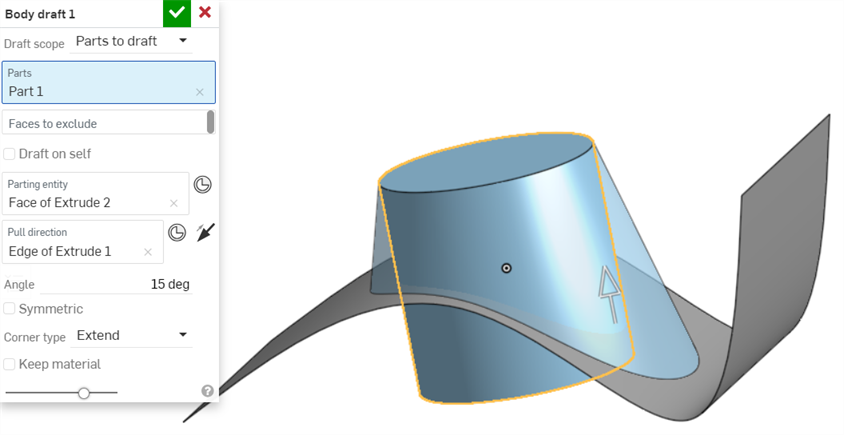
To select a Mate connector as the Parting entity, click the Mate connector button.
- Select the Draft on self checkbox to use the part itself as the parting entity.
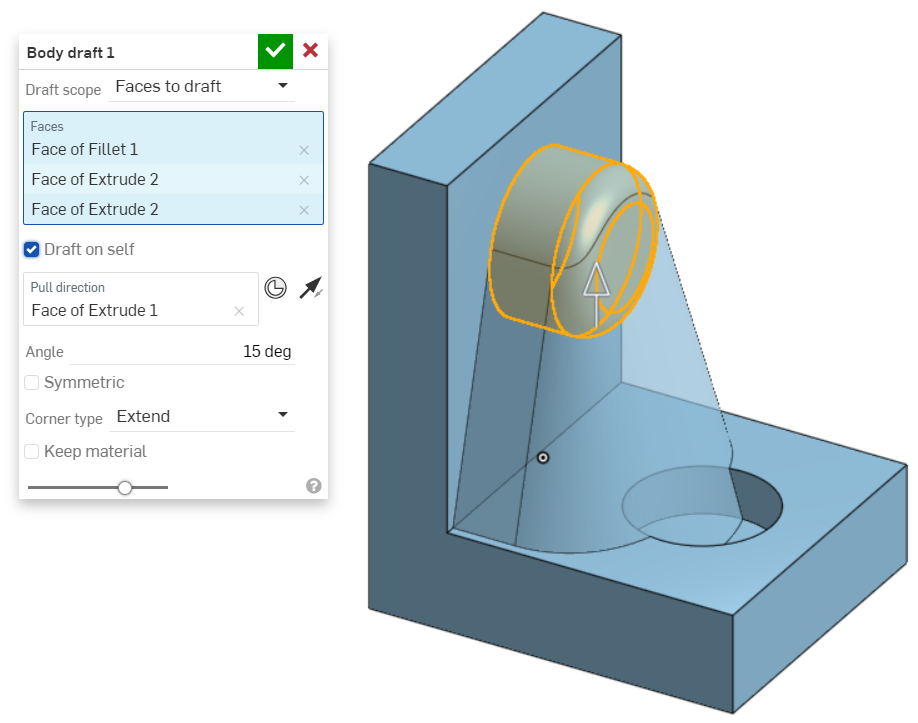
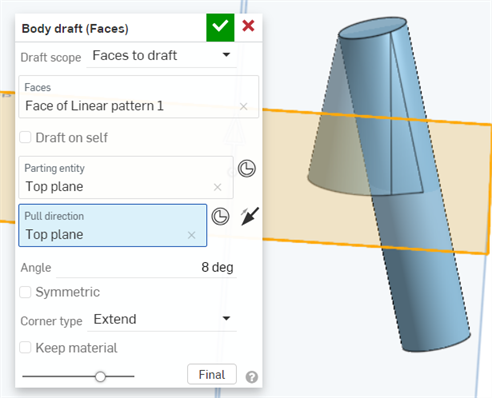
- With focus in the Pull direction field, click the edge, face, plane, or Mate connector to act as a neutral plane, along the primary axis.
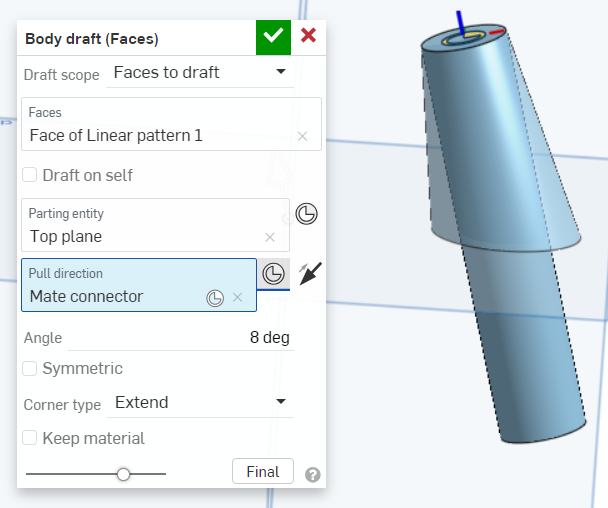
To select a Mate connector as the Pull direction, click the Mate connector button.
Click the arrow to reverse the pull direction.
- Increase or decrease the draft angle in the Angle field.
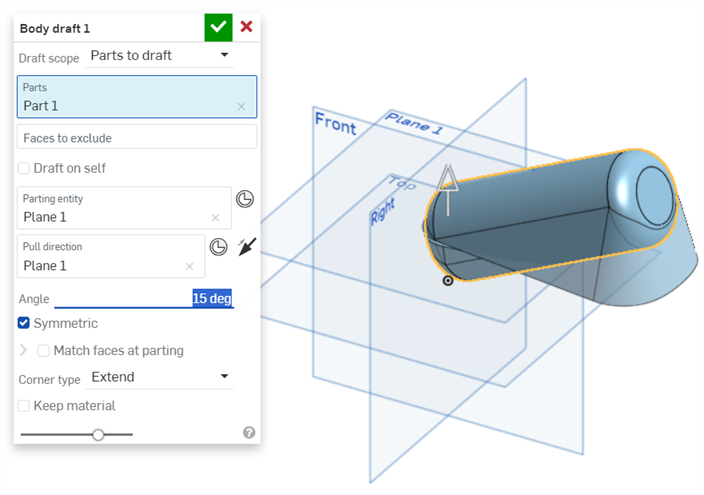
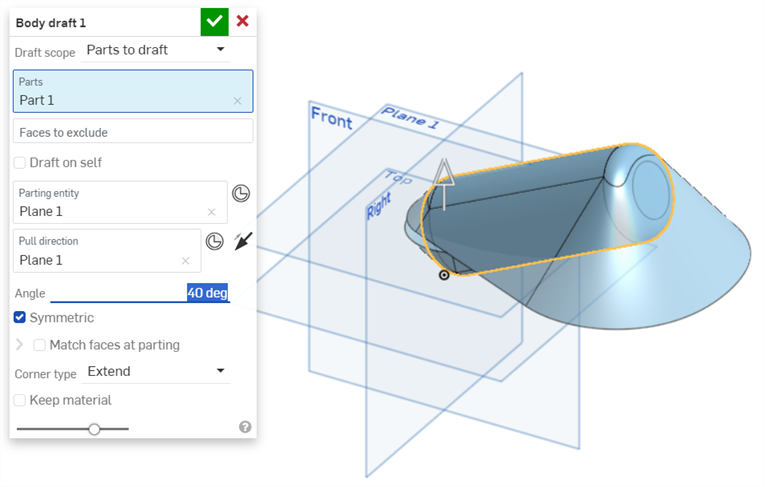
- Optionally, click the Symmetric checkbox. This option creates a second direction and repeats the feature from both sides of the parting entity.
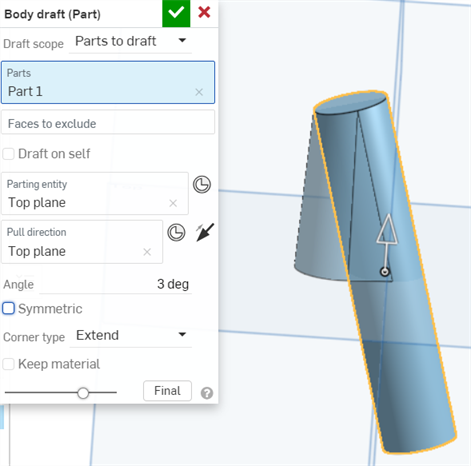
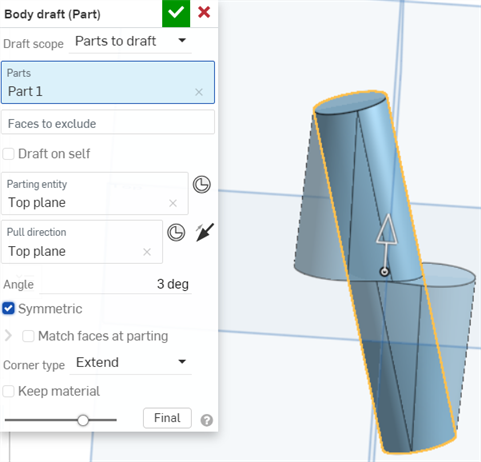
- If the Symmetric checkbox is selected, you can also check Match faces at parting to add material beyond the set angle to accommodate both sides meeting at the parting line.
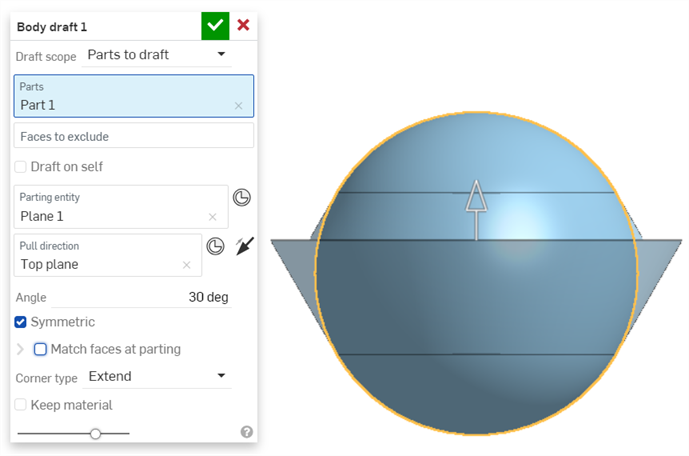
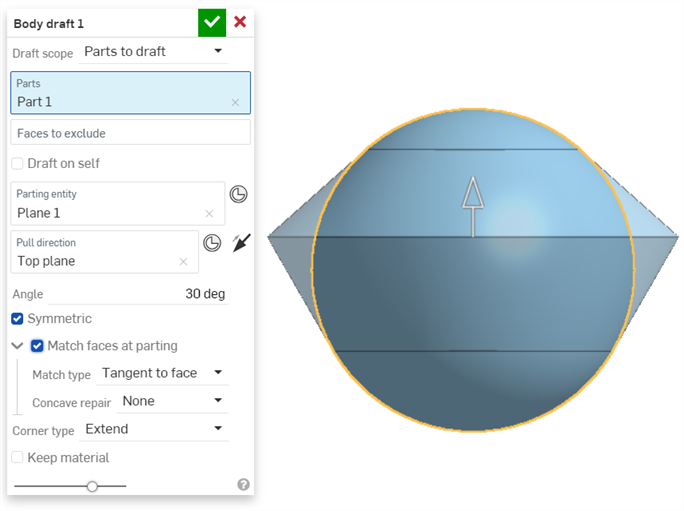
- Select a Match type:
- Reference edge - Drafts up to the reference edge that is visible when Match faces at parting is not enabled. Adds material from the edge so the draft meets at the Parting entity.
- Tangent to face - Brings the draft to where it is tangent to the part's face.
- Select a Concave repair option to resolve self-intersections and tight regions:
- None - Does not resolve self-intersections or tight corners
Radius - Blends corners
Mix - Applies a straight region into a radius
- If the Symmetric checkbox is selected, you can also check Match faces at parting to add material beyond the set angle to accommodate both sides meeting at the parting line.
- Click the dropdown to change the Corner type:
Extend - Takes the faces out beyond their limit until they meet.
- Plane - Takes the faces to their limit and creates a new plane to meet the edges.
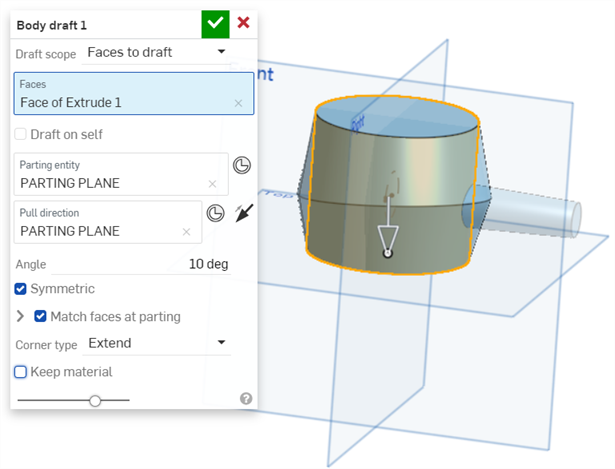
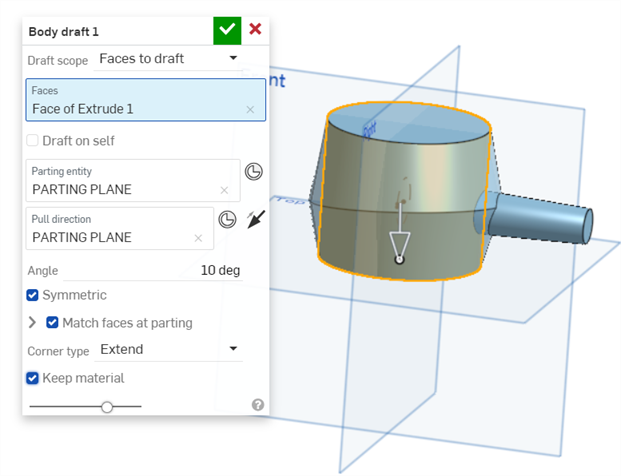
- Any material the draft passes through will be removed by default. Optionally, select the Keep material checkbox to keep material the draft passes through. In the example below, the draft on the vertical cylinder passes through the horizontal cylinder on the right side of the model.
- Click the checkmark icon (
 ).
).