Drawing Properties - Tables

Available in: Drawing
Edit Bill of Material (BOM), custom, cut list, hole, revision, and other tables created in the current drawing.
 Accessing the Tables tab
To access Table properties, click the Tables icon ( ) at the top of the Drawing properties toolbar.
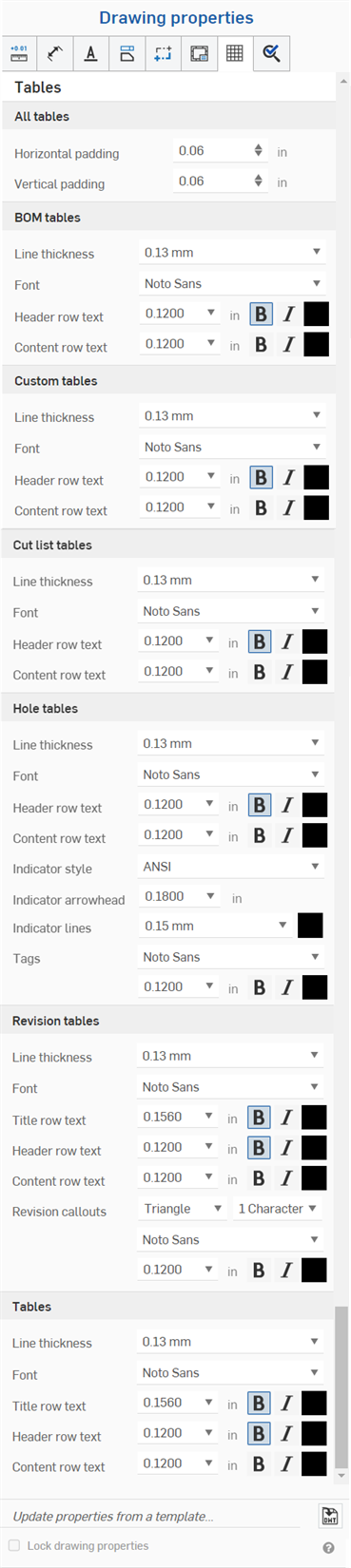
All tables
- Horizontal padding - Specify the default horizontal thickness value for table cells. Default is 0.06 in.
- Vertical padding - Specify the default vertical thickness value for table cells. Default is 0.06 in.
BOM tables
- Line thickness - Specify the default thickness of the lines.
- Font - Specify the default font type.
- Header row text - Specify the default font size, font treatment, and color for the header row.
- Content row text - Specify the default font size, font treatment, and color for the content rows.
Custom tables
- Line thickness - Specify the default thickness of the lines.
- Font - Specify the default font type.
- Header row text - Specify the default font size, font treatment, and color for the header row.
- Content row text - Specify the default font size, font treatment, and color for the content rows.
Cut list tables
- Line thickness - Specify the default thickness of the lines.
- Font - Specify the default font type.
- Header row text - Specify the default font size, font treatment, and color for the header row.
- Content row text - Specify the default font size, font treatment, and color for the content rows.
Hole tables
- Line thickness - Specify the default thickness of the lines.
- Font - Specify the default font type.
- Header row text - Specify the default font size, font treatment, and color for the header row.
- Content row text - Specify the default font size, font treatment, and color for the content rows.
- Indicator style - Select a standard for the hole indicator: ANSI or ISO.
- Indicator arrowhead - Enter or select a size for the indicator arrowhead.
- Indicator lines - Select a thickness and a color for the lines.
- Tags - Specify characteristics of the text for the hole tags: font, size, formatting (bold, italic, or none), and color.
Revision tables
- Line thickness - Specify the default thickness of the lines.
- Font - Specify the default font type.
- Title row text - Specify the default font size, font treatment, and color for the table title row.
- Header row text - Specify the default font size, font treatment, and color for the table header row.
- Content row text - Specify the default font size, font treatment, and color for the table content rows.
- Revision callout - Specify the default shape of the callout, the number of characters, and the font, size, color, and treatment.
Tables
- Line thickness - Specify the default thickness of the lines.
- Font - Specify the default font type.
- Title row text - Specify the default font size, font treatment, and color for the table title row (if applicable).
- Header row text - Specify the default font size, font treatment, and color for the table header row (if applicable).
- Content row text - Specify the default font size, font treatment, and color for the table content rows.
Editing table cells
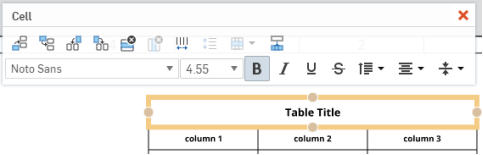
Edit the cells of the table separately from the table properties by clicking in the empty area of a cell to open the Cell edit panel:
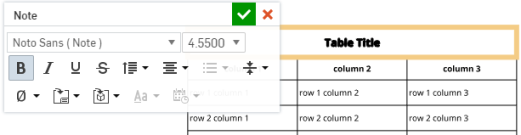
Edit the text in any cell separately from the table properties by double-clicking on text in the table: