


You have multiple options for organizing and then locating your data in Onshape. Onshape provides the following methods for organizing your data on the Documents page:
- Use Onshape-supplied filters (as in Recently opened, Create by me, etc)
- Create labels and attach them to documents to act as a filter
- Create folders in which to group documents
- For enterprises, create projects in which to group folders and documents
- Create teams of users, not necessarily people in your organization or on your Onshape account (teams can be created by the owner of an account and also by individual members of an account)
All of these constructs act as filters and are listed in the filter list on the left side of the Documents page, except for folders; folders are listed in the documents list and tile views). To filter by any of these, simply select one either in the filter list on the left, or select a folder (or project) in the list or tile view.

 Video example
Video transcript
Down the left hand side of the page are the document filters. The first filter displayed in the list is dependent on your Onshape license.
For free and standard users, owned by me filters all documents the user owns. For professional users, the company or companies to which you belong are displayed first, and filter all documents owned by that company to which you have access.
For Enterprise and EDU Enterprise users, the enterprise to which you belong is displayed first, and filters all documents owned by that enterprise to which you have access.
When this first filter is active, everything you can access is visible.
The filters on the left can also show recently opened documents, documents created by you, shared with you, shared with your team, or documents tagged with a label.
The public filter shows the thousands of public documents created by the Onshape community. Enterprise administrators may hide public documents from their users.
Onshape filters
On the left of the Documents page is a list of pre-defined filters to aid you in finding folders and documents. Select one to filter the list of documents:
-
 Company name filter - Lists all folders and documents you have created as well as all those shared explicitly with the company.
 -
 Recently opened filter - Lists documents most recently opened by you.
-
 Created by me filter - Lists those documents you have created yourself regardless of owner.
-
 Shared with me filter - Lists all documents shared with you explicitly by another Onshape user.
-
 Teams filter - If you are a member of a
team, those filters are inserted at this point in the list, and include documents and folders shared with the team. Teams are collapsed under the Teams label.
Teams filter - If you are a member of a
team, those filters are inserted at this point in the list, and include documents and folders shared with the team. Teams are collapsed under the Teams label.
Note that if the account you belong to has many teams, you see only those teams that you are a member of. Anyone can create a team through Account settings.
-
 Any
labels
you have created are listed, collapsed under
Labels. Labels are user-specific. Create labels from the Create a new label icon (
Any
labels
you have created are listed, collapsed under
Labels. Labels are user-specific. Create labels from the Create a new label icon ( ).
).
-
 Public filter- Lists all documents made publicly available to all Onshape users by all other Onshape users. For actions specific to public documents, see
Public documents, below.
Public filter- Lists all documents made publicly available to all Onshape users by all other Onshape users. For actions specific to public documents, see
Public documents, below.
To remove a document from this filter list, select the document and right-click to access the context menu. Select Remove from recently opened.
Public documents
You can view all Public documents at once through the Public filter on the Documents page. The following information is displayed:
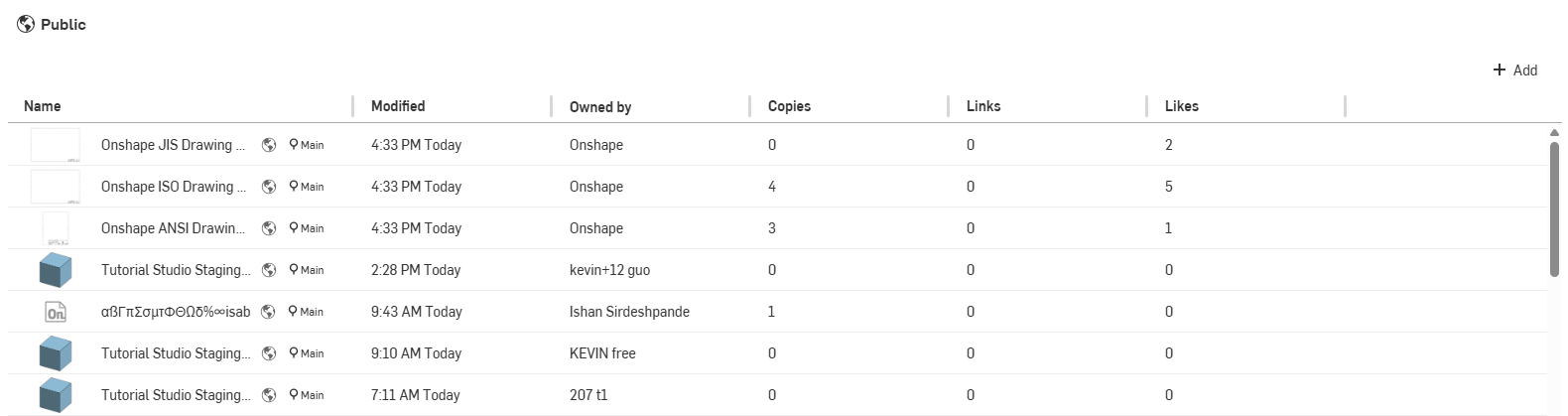
- Name - The document and workspace names
- Modified - The last time and date the document was modified
- Owned by - The owner’s user name
- Copies - The number of times this document has been copied by other users
- Links - The number of times this document (or an entity therein) has been referenced by another document
- Likes
- The number of times the document has been ‘Liked’ by users; click the
 either in the tile view or on the Details panel.
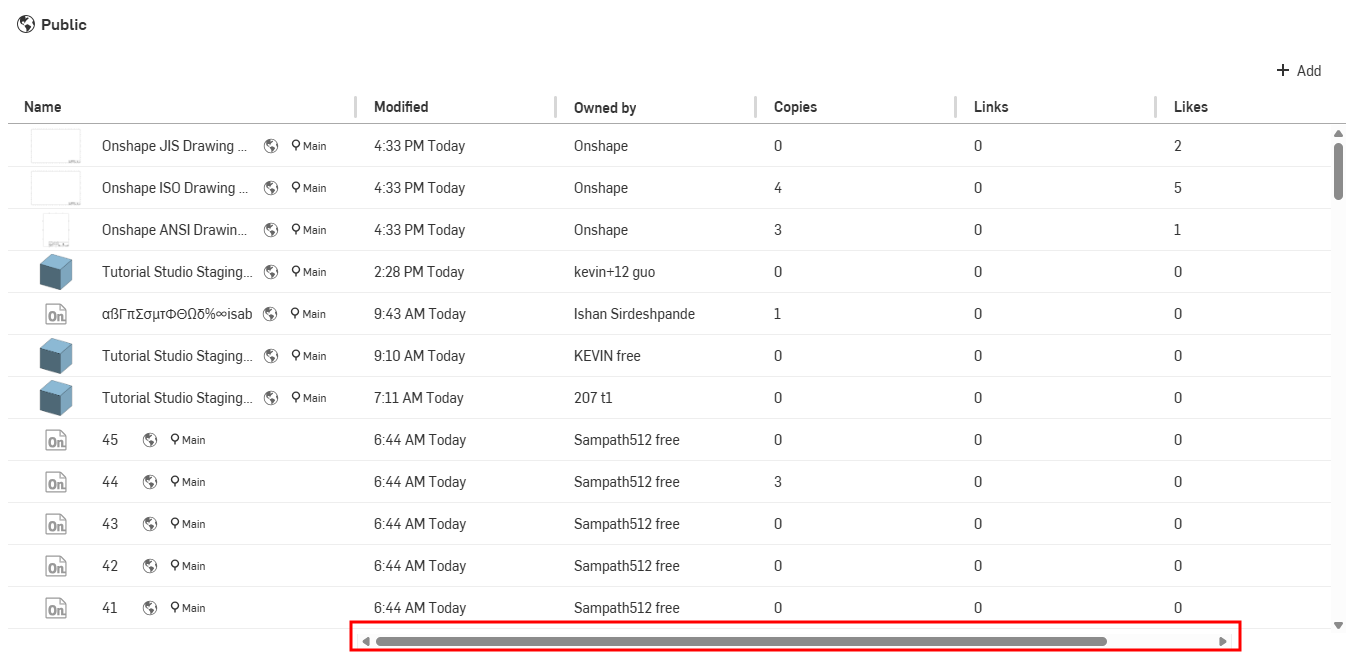
Use the horizontal scroll bar to display columns to the left, if they are not displayed:
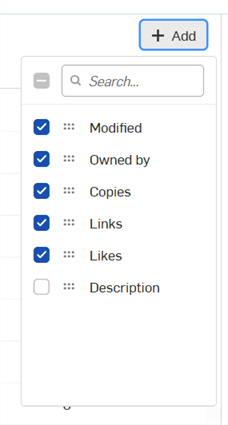
Click the Add button to access additional columns to display. Check a column to display it, or uncheck to hide it:
Public documents can be seen by all Onshape users, in a view-only capacity. However, keep in mind that any user can make a copy of a public document and then use that data. No copyright is implicit upon documents made available publicly. If you have a Free account, all of the documents you create are public by default. If you wish to create private documents, sign up for a paid subscription of Onshape.