縮放至適當比例、縮放成視窗大小、與縮放至選取範圍


在 Part Studio、組合件中提供此功能
使用縮放至適當比例、 縮放成視窗大小、與縮放至選取範圍來將圖形區域中目前模型的視圖分別調整為配合螢幕大小、配合所選邊界方塊或配合選取範圍。
 縮放選項
縮放選項
可以在使用者帳戶的喜好設定中設定縮放的滑鼠滾輪方向
若要縮放,請選擇攝影機與渲染選項,然後選擇下列選項之一:
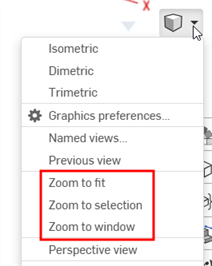
- 縮放至適當比例 (快速鍵:f,連按兩下滾輪) - 選擇這個指令或使用快速鍵來將整個 Part Studio、組合件、工程圖縮放至適當的大小。
- 縮放成視窗大小 (快速鍵:w) - 選擇這個指令,然後在 Part Studio、組合件或工程圖中您要縮放的區域上按一下並拖曳出一個方塊。快速鍵可切換功能的開啟與關閉。
- 縮放至選取範圍 - 選擇這個指令來縮放所選的圖元。必須選擇了一個圖元才能看到這個選項。
在 iOS 或 Android 平台上無法使用「縮放成視窗大小」與「縮放至選取範圍」。
縮放至選取範圍
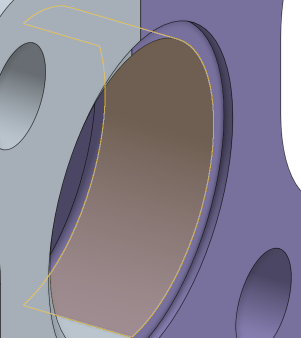
使用縮放至選取範圍來將視圖變更為所選圖元的近距離特寫。
在圖形區域中做出選擇:
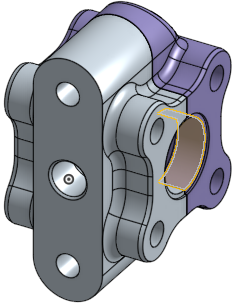
展開「檢視」功能表並選擇 [縮放至選取範圍]: