 Render Studio 介面 -「Appearance」面板

僅為 提供
在 Render Studio 中提供此功能
Located at the right of the page, the Appearance panel displays an editable list of parameters for the appearance of the selected object. The Appearance is material-specific (for example, Fabric, Glass, or Masonry), and the available panel parameters change, depending on the selected Appearance.
-
Select an entity (part, face, Part Studio, Assembly, Render Studio, Appearance) in the Scene list or in the graphics area.
-
Click the Appearance panel icon (
 ) to open the panel:
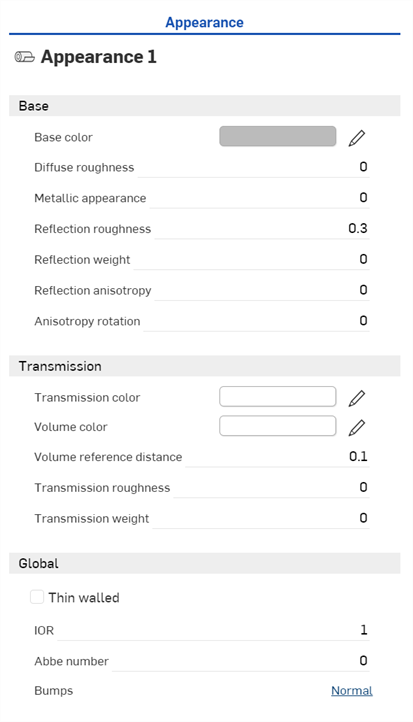
When a Part Studio or Assembly is inserted into a Render Studio, it has a base appearance. The name of the current Appearance is provided at the top of the panel (Appearance 1 in the above example).
 「Appearance」面板參數
預設的外觀參數概述如下:
-
Base
-
Base color - 基本外觀的色彩。
-
Diffuse roughness - 基本外觀粗糙度的值。較高的粗糙度會趨向粉狀的外表。
-
Metallic appearance - 基本外觀的金屬值。1.0 的值會有顏色的反射,並與視圖的方向無關。0.0 的值則會有白色的反射,且是方向相依的。在這個情況中,方向的依存性是基於 IOR (菲涅耳效應)。
-
Reflection roughness - 基本外觀反射粗糙度的值。較高的值會產生比較模糊的反射。
-
Reflection weight - 控制反射的量。
-
Reflection anisotropy - 基本外觀的反射異向性值。較高的值會拉長強光。
-
Anisotropy rotation - 變更異向性的方位。1 的值會 360 度旋轉方位。
-
-
Transmission
-
Transmission color - 無關於圖元厚度的透射色彩效果,類似於彩繪玻璃。
-
Volume color - 如果外觀不是「Thin walled」,會在「Volume reference distance」 (m.) 達到「Volume color」。
-
Volume reference distance - 如果外觀不是「Thin walled」,會在這個距離 (m.) 達到「Volume color」。請在此處輸入組成這個外觀的圖元典型厚度。
-
Transmission roughness - 透射粗糙度的值。較高的值會讓透過外觀看到的物體較為模糊。
-
Transmission weight - 相較於漫射反射,決定會有多少光穿透物體。
-
-
Global
-
Thin walled - 核取來啟用。「Thin walled」外觀不會折射,也不會有體積效果。這對於肥皂泡或窗戶玻璃之類的物體來說很有用。
-
IOR - 根據體積決定折射。同時會影響非金屬外觀的反射程度。
-
Abbe number - 控制色散。0 的值會關閉色散。色散性的外觀會有介於 25 到 85 之間的阿貝數。
-
Bumps - 透過「外觀」資源庫中的 Bump 函式來將凹凸或法線貼圖附加在外觀上。
-
注意
-
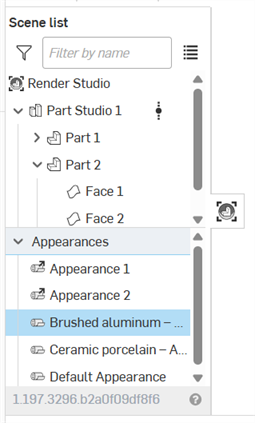
Default Appearance (以及其他用於場景中的外觀) 是位在「場景清單」中「外觀」下拉清單下方:
-
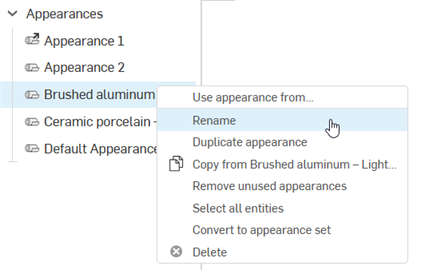
若要重新命名外觀,請在「場景清單」中的外觀上按右鍵,然後選擇 Rename。無法重新命名有連結的外觀。
-
若要選擇使用目前外觀的所有圖元,在「Scene list」中的外觀上按右鍵,然後按下 Select all entities。
-
若要將「Scene list」的外觀指派給場景清單中的圖元,在選取了「Scene list」中圖元的情況下,於「Scene list」中的外觀上按右鍵,然後選擇 Assign。
-
若要調整面板的寬度,將游標移動至面板邊緣暫留,當游標變為雙邊箭頭時,按一下並拖曳來重新調整面板的大小。
-
Appearance set 是指定給一個圖元 (Part Studio、組合件、零件、面) 的外觀修飾器。在指定之後,可以在「Appearance」面板中將多個外觀加入至該組中。在外觀組中切換不同的外觀,可以快速輕鬆地嘗試不同的外觀變化。請參考 Appearance set。
選擇多個外觀
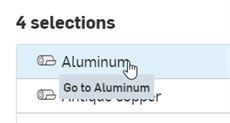
如果在「Appearances」清單中選擇了多個外觀 (在「Scene list」中),「Appearances」面板中會列出所有的外觀:
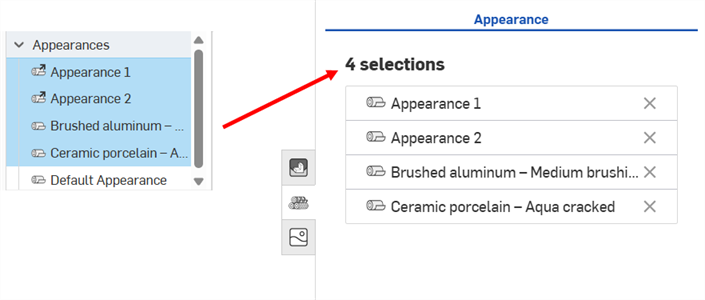
按一下外觀列 (下方中第一個圖片所示) 來在面板中開啟外觀,可於其中編輯其參數。
若要回到「Appearance」面板中的所選的 「Appearance」清單上,按一下下方第二個圖片所示的 Home 圖示 ( ):
):
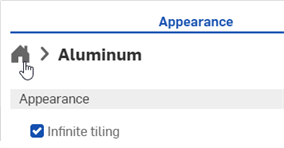
按一下外觀名稱右側的 X 可將其從「 Appearance」面板中移除,並在「 Scene list」中的「 Appearance」清單內取消選取它。
將紋理套用至參數上
使用 Use bitmap file 環境選單選項來將紋理套用至「Appearance」面板中的參數上。
只能將紋理指派給接受紋理的外觀參數。無法從所有參數上來存取這個環境選單。
-
在紋理應套用的參數上按右鍵。
-
選擇 Use bitmap file:
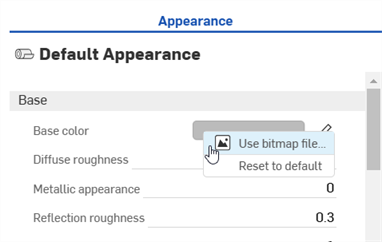
-
「選擇影像」對話方塊開啟,可從其中存取來自目前或其他文件的影像,或是匯入影像。在這個範例中,請按一下匯入,然後從您的電腦中選擇紋理影像。
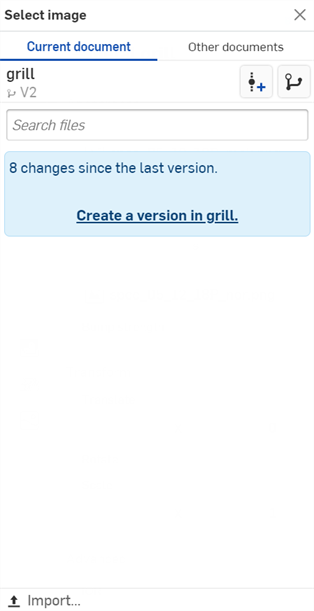
-
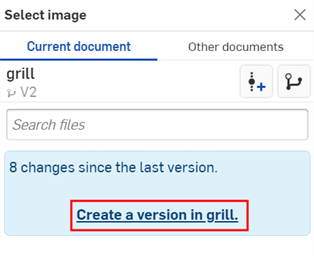
當通知顯示上傳完成時,您還不會在「選擇影像」對話方塊中看到影像。這是因為 Render Studio 場景是匯入時零件、Part Studio 或組合件的快照,而這個影像是匯入之後才帶入至 Onshape 文件中的,因此現在需要一個新的版本才能更新場景。在「選擇影像」對話方塊中按一下在 [Document name] 中建立一個版本的連結:
-
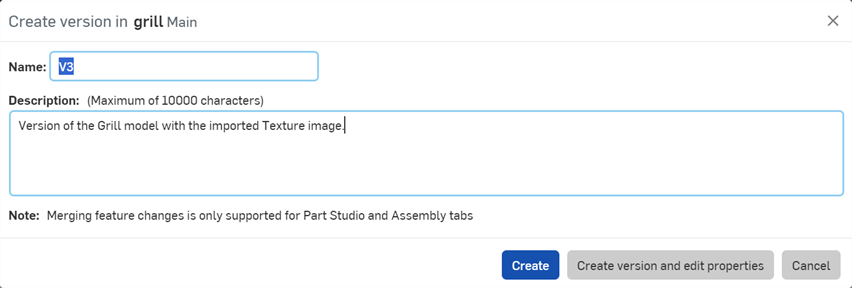
「在 [Document] 中建立一個版本」的對話方塊開啟。輸入版本資訊然後按一下 建立 按鈕:
-
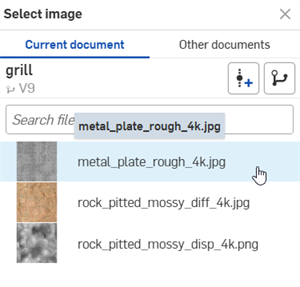
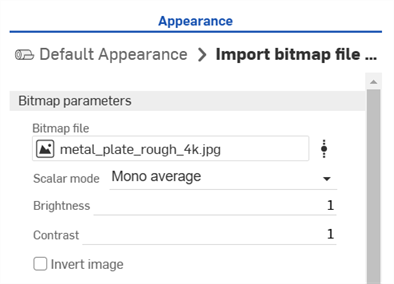
紋理影像現在位在「選擇影像」對話方塊中。按一下影像來將其套用到外觀參數上 (下方第一個圖片)。影像現在會用在外觀參數上 (下方第二個圖片):
-
根據需要調整點陣圖檔案的參數 (Scalar mode、Brightness、Contrast、Invert image)。
如果您在「選擇影像」對話方塊中沒有看到建立版本的連結,請按一下文件面板中的「建立版本」按鈕 ( ) 來開啟建立版本對話方塊。請建立新版本,然後關閉並重新開啟「選擇影像」對話方塊。現在即可使用匯入的影像。
關於上傳檔案的詳細資訊,請參考匯入檔案。
將參數重設為預設
若要將參數重設為預設的狀態:
-
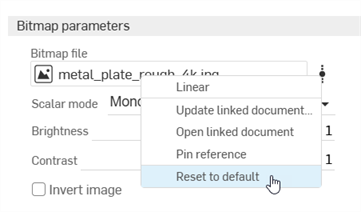
在點陣圖檔案上按右鍵,然後選擇 Reset to default。
-
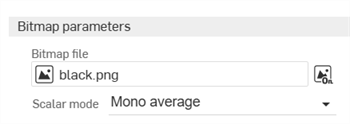
點陣圖檔案會重設回預設的 black.png 檔案。
Part Studio 材料與 Render Studio 外觀的對應
如果使用標準的 Onshape 材料資源庫來將一個材料指定給 Part Studio 中的零件,則在將零件帶入至新場景中時,系統會將材料與 Render Studio 的外觀對應。對應會提供一個初步的 Render Studio 外觀,然後可以在場景中進一步編輯。某些 Render Studio 外觀也會使用零件外觀的色彩 (同時在指定給 Part Studio 中的零件),某些則不會。例如,ABS 材料會根據其外觀色彩為零件著色,Gold (黃金) 材料則會忽略觀的色彩。
如果將玻璃套用至零件上,則除了零件的外觀色彩外,也會匯入零件的透明度。
注意
-
當更新或重新儲存場景時,在 Onshape 1.158 發行版本之前儲存的場景不會以來自 Part Studio 的材料更新其中的零件。
-
如果已在 Part Studio 中更新零件的材料,則在 Render Studio 中更新場景時會使用該材料,條件是之前並未在 Render Studio 中編輯零件的外觀。如果是在 Render Studio 中編輯零件的外觀,則來自 Part Studio 的材料與外觀對應會斷開。
-
當在 Render Studio 場景中開啟零件時,「面外觀」會繼承零件的材料。
-
如果 Part Studio 中的 2 個零件有相同的外觀但有不同的材料,則在 Render Studio 場景中開啟這 2 個零件時,會建立 2 個外觀。
- 如果自訂資源庫中的材料有與 Onshape 材料資源庫中的材料有完全相同的名稱,則也會將其對應至各自的 Render Studio 外觀。
- 使用 「Scene list」環境選單來取消指派零件的外觀,或重新連結其原始的 Part Studio 外觀。
您可以在「場景清單」中檢視所有的場景外觀 (在「外觀」下方)。請參考場景清單組成項目。
若要查看所有的對應,請參考 Part Studio 材料與 Render Studio 外觀對應表格。
詳細資訊請參考 Render Studio 範例與資源。