Drawing Properties - Tables

在工程圖中提供此功能
Edit Bill of Material (BOM), custom, cut list, hole, revision, and other tables created in the current drawing.
 Accessing the Tables tab
To access Table properties, click the Tables icon ( ) at the top of the Drawing properties toolbar.
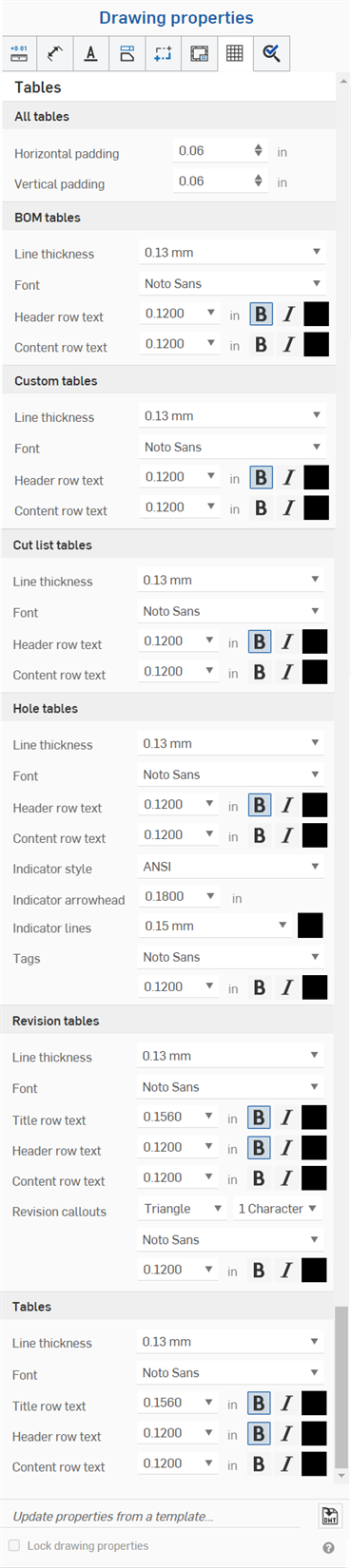
All tables
- Horizontal padding - Specify the default horizontal thickness value for table cells. Default is 0.06 in.
- 垂直填補 - 指定表格儲存格的預設垂直厚度填補值,預設值是 0.06 英吋。
BOM 表格
- Line thickness - Specify the default thickness of the lines.
- 字型 - 指定預設字型的類型。
- 標頭列文字 - 指定標頭列的預設字型大小、字型處理方式與色彩。
- 內容列文字 - 指定內容列的預設字型大小、字型處理方式與色彩。
Custom tables
- Line thickness - Specify the default thickness of the lines.
- 字型 - 指定預設字型的類型。
- 標頭列文字 - 指定標頭列的預設字型大小、字型處理方式與色彩。
- 內容列文字 - 指定內容列的預設字型大小、字型處理方式與色彩。
Cut list tables
- Line thickness - Specify the default thickness of the lines.
- 字型 - 指定預設字型的類型。
- 標頭列文字 - 指定標頭列的預設字型大小、字型處理方式與色彩。
- 內容列文字 - 指定內容列的預設字型大小、字型處理方式與色彩。
Hole tables
- Line thickness - Specify the default thickness of the lines.
- 字型 - 指定預設字型的類型。
- 標頭列文字 - 指定標頭列的預設字型大小、字型處理方式與色彩。
- 內容列文字 - 指定內容列的預設字型大小、字型處理方式與色彩。
- 指標樣式 - 選擇鑽孔指標的標準:ANSI 或 ISO。
- 指標箭頭 - 輸入或選擇指標箭頭的大小。
- 指標線條 - 選擇線條的粗細與色彩。
- 標記 - 指定鑽孔標記文字的特性:字型、大小、格式 (粗體、斜體或無格式)、與色彩。
Revision tables
- Line thickness - Specify the default thickness of the lines.
- 字型 - 指定預設字型的類型。
- 標題列文字 - 指定表格標題列的預設字型大小、字型處理方式、與色彩。
- 標頭列文字 - 指定表格標頭列的預設字型大小、字型處理方式、與色彩。
- 內容列文字 - 指定表格內容列的預設字型大小、字型處理方式、與色彩。
- 修訂版標註 - 指定標註的預設形狀、字元的數量,以及字型、大小、色彩、與處理方式。
表格
- Line thickness - Specify the default thickness of the lines.
- 字型 - 指定預設字型的類型。
- 標題列文字 - 指定表格標題列的預設字型大小、字型處理方式、與色彩 (如果適用的話)。
- 標頭列文字 - 指定表格標頭列的預設字型大小、字型處理方式、與色彩 (如果適用的話)。
- 內容列文字 - 指定表格內容列的預設字型大小、字型處理方式、與色彩。
Editing table cells
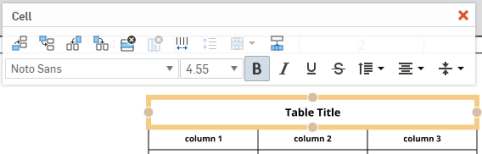
若要獨立於表格屬性之外編輯表格的儲存格,可點按儲存格空白區域來開啟「儲存格」編輯面板:
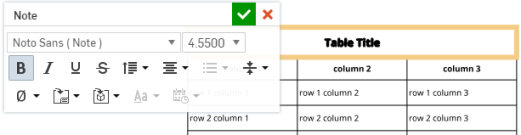
連按兩下表格中的文字來在表格屬性之外獨立編輯任何儲存格中的文字: