 投影视图
投影视图


可用于:工程图
快捷键:p
通过投影(展开)现有视图来创建新视图。
默认情况下,标签和比例处于关闭状态。要查看比例,请双击视图:“视图属性”对话框将在工程图左上角打开。默认情况下,在您创建工程图并放置第一个视图后,投影视图工具处于活动状态。即使使用后,投影视图工具仍处于活动状态,直至您单击图标将其关闭。
 步骤
步骤
- 单击以选择现有视图。
- 沿不同的方向从原始视图拖动光标以查看可能的投影视图。
- 单击以放置新视图,或按住 Shift 键的同时单击以放置带有父视图剖切的新视图。
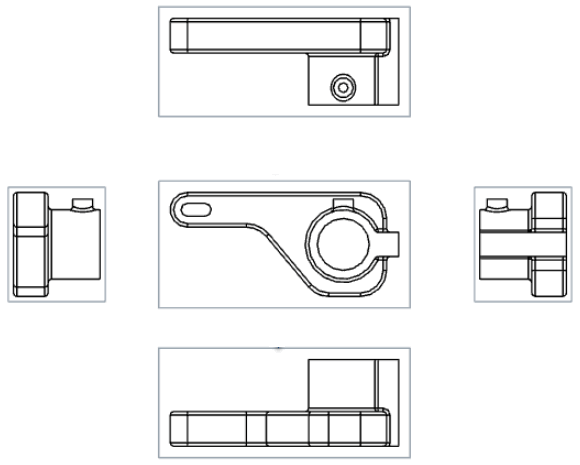
您也可以双击视图打开视图特性对话框。
投影视图创建表
此表说明了可以从中创建投影视图的视图类型:
| 投影视图 | |
| 创建的基础可以是: | 创建的基础不能是: |
|
基础视图 投影视图 剖视图 转正剖视图 辅助视图 具有局部剖的视图 投影视图保留创建视图时使用的视图设置。根据分离视图创建的局部剖视图也将被破坏。 展开图样视图 |
详细视图 |