工程图属性——表格

可用于:工程图
编辑在当前工程图中创建的物料清单(BOM)、自定义表格、切割清单、孔表格、修订表格和其他表格。
 访问表格页签
要访问表格属性,请单击工程图属性工具栏顶部的表格图标( )。
)。
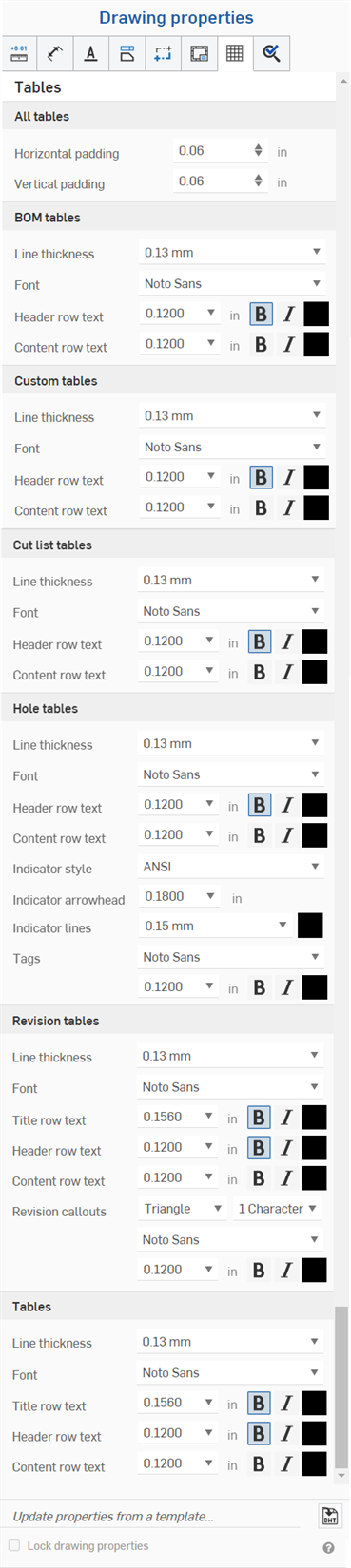
所有表格
- 水平填充——指定表格单元格的默认水平厚度值。默认值为 0.06 英寸。
- 竖直填充 - 指定表格单元格的默认竖直厚度值。默认值为 0.06 英寸。
物料清单表格
- 线宽——指定线的默认粗细。
- 字体 - 指定默认字体类型。
- 页眉行文本 - 指定页眉行的默认字体大小、字体处理方式和颜色。
- 内容行文本 - 指定内容行的默认字体大小、字体处理方式和颜色。
自定义表格
- 线宽——指定线的默认粗细。
- 字体 - 指定默认字体类型。
- 页眉行文本 - 指定页眉行的默认字体大小、字体处理方式和颜色。
- 内容行文本 - 指定内容行的默认字体大小、字体处理方式和颜色。
切割清单表格
- 线宽——指定线的默认粗细。
- 字体 - 指定默认字体类型。
- 页眉行文本 - 指定页眉行的默认字体大小、字体处理方式和颜色。
- 内容行文本 - 指定内容行的默认字体大小、字体处理方式和颜色。
孔表格
- 线宽——指定线的默认粗细。
- 字体 - 指定默认字体类型。
- 页眉行文本 - 指定页眉行的默认字体大小、字体处理方式和颜色。
- 内容行文本 - 指定内容行的默认字体大小、字体处理方式和颜色。
- 指示符样式 - 选择孔指示符的标准:ANSI 或 ISO。
- 指示符箭头 - 输入或选择指示符箭头的大小。
- 指示符线 - 选择线的粗细和颜色。
- 标记 - 指定孔标记文本的特征:字体、大小、格式(粗体、斜体或无)以及颜色。
修订表格
- 线宽——指定线的默认粗细。
- 字体 - 指定默认字体类型。
- 标题行文本 - 指定表标题行的默认字体大小、字体处理方式和颜色。
- 页眉行文本 - 指定表页眉行的默认字体大小、字体处理方式和颜色。
- 内容行文本 - 指定表内容行的默认字体大小、字体处理方式和颜色。
- 修订标注 - 指定标注的默认形状、字符数以及字体、大小、颜色和处理方式。
表格
- 线宽——指定线的默认粗细。
- 字体 - 指定默认字体类型。
- 标题行文本 - 指定表标题行的默认字体大小、字体处理方式和颜色(如果适用)。
- 页眉行文本 - 指定表页眉行的默认字体大小、字体处理方式和颜色(如果适用)。
- 内容行文本 - 指定表内容行的默认字体大小、字体处理方式和颜色。
编辑表格单元格
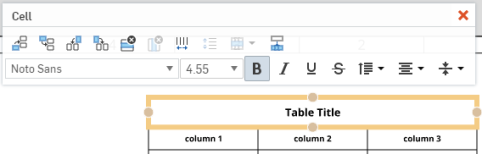
通过在单元格的空区域中单击以打开单元格编辑面板,独立于表格特性编辑表的单元格:
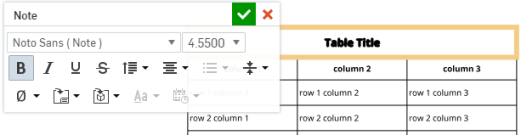
通过双击表中的文本,独立于表格特性编辑任意单元格中的文本: