화면 맞춤, 창에 맞춤, 선택 영역 확대/축소


이용 가능 플랫폼: Part Studio, 어셈블리
화면 맞춤, 창에 맞춤, 선택 영역 확대/축소를 사용하여 그래픽 영역에서 현재 모델의 뷰를 화면, 선택된 경계 상자 또는 선택 영역에 맞게 각각 조정합니다.
 확대/축소 옵션
확대/축소를 위한 마우스 휠 방향은 사용자 계정 기본 설정에서 구성할 수 있습니다.
확대/축소하려면 카메라 및 음영처리 옵션을 선택한 후, 다음 옵션 중 하나를 선택하십시오.
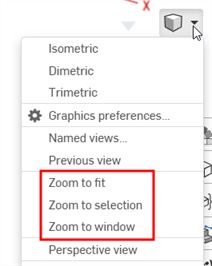
- 화면 맞춤(단축키: f, 스크롤 휠 두 번 클릭) - 보기에 맞게 전체 파트 스튜디오, 어셈블리 또는 도면을 확대하려면 이 명령을 선택하거나 단축키를 사용하십시오.
- 창에 맞춤(단축키: w) - 이 명령을 선택한 다음, 상자를 클릭해서 파트 스튜디오, 어셈블리 또는 도면에서 확대하려는 영역 주변으로 끕니다. 단축키를 누르면 기능이 켜지거나 꺼집니다.
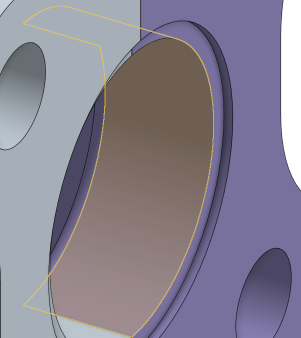
- 선택 영역 확대/축소 - 선택된 요소로 확대/축소하려면 이 명령을 선택합니다. 이 옵션이 나타나게 하려면 요소가 선택되어 있어야 합니다.
창에 맞춤 및 선택 영역 확대/축소 기능은 iOS나 Android 플랫폼에서 사용할 수 없습니다.
선택영역까지 확대
보기를 선택한 요소의 클로즈업으로 변경하려면 선택영역까지 확대를 사용합니다.
그래픽 영역에서 항목을 선택합니다.
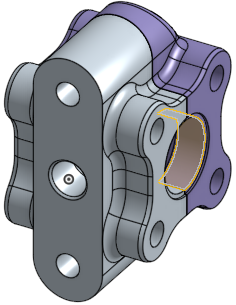
보기 메뉴를 확장하고 원하는 확대/축소를 선택합니다.