접선 모서리 보이기, 팬텀, 제거됨

이용 가능 플랫폼: Part Studio, 어셈블리
접선 모서리는 곡선과 선형 모서리 사이에 형성된 모서리입니다. 에를 들어, 필렛이나 완만한 모서리가 있습니다.
 접선 모서리 옵션
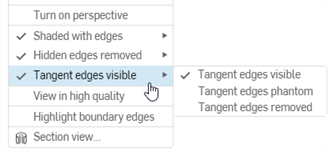
접선의 시각적 처리를 선택하려면 카메라 및 음영처리 옵션을 선택한 후, 다음 세 가지 뷰 모드 중에서 선택합니다.
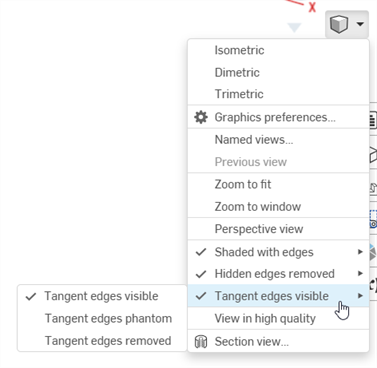
- 접선 모서리 보이기 - 접선 모서리가 실선으로 표시됩니다. 이것이 기본 설정입니다.
- 접선 모서리 팬텀 -접선 모서리가 점선으로 표시됩니다. 일부 시스템에서는 글꼴이라고도 합니다.
- 접선 모서리 제거됨 - 접선 모서리가 뷰에서 제거됩니다.
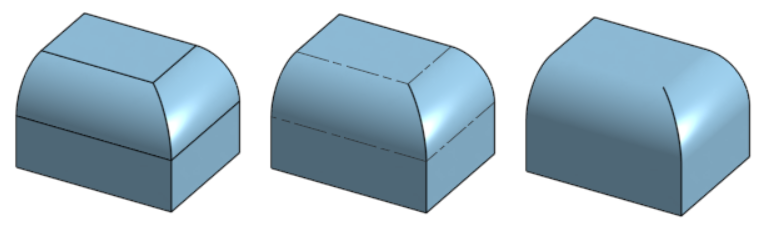
왼쪽에서 오른쪽으로 세 가지 접선 모서리 옵션 (표시 (기본값), 팬텀 및 제거됨.
접선 모서리는 현재 브라우저 플랫폼의 Part Studio 또는 어셈블리에서 새로 만든 모델에서만 사용할 수 있습니다.