接線エッジを可視にする、ファントム、削除

利用可能: Part Studio、アセンブリ
接線エッジは、フィレットやスムーズエッジなど、曲線と直線エッジの間に成形されるエッジです。
 接線エッジのオプション
接線の表示方法を選択するには、[カメラとレンダリングのオプション] を選択し、次の 3 つの表示モードから選択します。
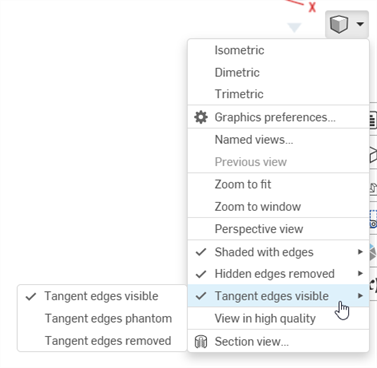
- 接線エッジを可視にする - 接線エッジは実線で示されます。これが既定です。
- 接線エッジをファントムにする - 接線エッジは破線で表示されます。システムによっては「フォント」とも呼ばれます。
- 接線エッジが削除されました - 接線エッジがビューから視覚的に除去されます。
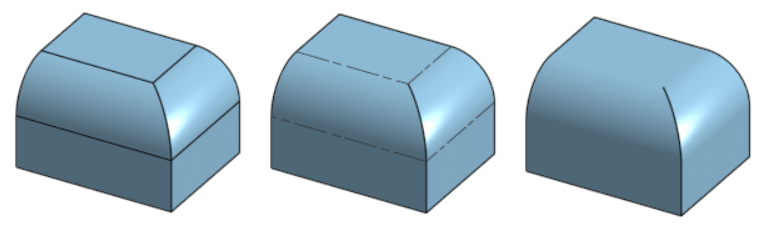
接線エッジには 3 つの異なるオプションがあり、左から右に [可視] (既定)、[ファントム]、および [削除済み] です。
現在、接線エッジは Part Studio またはアセンブリで新しく作成されたモデルのみで使用でき、ブラウザプラットフォーム上のみで使用できます。