外観の修飾子

のみ利用可能
利用可能: Render Studio
修飾子は、他の外観を変更するために使用される特殊なタイプの外観です。これらの修飾子は以前の外観を上書きしません。代わりに、修飾子は新しい修飾子の外観のベースマテリアルのパラメータに関連付けられます。
外観の修飾子を適用するには、シーン内のパーツまたは面に修飾子の外観をドラッグアンドドロップするか、パネルの外観パラメータにドラッグアンドドロップします。
以前の外観を新しい修飾子の外観で上書きする場合は、シーンリストまたはグラフィック領域でパーツまたはパーツ面を選択し、外観ライブラリで修飾子の外観サムネイルを右クリックして、コンテキストメニューから [割り当て] を選択します。
すべての修飾子は最上位の修飾子フォルダにあります。さらに、修飾子には、外観サムネイルの左上隅に修飾子アイコン ( ) が表示されます。
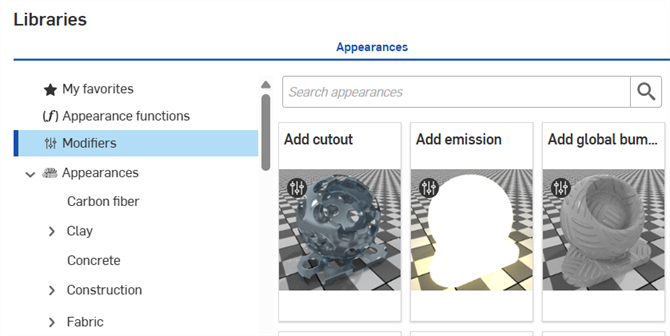
 外観の修飾子のテーブル
次のテーブルは、外観ライブラリにあるすべての外観の修飾子の概要です。
| 外観フォルダ | 外観名 | 外観名の小見出し | 外観の説明 |
| 修飾子 | 丸い角を追加 | [N/A] | パーツのエッジに丸い角を追加して、ベースの外観を維持します。新しいベース外観を適用し、さまざまな外観に丸みを適用します。半径と丸みのパラメータを調整します。 |
| 修飾子 | 光沢を追加 | [N/A] | ベースの外観を維持しながら、パーツ/面に光沢レイヤーを追加します。新しいベースの外観と、光沢の法線を適用します。光沢のマルチスカラーの濃淡、粗さ、色、重みのパラメータを調整します。 |
| 修飾子 | ボリュームを追加 | [N/A] | ベースの外観を維持しながら、パーツ/面にボリュームプロパティを追加します。新しいベース外観を適用し、吸収係数、方向バイアス、散乱係数のパラメータを調整します。 |
| 修飾子 | 外観セット (Render Studio Advanced) | [N/A] | 外観セットをエンティティに割り当てることができます。セット内の外観を切り替えると、外観のバリエーションをすばやく簡単に試すことができます。 |
| 修飾子 | 両面 | [N/A] | 面に前後の外観を追加します。前後の外観を適用します。外観は薄壁に強制されます。両方の外観の透過度は同じである必要があります。両方に共通のカットアウトパラメータを調整し、面が見える場所を決定します。 |
| 修飾子 | グローバルバンプマップを追加 | [N/A] | パーツ/面にグローバルバンプマップを適用して外観を変更します。ベースマテリアルのパラメータのローカルバンプマップは維持されます。 |
| 修飾子 | クリアコートを適用 | [N/A] | ベースの外観を維持しながら、パーツ/面にクリアコートを適用します。新しいベース外観を適用し、コートフィルターの色、ior、バンプ、反射の粗さ、コートの可視性のパラメータを調整します。 |
| 修飾子 | 色のフォールオフを適用 | [N/A] | 外観の色のフォールオフを変更して、ビューに依存するようにします。パーツ/面に修飾子を適用します。パーツ/面をシェーディングする 5 つの色のフォールオフオプションが、色 1 (方向) から色 5 (パーツ/サーフェスエッジ) まで用意されています。ベースマテリアルと 5 つの色のパラメータを調整します。 |
| 修飾子 | ダストカバーを適用 | [N/A] | ベースの外観を維持しながら、パーツ/面にダストカバーを適用します。新しいベース外観を適用し、ダストの色、量、バンプ、ダストの密度のパラメータを調整します。 |
| 修飾子 | フレークコーティングを適用 | [N/A] | ベースの外観を維持しながら、パーツ/面に金属フレークのレイヤーを適用します。新しいベース外観を適用し、フレークの量、向きのランダムさ、色、不透明度、粗さ、フレークのサイズのパラメータを調整します。 |
| 修飾子 | 薄膜を適用 | [N/A] | ベースの外観を維持しながら、パーツ/面に薄膜を適用します。新しいベース外観を適用し、ior と厚さのパラメータを調整します。 |
| 修飾子 | サーフェイスブレンダー | [N/A] | 2 つの外観のサーフェスブレンド特性を修正します。パーツ/面に修飾子を適用します。現在の外観は維持されます。ベースマテリアル (現在の外観)、ブレンドマテリアル (新しい外観を適用)、およびブレンドの重みを調整して、ブレンドマテリアルをマスキングします。 |
| 修飾子 | サーフェス減衰 | [N/A] | 2 つの外観のサーフェスブレンド特性を修正します。パーツ/面に修飾子を適用します。現在の外観は維持されます。ベースマテリアル (現在の外観)、ブレンドマテリアル (新しい外観を適用)、ブレンドバイアス、ブレンドの重みのエッジと向きを調整します。 |
| 修飾子 (全般) | ステッカーオーバーレイを追加 | [N/A] | パーツ/面に誘電体ステッカーオーバーレイを貼って外観を修正します。ステッカーの定義にはマスキング画像ファイルが必要です。 |
| 修飾子 (照明) | エミッションを追加 | [N/A] | 基本的な外観はそのまま、エミッションを適用して外観を修正します。新しいベース外観を適用します。強度、色、放射単位、単位スケールのパラメータを調整します。 |
| 修飾子 (照明) | 熱放射を追加する | [N/A] | パーツ/面に熱放射を適用して外観を修正します。エミッションパラメータのベースマテリアル、強度、温度 (色を変更)、単位を調整します。 |
| 修飾子 (金属) | 薄い金属コートを適用 | [N/A] | ベースの外観を保ちながら、パーツ/面に金属コートを適用します。新しいベース外観を適用します。反射色、バンプ、反射粗さ、反射重みのパラメータを調整します。 |
| 修飾子 (プラスチック>メッシュ、金属>メッシュ) | 切り抜きを追加 | [N/A] | パーツ/面に切り抜きを適用して外観を修正します。マテリアルを強制的に薄肉にします。葉、草、フェンスのモデリングに使用されます。切り抜きの定義にはマスキング画像ファイルが必要です。 |