 説明文による画像検索

Onshape Government を除くすべてのプランで利用可能です。
[説明文による画像検索] は Onshape Labs の機能で、AI が生成したパブリックドキュメントのサムネイルの説明を検索に含めることができます。
 説明文による画像検索の使用
![[説明文による画像検索] ボックスをオンにした状態で、[パブリック] ドロップダウンで検索します。](../Resources/Images/concepts/desc-image-search-dropdown-01.png)
パブリックドキュメントの検索にサムネイルの説明を含めるには、次の操作を行います。
-
ドキュメントページで、左ペインの [パブリック] をクリックします。
-
[パブリックで検索] フィールドに検索文字列を入力します。
-
[パブリックで検索] ドロップダウンをクリックします。
-
必要に応じて、残りの検索フィールドに入力します。
-
[説明文による画像検索] ボックスがオンになっていることを確認します。利用できない場合は、設定で [Onshape Labs を有効にする] を選択してください。
-
[検索] をクリックします。
設定オプション
アカウント設定で [説明文による画像検索] がオンになっていると、パブリックドキュメントを検索するときに既定で [説明文による画像検索] がオンになります。
When Descriptive image search is unchecked in your account preferences, Descriptive image search is unchecked by default when searching Public documents.
この設定を変更するには、次の操作を行います。
-
Onshape ウィンドウの右上隅にあるユーザーアイコン (
 ) をクリックし、[マイアカウント] を選択します。
 -
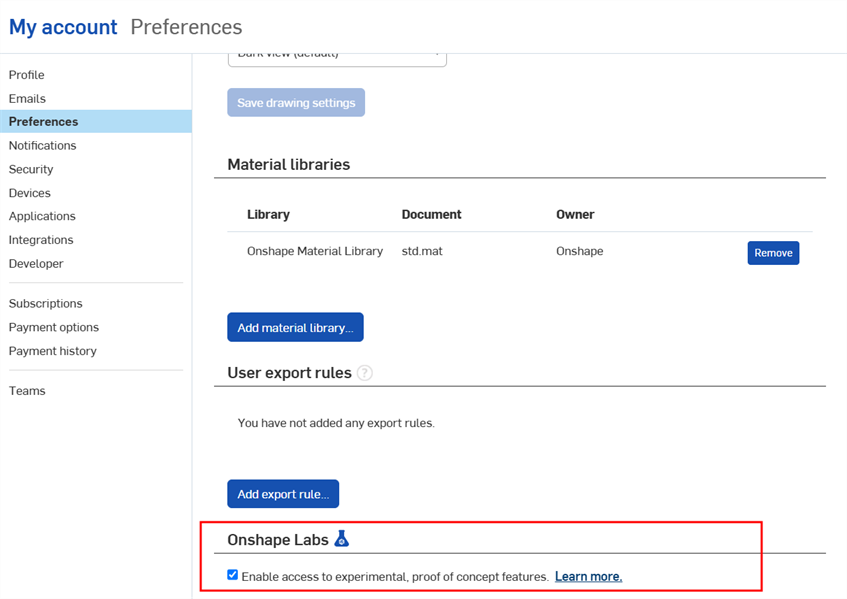
左側のサイドバーの [設定] をクリックし、[Onshape Lab] セクションまでスクロールします。
-
Onshape Labs がまだ有効になっていない場合は、チェックボックスをオンにします。
-
この設定を既定でオンにするには、[説明文による画像検索] ボックスをチェックします。
![[説明文による画像検索] チェックボックス](../Resources/Images/concepts/desc-image-search-01.png)