Visualizza in alta qualità

Disponibile in: Part Studio, Assieme
maiusc+r
Attiva/disattiva per selezionare o deselezionare la visualizzazione con la massima qualità di tassellatura disponibile per il Part Studio o l'assieme attualmente attivi. Tieni presente che questo potrebbe causare un leggero calo delle prestazioni.
 Passaggi
-
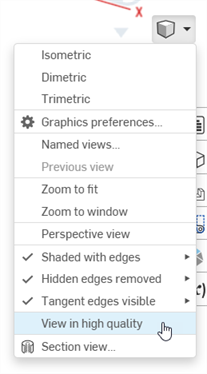
Seleziona Opzioni fotocamera e rendering, quindi seleziona Visualizza in alta qualità:
-
Quando attivi questa opzione, le notifiche blu sono visualizzate come mostrato di seguito:
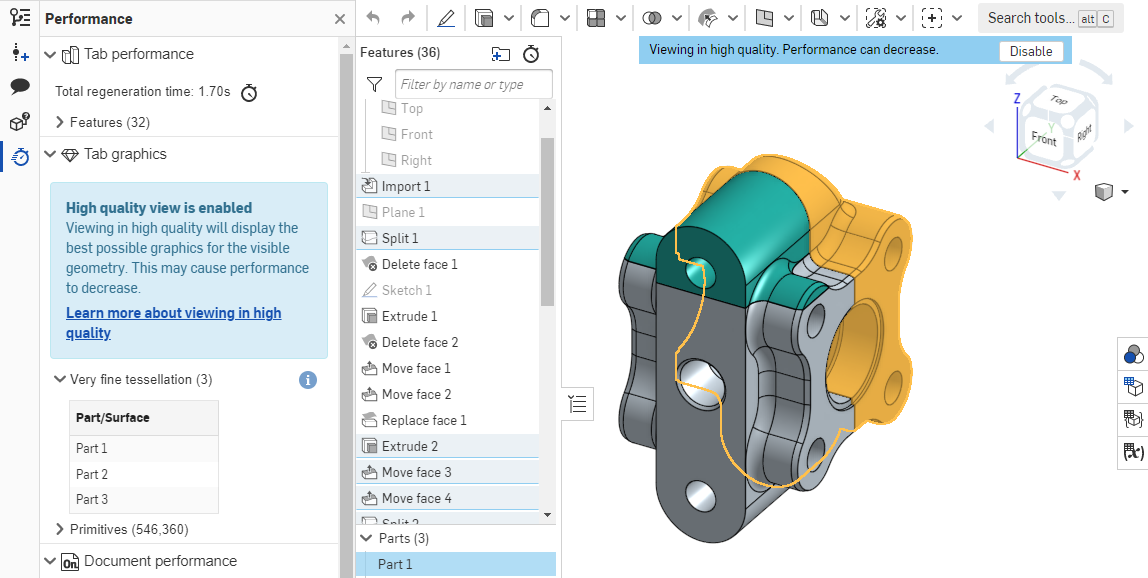
Per ulteriori informazioni su come questa modalità di visualizzazione potrebbe influire sulle prestazioni, consultaModalità alta qualità.