Analyse de la connexion

Disponible dans : Esquisse, Part Studio
L'analyse de la connexion évalue ou indique la connexion entre les courbes et les surfaces dans une esquisse ou un Part Studio. Sélectionnez deux courbes, deux faces ou une combinaison des deux, pour analyser si la connexion répond à la continuité G0, G1, G2 et/ou G3. Les extrémités présentant des connexions multiples ne sont pas analysées.
 Étapes
-
Dans un Part Studio, cliquez sur l'icône Afficher les outils d'analyse (
 ) dans le coin inférieur droit de l'interface.
 -
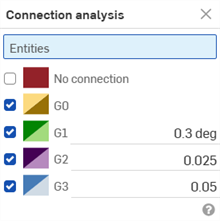
Dans le menu, sélectionnez Analyse de la connexion pour ouvrir la boîte de dialogue Analyse de la connexion :
-
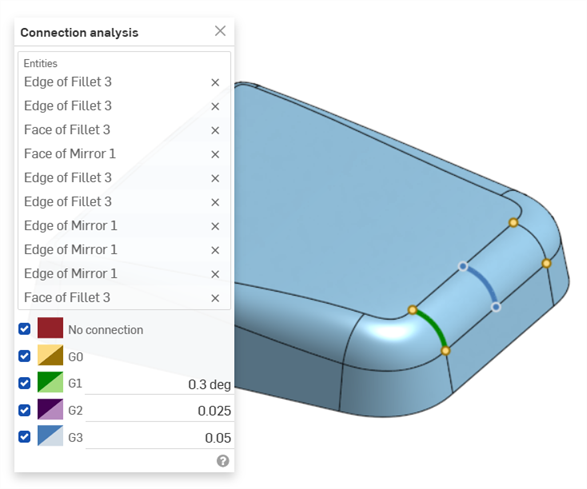
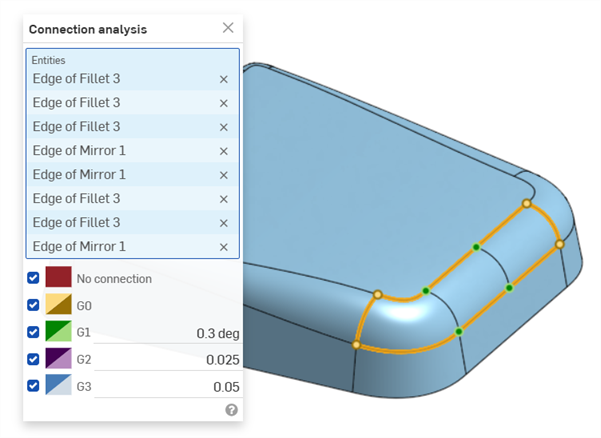
Sélectionnez les courbes ou les surfaces à analyser. La boîte de dialogue affiche les résultats automatiquement lors de la sélection, ainsi que des indicateurs de couleur coordonnés dans la zone graphique :
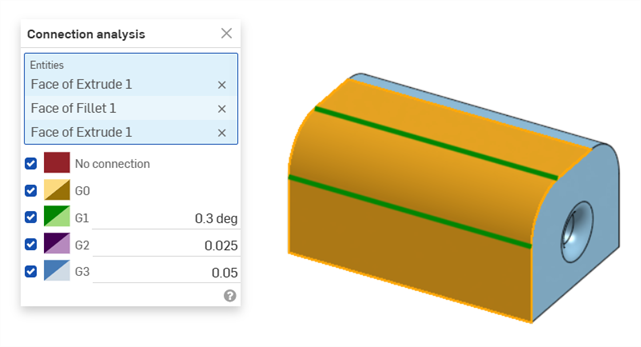
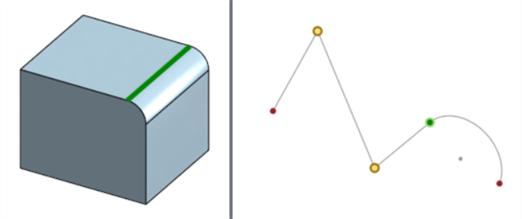
L'analyse de surfaces affiche la continuité le long de l'arête entre les deux faces sélectionnées (voir ci-dessous à gauche). L'analyse de courbes affiche la continuité au point de connexion entre les deux courbes sélectionnées (ci-dessous à droite). Les arêtes et les points sont codés par couleur, en fonction de leur continuité :
Exemples
-
2 faces :
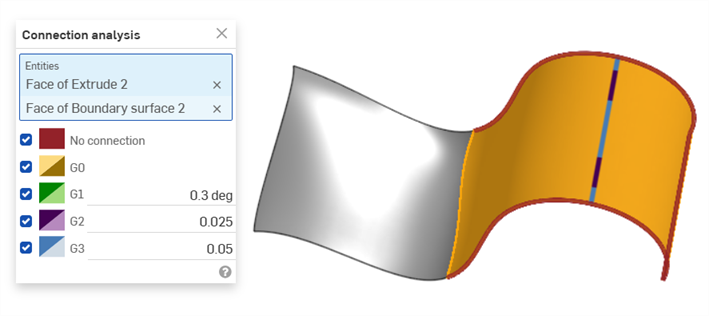
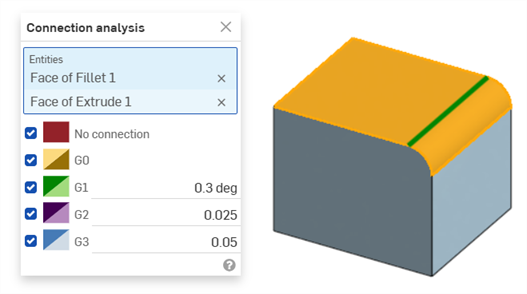
-
Courbes d'esquisse :
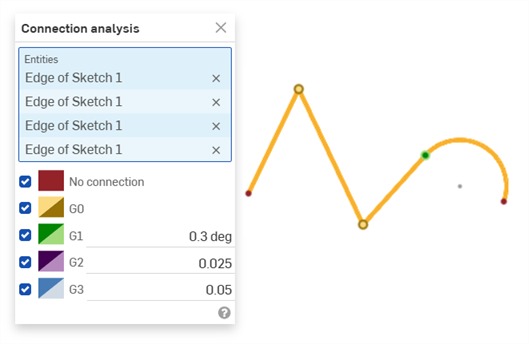
-
Faces multiples :
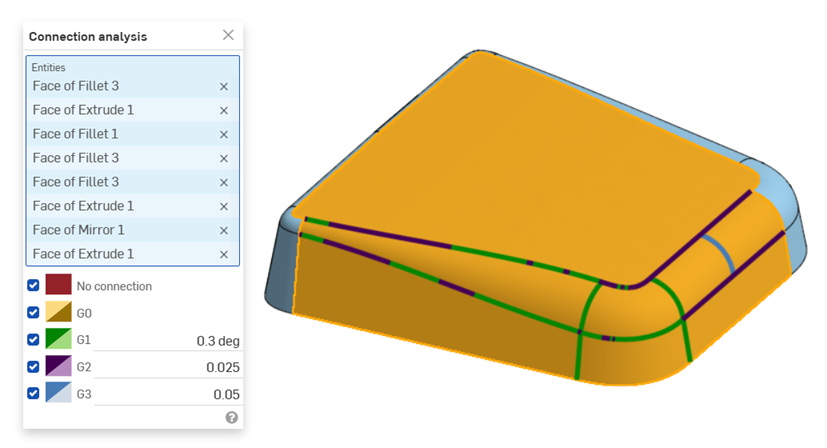
-
Courbes multiples :
-
Courbes et faces :