 Onshape Labs

Disponible pour tous les forfaits sauf Onshape Government.
Onshape Labs is an innovation program for developing and testing next-generation capabilities, from AI-powered engineering assistants to breakthrough design workflows, directly within Onshape. It gives users early access to emerging features and a chance to help shape how they evolve.
See https://www.onshape.com/en/features/onshape-labs for more information.
 Permitting a user or team to allow access to Onshape Labs
Only Company Administrators can permit users or teams to access Onshape Labs.
-
Click the My account dropdown at the top-right on the main toolbar and select Company settings.
-
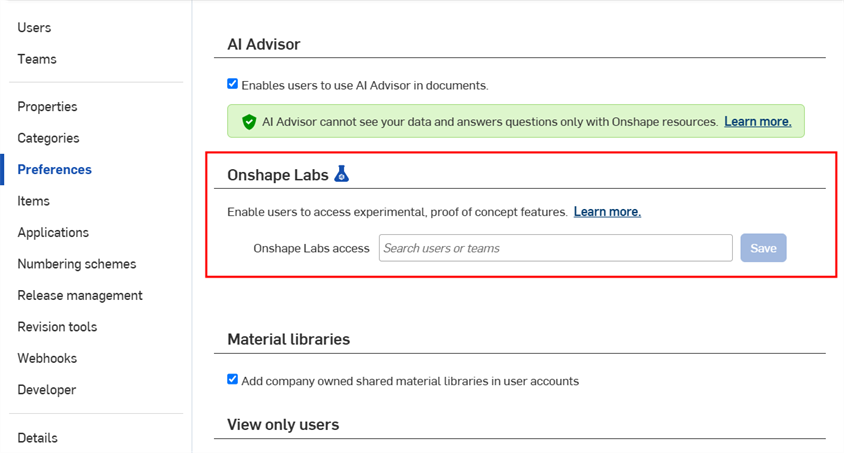
Click the Preferences tab on the left side:
-
Click on the Search users or teams field to select which users/teams can use Onshape Labs. Once added, these users/teams are permitted to allow access to Onshape Labs.
See Enabling Onshape Labs below for the steps a user must perform to enable Onshape Labs under their account.
Permitting a user or team to allow access to Onshape Labs
Only Enterprise Administrators can permit users or teams to access Onshape Labs.
-
Click the My account dropdown at the top-right on the main toolbar and select Enterprise settings.
-
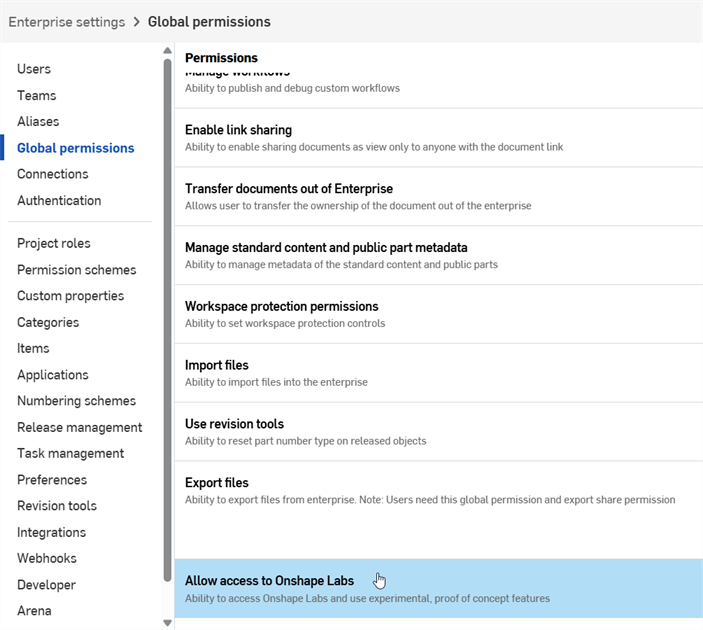
Click the Global permissions tab on the left side, and scroll to the bottom of the page in the main panel on the right:
-
Double-click the Allow access to Onshape Labs option.
-
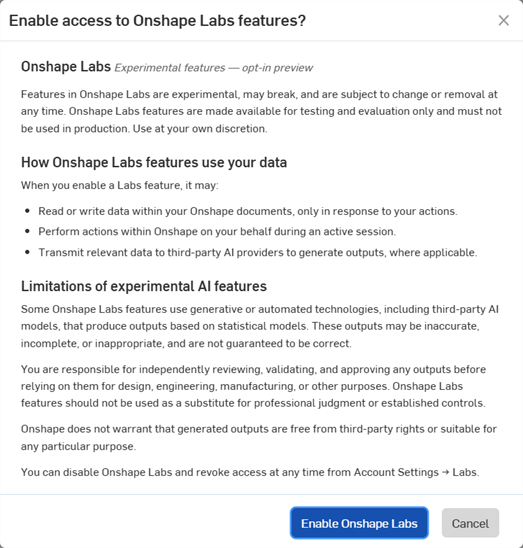
A prompt opens. Click the Enable Onshape Labs button to continue:
-
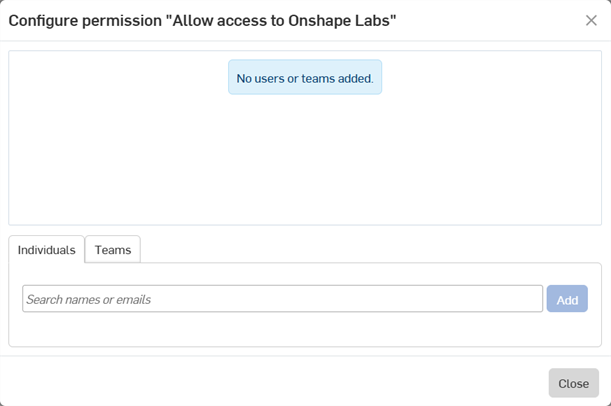
The Configure permission dialog opens, where you can add any Enterprise users or teams to the list. Select Individuals and/or Teams, then press the Add button. Click Close when done.
Once added, these users/teams are permitted to allow access to Onshape Labs.
See Enabling Onshape Labs below for the steps a user must perform to enable Onshape Labs under their account.
Enabling Onshape Labs
Before using any functionality available in Onshape Labs, it must first be enabled:
-
Click the My Account dropdown at the top-right on the main toolbar and select My account.
-
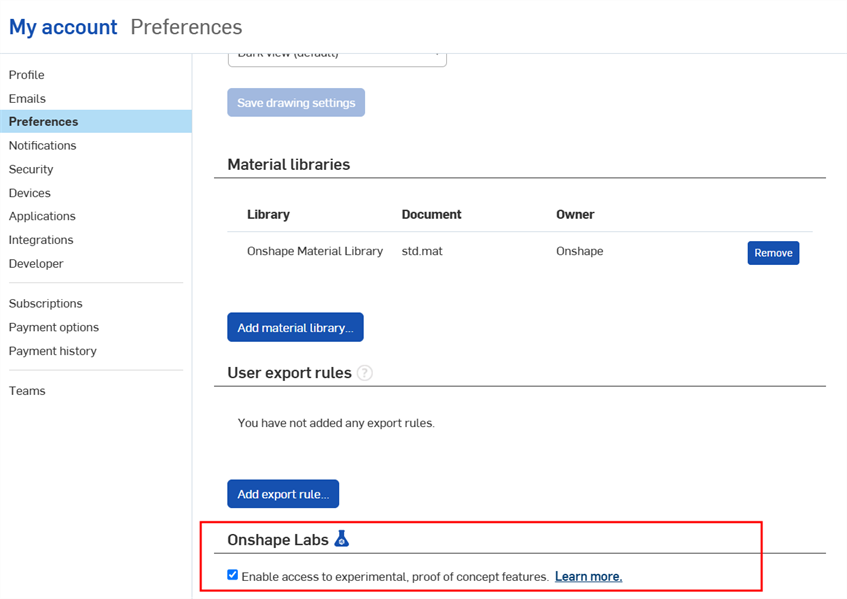
Click the Preferences tab on the left side, and scroll to the bottom of the page in the main panel on the right:
-
Check the Enable access to experimental, proof of concept features under the Onshape Labs (
 ) section.
 -
A prompt opens. Click the Enable Onshape Labs button to continue:
Once Onshape Labs is enabled, Lab capabilities are displayed below. For example, check FeatureScript co-complete (currently the only offering available) to toggle on the Co-complete option in all new Feature Studio sessions:
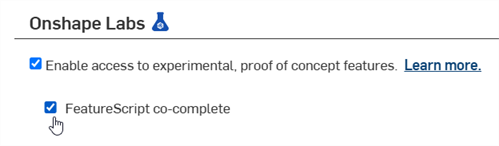
See FeatureScript co-complete for more information.