Ver en alta calidad

Disponible en: Part Studio, Ensamblaje
Shift + R
Seleccione o deseleccione la vista de superposición en mosaico de mayor calidad disponible para el elemento Part Studio o ensamblaje que se encuentra activo. Tenga en cuenta que esto puede provocar una ligera degradación del rendimiento.
 Pasos
Pasos
-
Seleccione Opciones de cámara y representación y, a continuación, seleccione Ver en alta calidad:
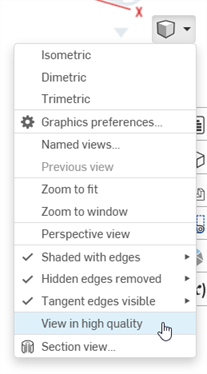
-
Al activar esta opción, las notificaciones azules aparecen tal como se muestra a continuación:
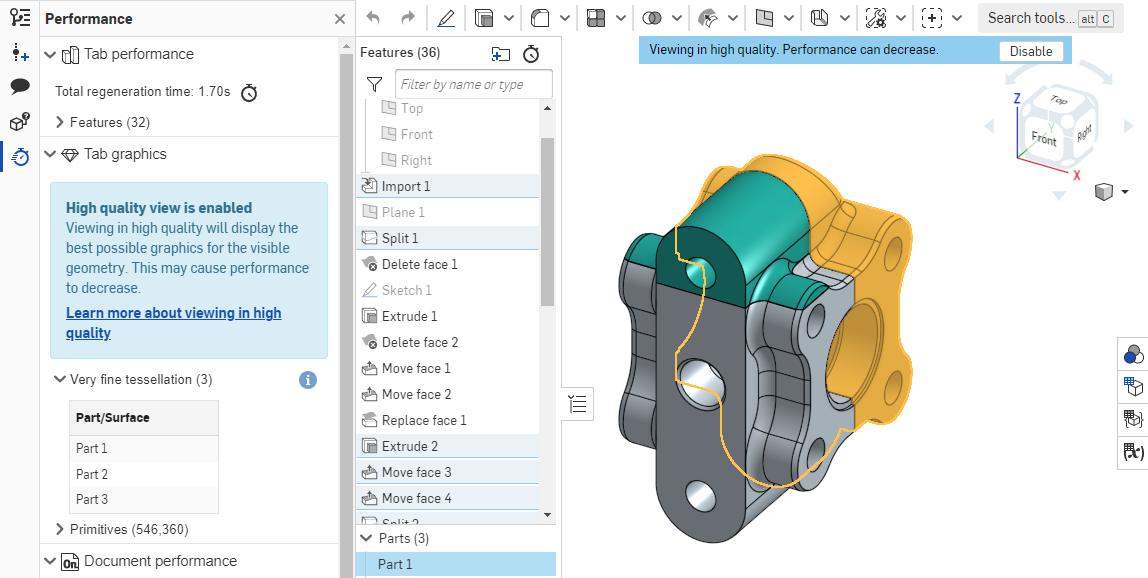
Para obtener más información sobre cómo este modo de vista puede afectar al desempeño, consulte Modo de alta calidad.