In hoher Qualität anzeigen

Verfügbar in: Part Studios, Baugruppen
Umschalt+r
Umschaltfunktion, um die Tessellierungsansicht mit der höchsten verfügbaren Qualität für das derzeit aktive Part Studio oder die Baugruppe aus- oder abzuwählen. Beachten Sie, dass dies zu einer geringfügigen Verschlechterung der Leistung führen kann.
 Schritte
-
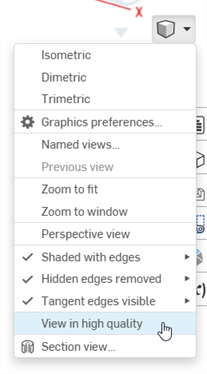
Wählen Sie Kamera und Rendering-Optionen und dann In hoher Qualität anzeigen aus:
-
Wenn Sie diese Option aktivieren, werden die blauen Benachrichtigungen angezeigt (siehe folgende Abbildung):
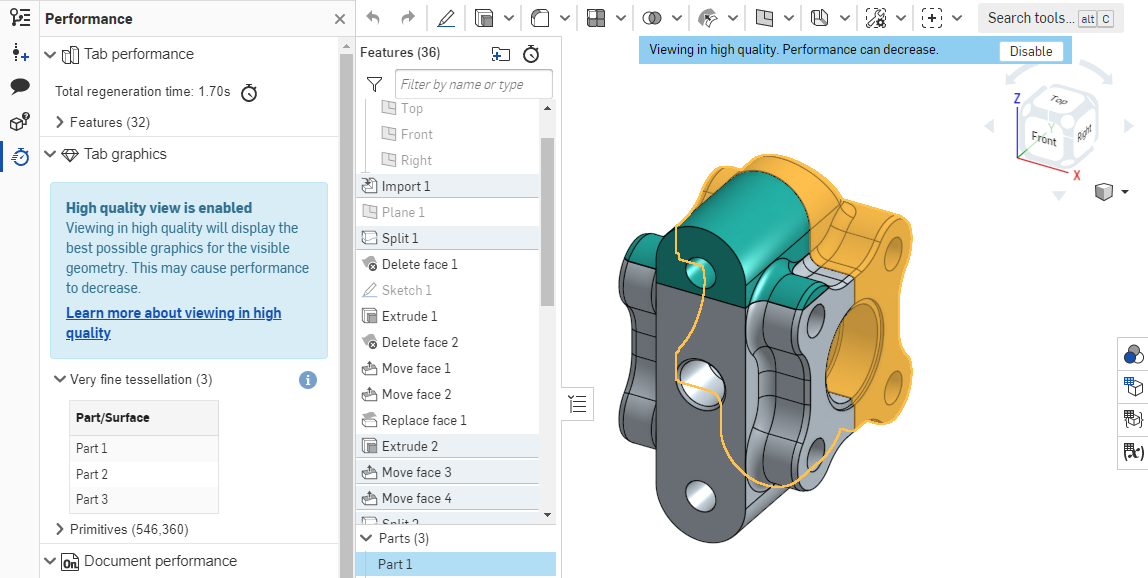
Weitere Informationen darüber, wie sich dieser Ansichtsmodus auf die Leistung auswirken kann, finden Sie unter Modus für hohe Qualität.